How do I create and manage an Account Plan?
Creating an Account Plan is the first step in defining your vision for a key account. As a Key Account Manager (KAM), you build the plan from the top down, starting with the main plan record and then adding specific strategies and objectives.
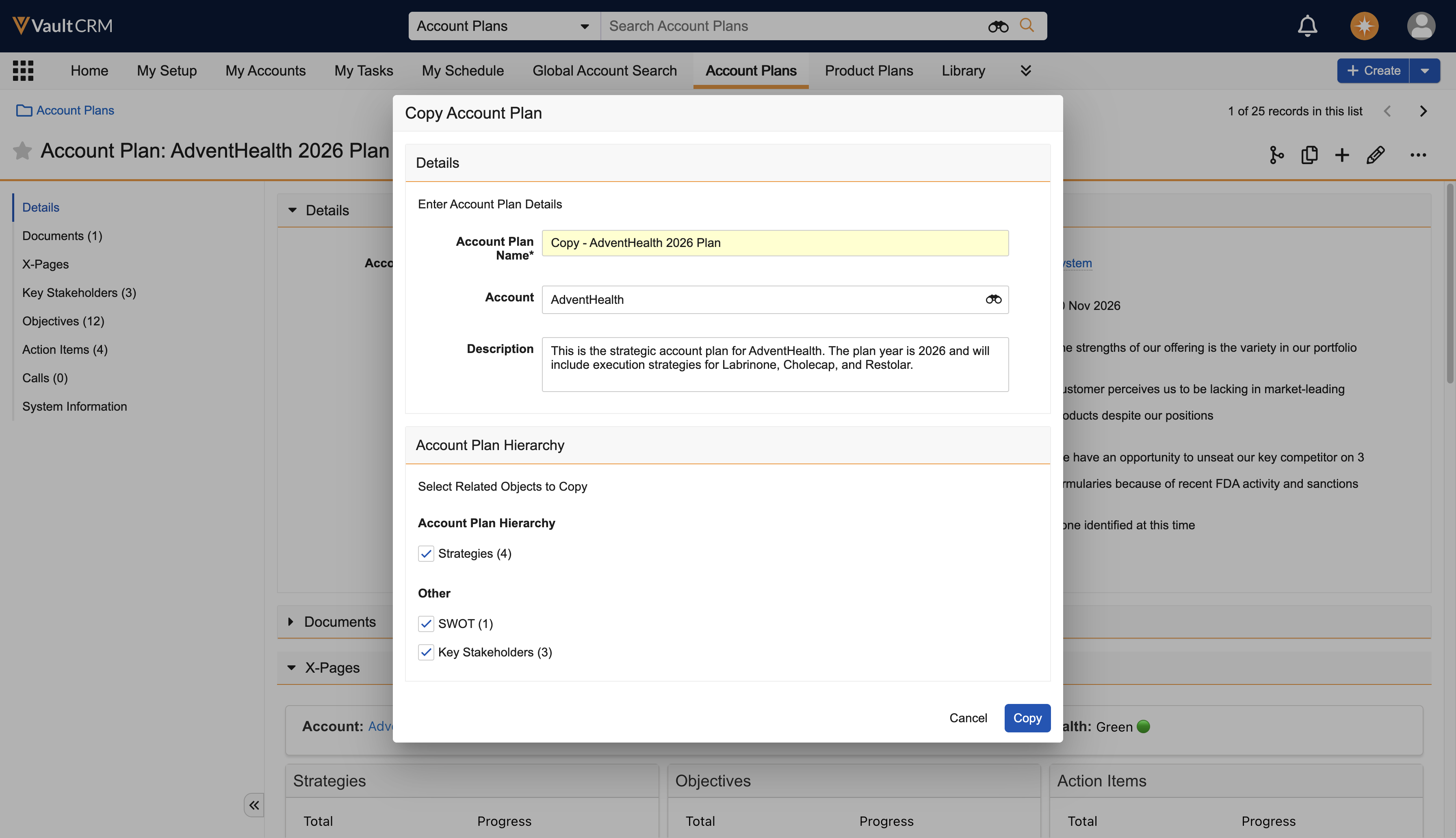
Copying Plans for Future Cycles
You don't always have to start from scratch. If you have a successful plan from a previous year or a similar account, you can use the Deep Copy feature. This allows you to copy the entire hierarchy—including strategies, objectives, and actions—to a new plan, saving you time on data entry and letting you focus on refining the strategy.
Creating a New Account Plan
Let’s say you want to coordinate your team’s efforts to market Cholecap and Restolar to Newton Memorial Hospital.
To create a new Account Plan:
-
Select the Account Plans tab.
-
Select the Create button.
-
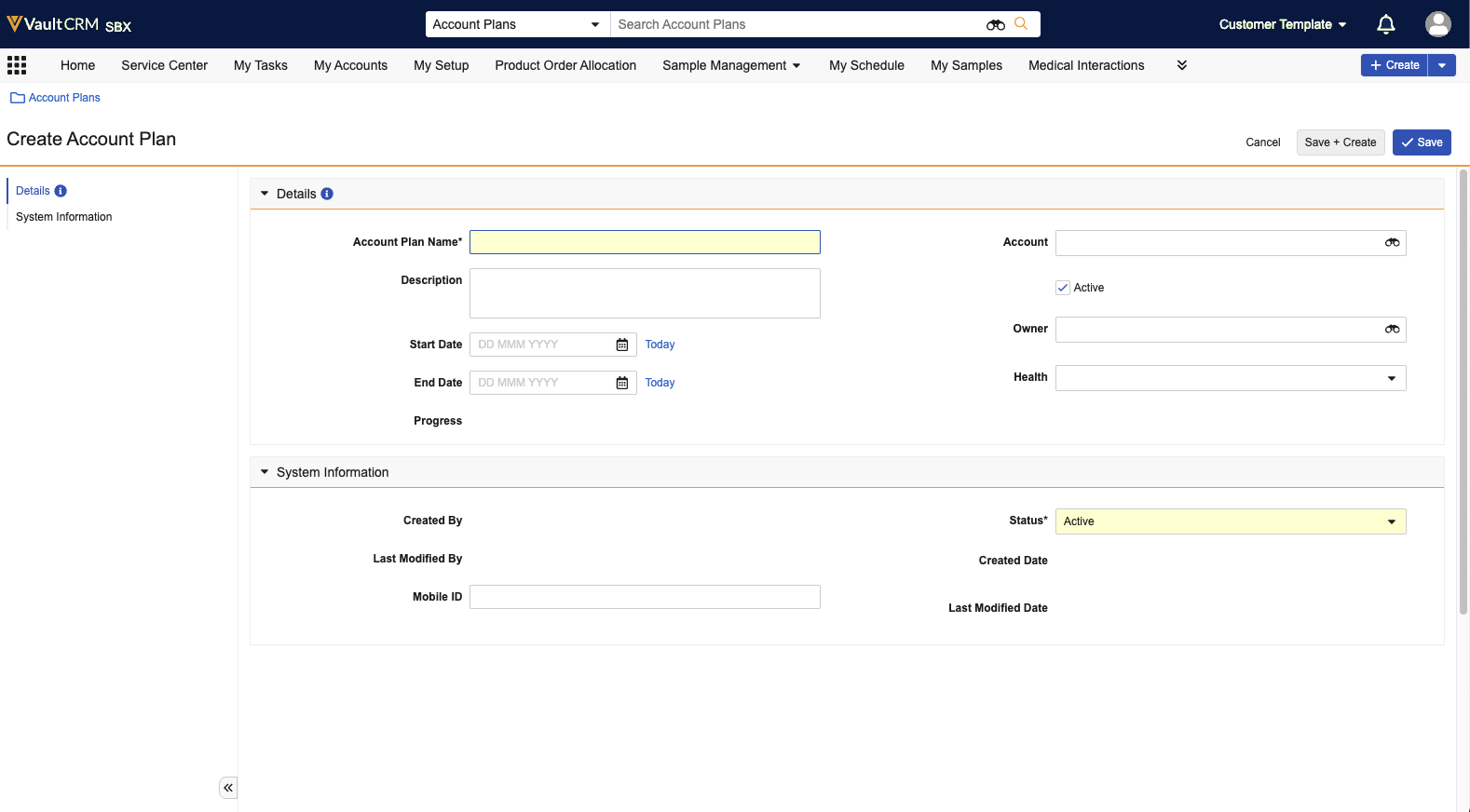
Enter the essential information:
- Account Plan Name - Give the plan a clear, descriptive name (for example, Newton Memorial Hospital 2025 Strategic Plan)
- Account - Select the specific account this plan applies to (Newton Memorial Hospital)
- Dates - Define the Start Date (1/1/2025) and End Date (12/31/25) to establish the timeline for your goals
- Status - Set the status (for example, Draft while you are building it, or Active when you are ready to execute)
-
Document Strengths, Weaknesses, Opportunities, and Threats in the SWOT section. For example:
- Strengths - Superior product efficacy as demonstrated through multiple studies
- Weakness - Account has low awareness of product due to legacy use of competitor product
- Opportunities - Possibility of unseating key competitor on formularies because of recent FDA activity and sanctions
- Threats - Competitors are testing new treatments, which could lead to increased competition
-
Select Save.
Managing Team Members
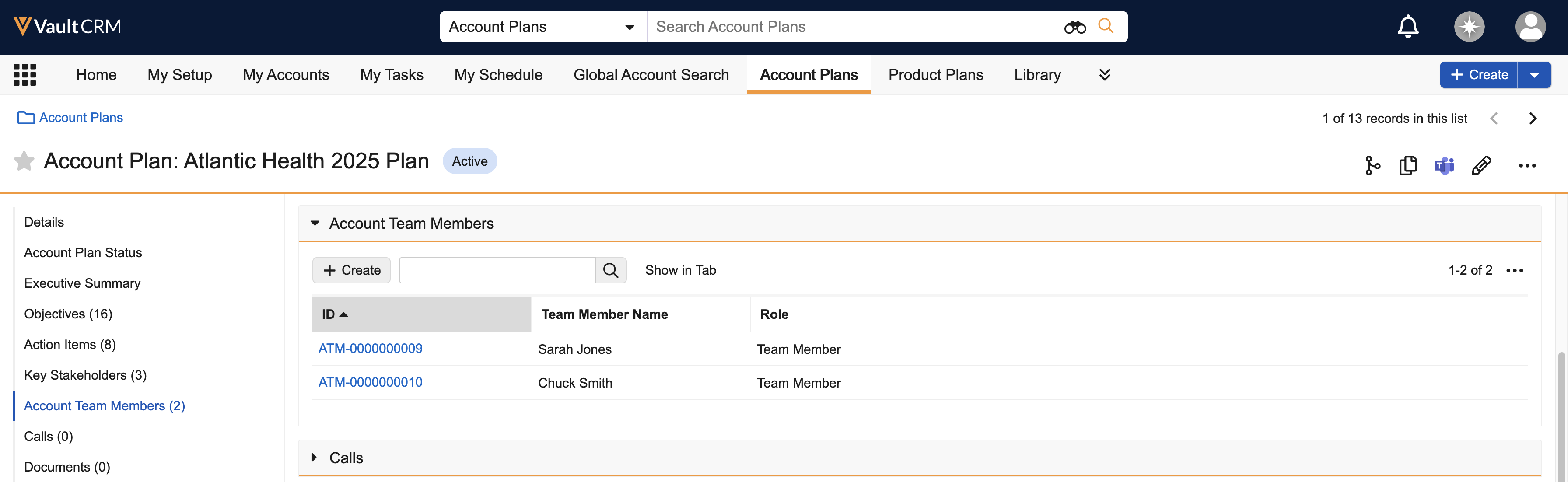
Account plan team members are colleagues who are responsible for collaborating on the account plan, along with KAMs, and executing tasks to move the plan toward completion.
To add a team member to an Account Plan:
-
Select the Team Members related list on the Account Plan.
-
Select Create.
-
Select the user from the Team Member picklist.
-
Select Save.
Building the Hierarchy (Managing the Plan)
After the main Account Plan record is created, populate it with details to guide your team. This is done through the plan's related lists or hierarchy view.
- Define high-level goals in the Strategies section. For example:
- Improve account’s awareness of Cholecap and Restolar
- Drill into a Strategy to add specific Objectives. For example:
- Expand understanding of improved patient outcomes
- Identify therapeutic gaps
- Create Action Items or Call Objectives to assign tasks to specific users. For example:
- Share results from latest Cholecap and Restolar studies
- Follow up visit to answer questions and provide additional product information