How do I track progress?
A plan is only as good as its execution. In Vault CRM, you don't need to manually tally spreadsheets to see how your team is doing. Progress is automatically calculated based on the completion of specific tasks within your Account Plan hierarchy.
Understanding the Roll-up
Progress flows from the bottom up. As your team completes their daily activities, those successes roll up to update your high-level goals automatically. For example, as the Verteo Biopharma team completes assigned action items by making calls and sharing information about Cholecap, those actions are counted toward the overall progress of the Account Plan.
- Action Items / Call Objectives - When a team member completes an Action Item or marks a Call Objective as Completed on a Call Report, the success is recorded
- Objectives - Vault CRM calculates the percentage of completed Action Items and Call Objectives to update the Objective Progress
- Strategies - As users complete Objectives, the Strategy Progress updates to show you exactly how the team is getting along
- Account Plan - Finally, the status of your Strategies determines the overall Account Plan Progress
This visibility allows you to quickly identify which strategies are on track and which might need additional attention or resources. Additionally, organizations can create an X-Page displaying high-level progress information for an ongoing Account Plan to end users.
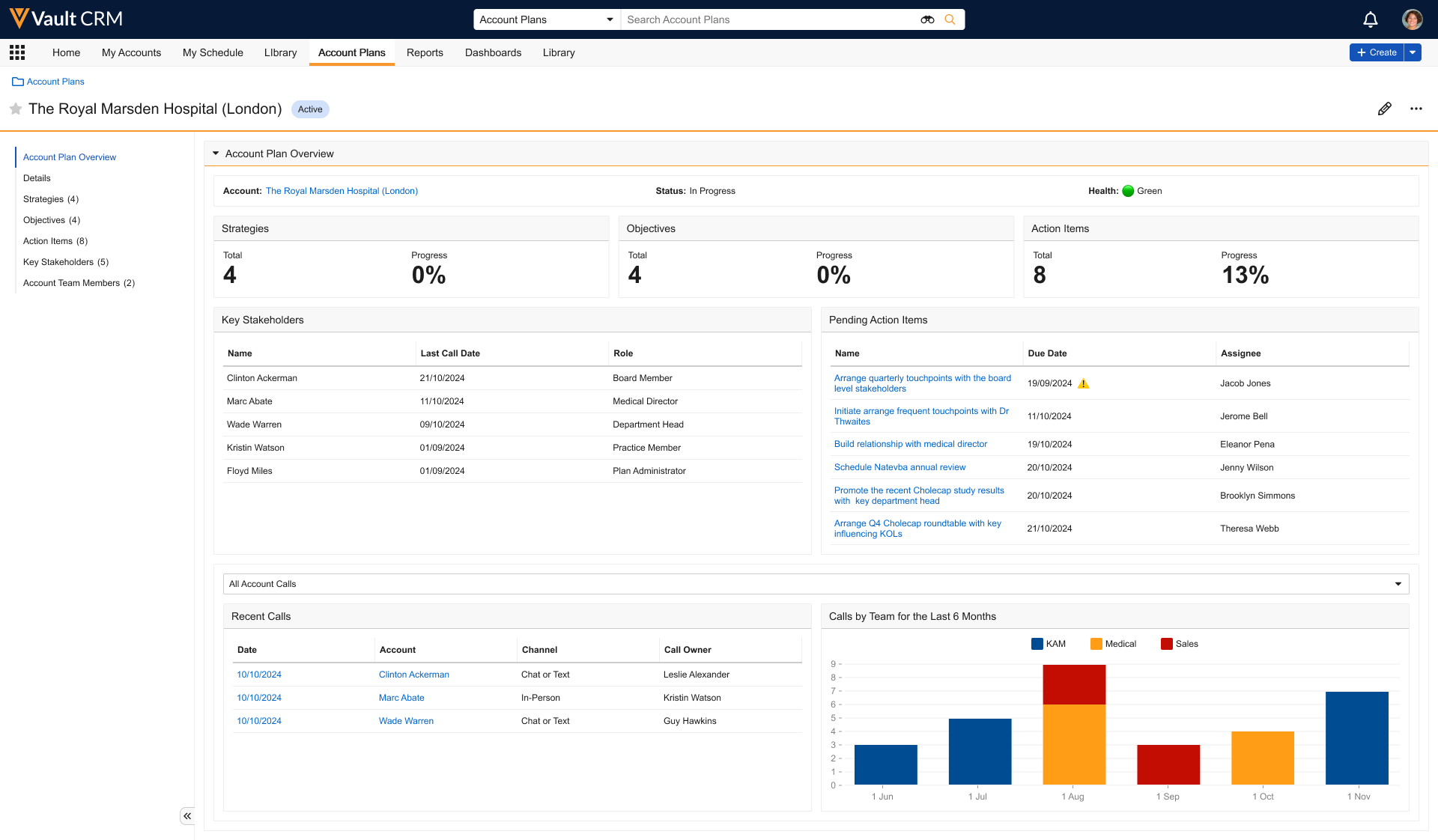
For more information, see Using the Account Plan X-Pages Studio Template.