How do business admins create Account Profiling templates?
As a business admin you have the power to easily create robust and flexible templates. You can make fields editable or read-only, color-code columns for clarity, and even clone existing templates to save time.
Let’s create an Account Profiling template for the product, Natevba, to collect data on HCPs’ advocacy for the product:
-
Navigate to Business Admin > Objects > Profiling Templates.
-
Select Create.
-
Enter the template name.
-
Specify the due date.
-
Enter a description of the template.
-
Enter instructions for field users.
-
Specify the Account Types.
-
The Account Types field filters which Accounts appear as rows in the sheet. For example, selecting Hospital populates the sheet with only your hospital accounts.
-
-
Scroll to the Columns section and select Add Item to create an additional column.
-
Configure the column’s content.
-
Select the Object and corresponding Field, unsupported fields
-
Specify if the field is editable or view-only
-
Specify the column color
-
-
Select Save.
-
Select the Change State icon.
-
Select Change State to Published.
-
Select Yes in the confirmation modal.
How do templates become available to field users?
Publishing a template makes the template available as a sheet for your users, but only if they qualify for all the criteria established in the template, if specified:
-
Country - Matches the user’s country code
-
User Type - Matches the user’s User Type(s)
-
Product - The product is assigned to the user in MySetup
Can I copy and reuse a template?
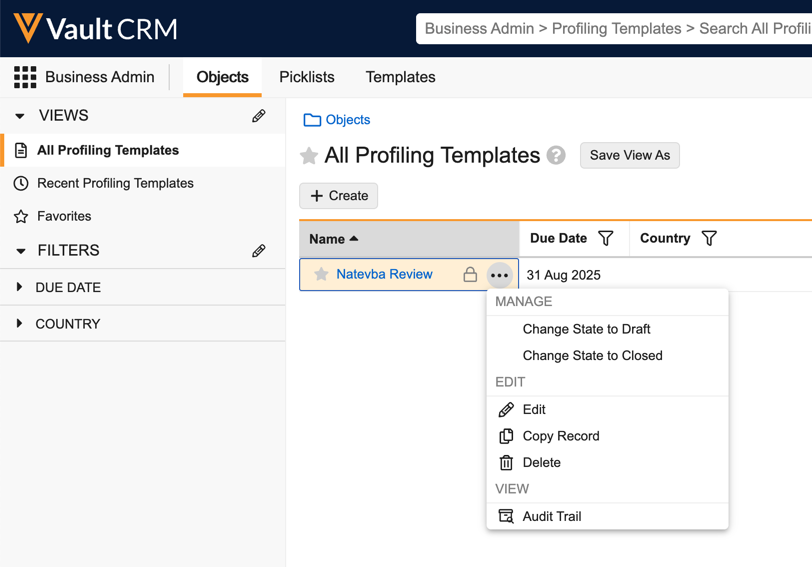
To save time, you can easily copy an existing template.
For example, let’s say you created a template to measure HCP familiarity and comfort with the product, Natevba, and now you’d like to collect the same data for a separate product. Copying an existing template brings over important details like due dates, Account Types, country, and even the configured columns with the objects and fields. Just remember to update the fields as needed before saving and publishing the new version.
Can I track Account Profiling activity?
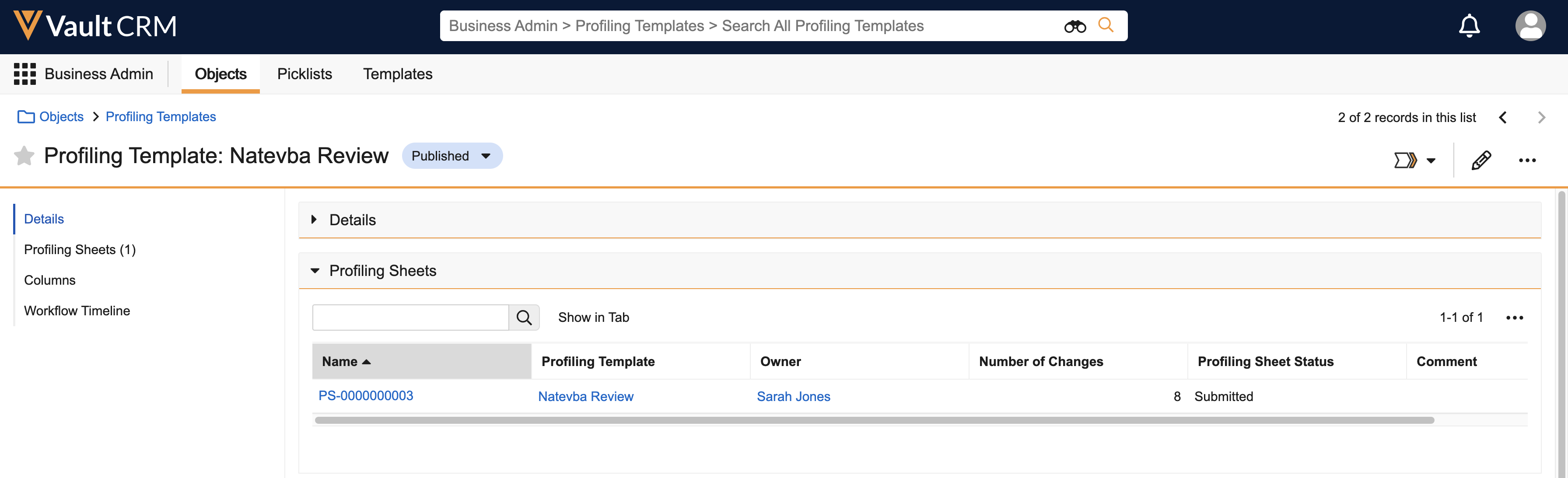
You can easily keep an eye on how your data collection is going. Just navigate to your template record and look for the Profiling Sheets section.
If a record does not exist, this indicates that the user has not started yet.
There, you’ll see:
-
Who the sheet (a published Account Profiling template) is assigned to
-
Their progress, for example, In Progress or Submitted
-
The number of changes they made