What does the field user experience look like?
For the field user, the Hot List is all about focus and simplicity.
Accessing the Hot List
Users can access their prioritized accounts via a dedicated Hot List tab on the iPad, or via a subtab under the My Accounts tab on the Browser.
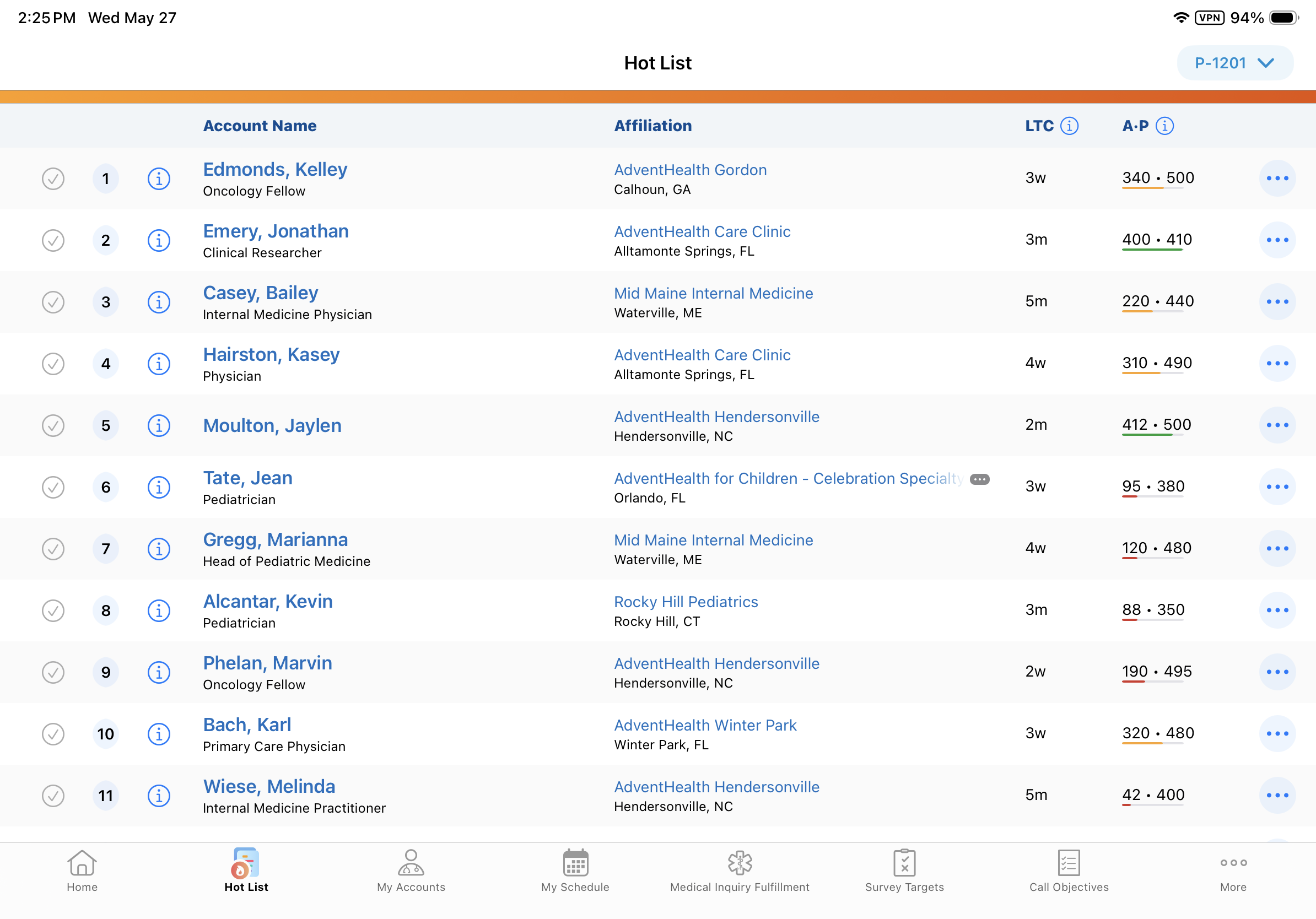
If a user is assigned to multiple territories, they can easily select the relevant territory from a dropdown menu. By default, the app displays the first alphabetically sorted territory that has an active Hot List.
What Makes a List "Active"?
Users will automatically see the most relevant data based on two factors:
- The current date falls between the list's defined Start Date and End Date
- The list's status is Active
If a territory has multiple active lists at the same time, the system automatically displays the most recently created one. If there are no active lists, or a list is empty, the user simply sees a "No Hot List Available" message.