How do I specify which text fields are monitored?
First, you need to determine which text fields are monitored. To do so, you’ll create Monitoring Rules.
Monitoring Rules play a pivotal role in the Approved Notes process- defining the specific fields to be monitored and managed within the system. Each Monitoring Rule is then associated with Monitored Phrases which identify problematic words and phrases, enabling compliance teams to pinpoint potential violations effectively.
Monitoring Rules include essential parameters for monitoring, for example, Start Date, End Date, and Category, and optionally specify a Country and Product for added specificity.
Importantly, Approved Notes only monitors records that are modified since the Monitoring Rule's Start Date, ensuring compliance efforts are focused on relevant data.
Create Monitoring Rules
To create a Monitoring Rule:
-
Navigate to Approved Notes > Monitoring Rule tab.
-
Select Create.
-
Select the Monitoring Rule Type.
-
Populate the following required fields:
-
Monitoring Rule Name - Unique name for the Monitoring Rule
-
Start/End Date - Start and end dates for the Monitoring Rule
-
Field Set - The field(s) to monitor
-
Category - Select the broader category for the Monitoring Rule
-
Status - Select Active
-
-
Select Save or Save + Create.
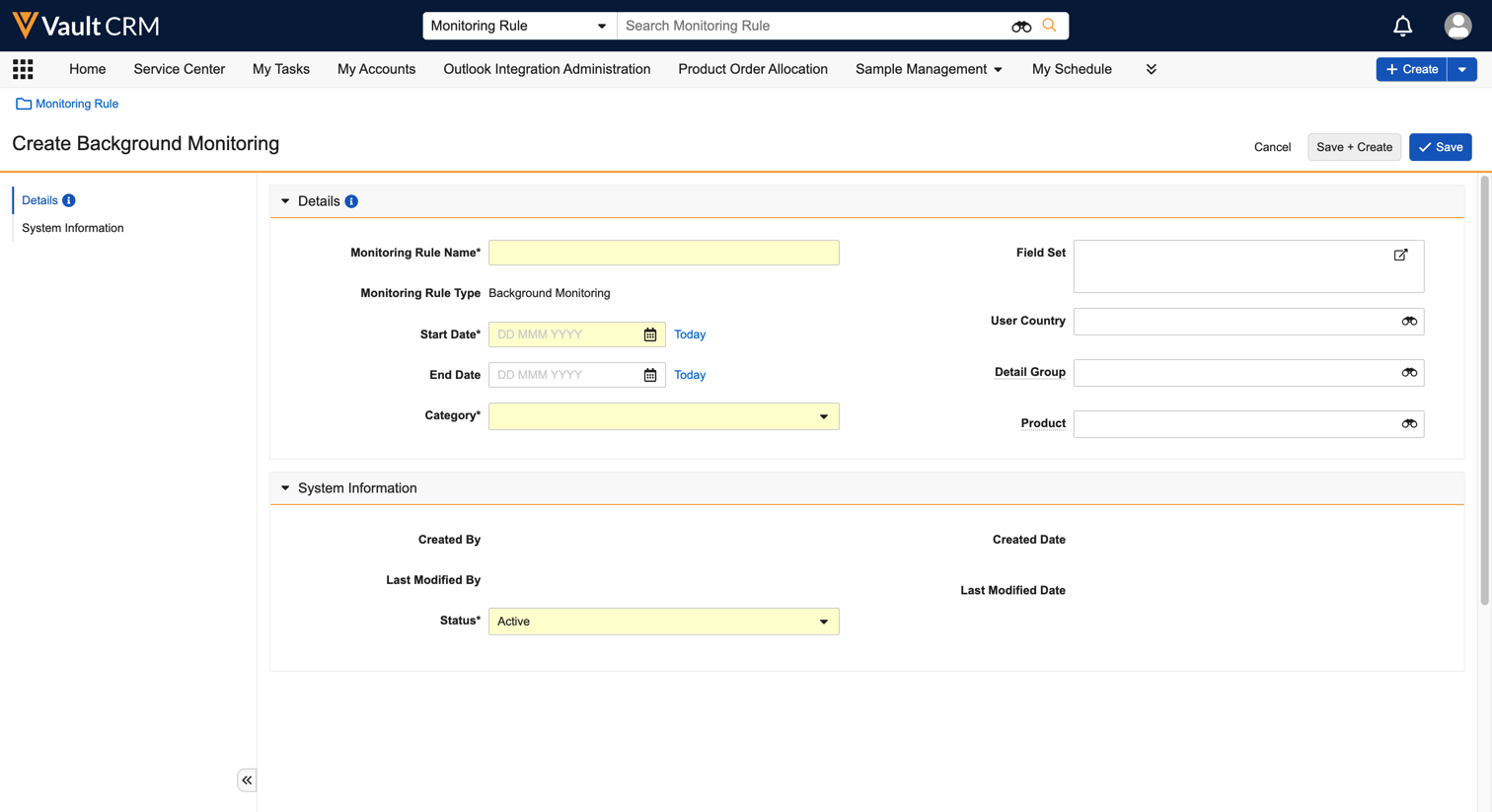

|
For details on the supported fields, see Create Monitoring Rules. |
Troubleshoot Monitoring Rule errors
When creating or updating a Monitoring Rule, you may encounter validation errors. The following are common issues and how to fix them:
-
Invalid Start or End Date - Ensure both dates are not in the past and that the end date is after the start date
-
Invalid field_set__v - The field set must follow the correct syntax and reference valid object-field pairings, and it cannot contain non-text fields (for example, Email, Link, and Phone)
-
Field Set Cannot Be Null - Ensure at least one valid field is included
-
Duplicate Values - The field set must not contain duplicate entries
-
Invalid product__v and detail_group__v Grouping - A valid Product Group record must exist to associate with the Monitoring Rule