How do I specify which words or phrases are monitored?
Once you’ve determined which fields are monitored with Monitoring Rules, create Monitoring Phrases to designate which words or phrases are flagged as potential violations.
Monitored Phrases establish specific words or expressions to track for compliance and monitoring purposes. You can create up to 1,000 Monitored Phrases for each Monitoring Rule, allowing for extensive customization based on your organization's needs.
Is there a recommended word list?
The following categories provide a starting point for defining what your organization may want to track and monitor to maintain regulatory adherence, uphold professional standards, and ensure clear communication.
Unprofessional language
Consider monitoring unprofessional language. This can include:
-
Personal Opinions - For example, stupid, dumb, frustrating, infuriating, mean, nasty, rude, ignorant, condescending, racist, feminist, sexist, funny, accommodating, malleable, ugly, old, young, hot, pretty, handsome, flirt, fat, thin, short, tall, bald, smelly, hairy, and rich
-
Sensitive Topics - For example, Democrat, Republican, Christian, Jewish, Muslim, Mormon, Baptist, Catholic, Methodist, Atheist, Latin, African, Chinese, Indian, Feminist, Racist, Gay, Lesbian, Transsexual, and Bisexual.

|
Admins should consult internal HR and Legal teams to develop comprehensive lists appropriate for their organization, considering company culture and local regulations regarding sensitive language. |
Federal regulations policy monitoring
It’s important to monitor language that may conflict with federal regulations.
There are a number of laws that the life sciences industry must keep in mind, including the Anti-Kickback Laws, False Claim Act, Food, Drug and Cosmetic Act, PDM Act, and the PhRMA Code.
The Federal False Claims Act (FCA), which frequently gets prioritized attention, imposes substantial civil penalties on any corporation or individual who knowingly makes a false claim or acts with willful blindness to the truth.
Keywords to monitor can include:
-
Paid, paying, payment, offer, value, influence, influenced, influencing, remuneration, solicit, solicited, soliciting, induce, induced, federal, government, state, fee, fees, grant, grants, rebate, discount, discounting, contract, contracts, contracting, rate, service, services, solutions, consulting, speaker, speaking, research, CME (continuing medical education), education, training, program, consulting, speaker, scholarship, financial, support, supporting, sponsor, sponsoring, fund, funding, wholesale, claim, prior authorization, code, best-practice, violation, purchase, purchased, trade, trading, reimbursement, and reimbursing
Non-standard acronyms or abbreviations
Monitor for non-standard acronyms or abbreviations.
While common in casual communication, they can cause confusion or be misinterpreted, for example, “PA” could mean Pennsylvania or Physician’s Assistant. Consider flagging potentially ambiguous internal jargon or abbreviations that aren't universally understood in your organization’s industry. Some companies train their teams to avoid using non-standard acronyms or abbreviations as they can cause confusion.
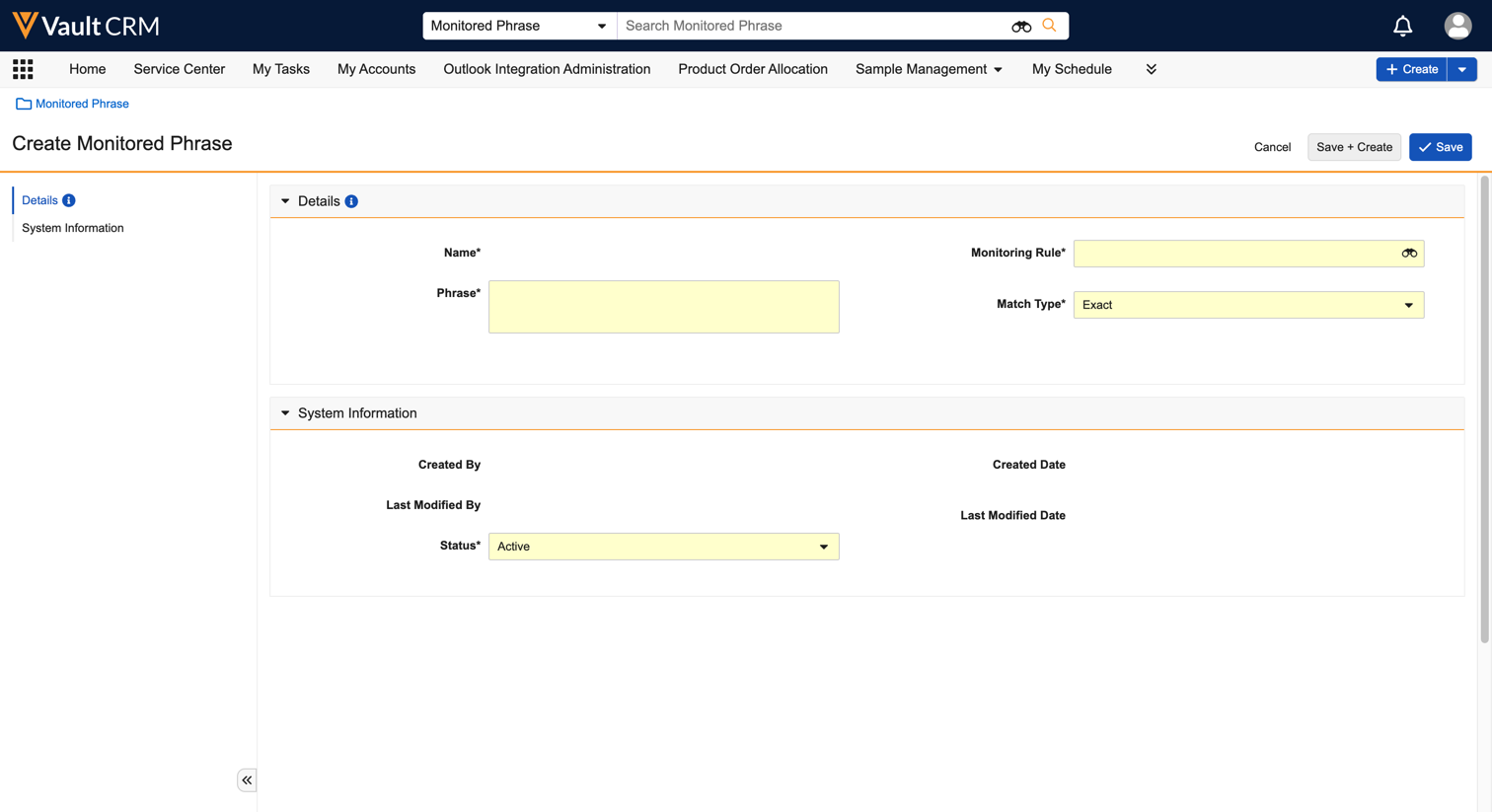
Create Monitored Phrases
To create a Monitored Phase:
-
Navigate to Approved Notes > Monitoring Phrase tab.
-
Select Create.
-
Select the Monitored Phrase Type.
-
Populate the following required fields:
-
Phrase - Defines the word, phrase, or regular expression (regex) to monitor
-
Monitoring Rule - Select the associated Monitored Rule
-
Match Type - Specify the type of keyword matching:
-
Contains - Flags text containing the Monitored Phrase regardless of case, for example, “earn” would flag text containing “learn” and “Learned”
-
Exact - Flags text identical to the Monitored Phrase regardless of, for example, “earn” would flag “Earn” but not “learn” or “learned”
-
Regex - Designates the Monitored Phrase as a regular expression. Note that regex phrases use Python regex version 3.7, and any invalid regex phrases are skipped during the Approved Notes process. Additionally, features like positive and negative look-ahead and look-behind are not supported.
-
-
Status - Select Active
-
-
Select Save or Save + Create.