How can I optimize content strategy?
By analyzing CLM activity, your content and market teams can make data-driven decisions to invest in what works and improve CLM content.
Vault CRM automatically tracks key metrics that provide a clear picture of content effectiveness.
Let’s consider a marketing manager at Verteo BioPharma who wants to check in on the performance of their latest CLM presentation, Natevba - Keep Your Levels in Check. We can create a report to easily see how the presentation and its key messages are performing.
To create this report:
-
Create a report with the Call Key Message report type.
-
Add the following columns:
-
CLM Presentation Name
-
Key Message Name
-
Share Method
-
Duration
-
Reaction
-
-
Filter to only display the CLM presentation, Natevba - Keep Your Levels in Check.
-
Group the rows by Key Message Name.
-
Select Run and Save.
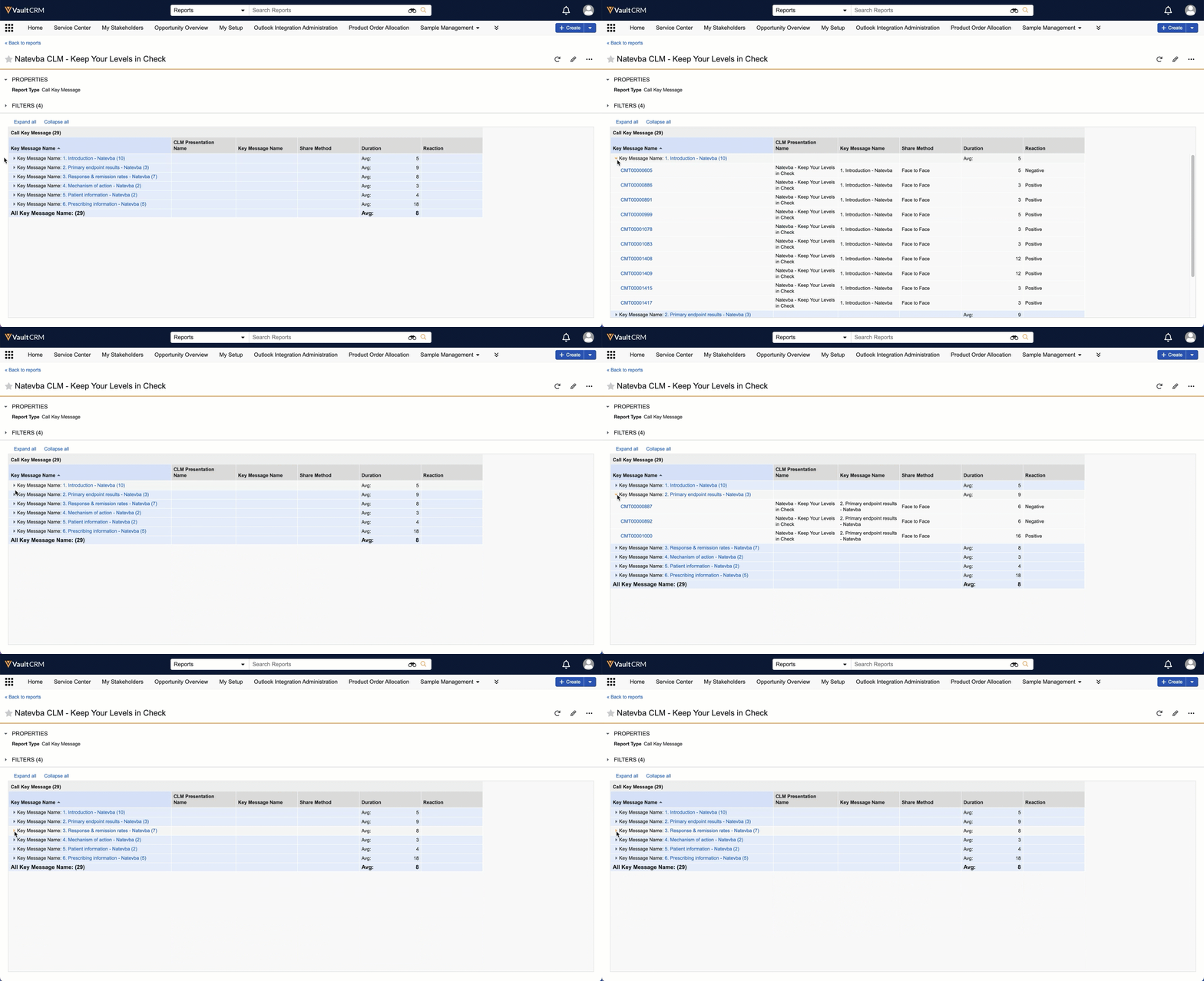
By grouping the rows by the CLM Presentation Name, we can see the Duration and Reaction fields for each slide of the presentation. We discovered that most of the presentation received overwhelmingly positive reactions, although some slides were received negatively.
This insight tells the content team where to double down on their messaging and where they need to re-evaluate and improve their content and messaging.