Are field users presenting materials through proper channels?
In today’s multichannel environment, it’s not just what you present, but how you present it.
Compliance teams need to ensure that interactions, whether in-person or remote, are adhering to company policy and regulations. CLM activity tracking provides a clear record of how content is being shared. The key to this is the Share Method field on the Call Key Message object. This field automatically captures how field users present CLM presentations to the HCPs.
Let’s say Verteo BioPharma has a strict policy that all remote presentations must be conducted through Engage Meeting, to ensure they’re properly recorded. A compliance officer needs to audit CLM activity to verify that this policy is being followed.
The compliance officer can create a report on the Call Key Message object and filter for remote presentations and share methods.
To create this report:
-
Create a report with the Call Key Message report type.
-
Add the following columns:
-
Key Message Name
-
User
-
Duration
-
Reaction
-
Share Method
-
Group the rows by Key Message Name.
-
Select Run and Save.
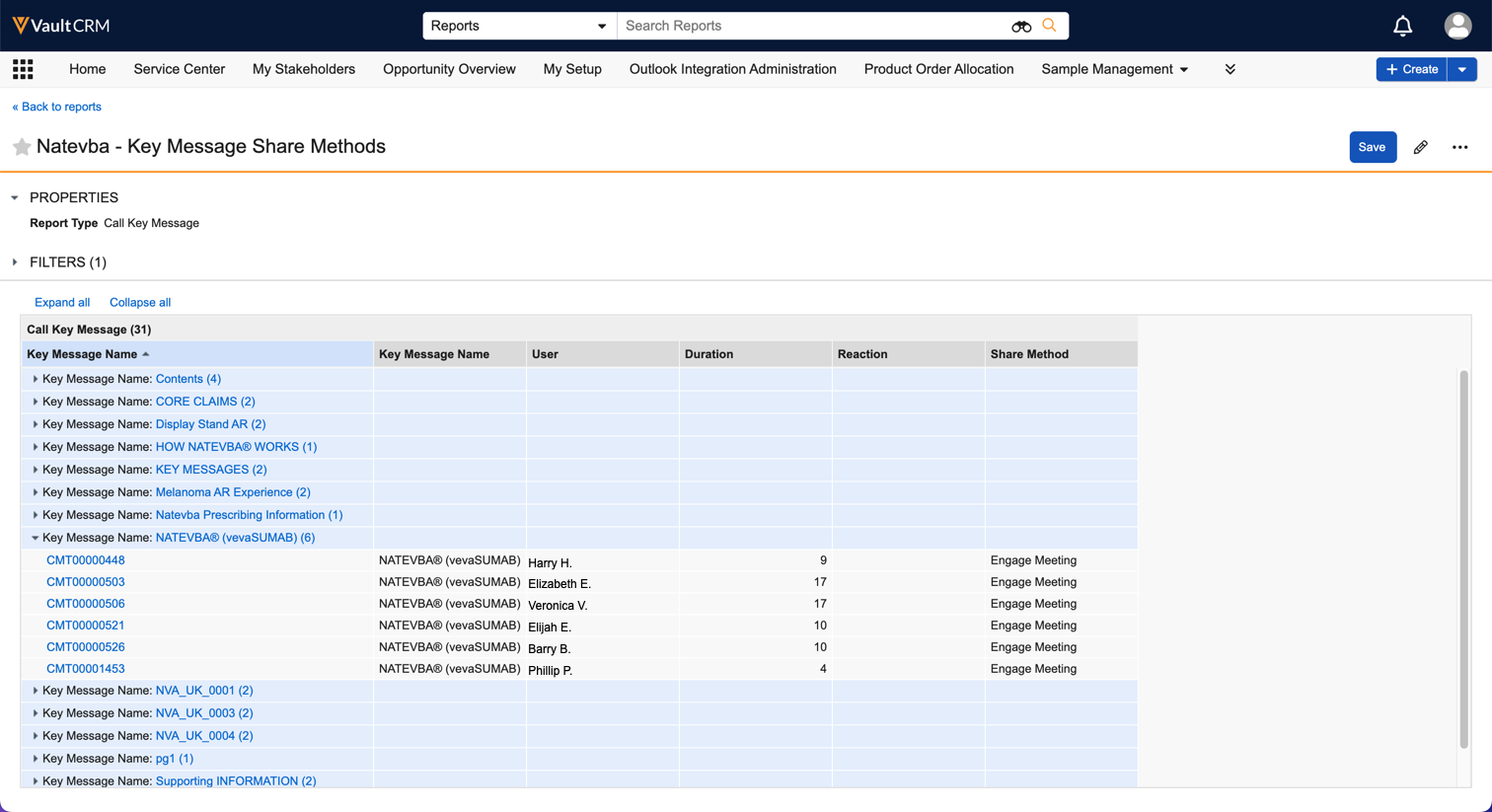
Using this report, the compliance team can confirm that their field users are correctly using Engage Meeting for their remote presentations.