How do I capture field intelligence with Commercial Insights?
Let's say you’re meeting with Dr. Adamson at his practice. He mentions that most patients prefer to self-administer treatment rather than travel to a treatment center for IV infusion. You realize this plays into a broader industry trend that your company would want to be aware of.
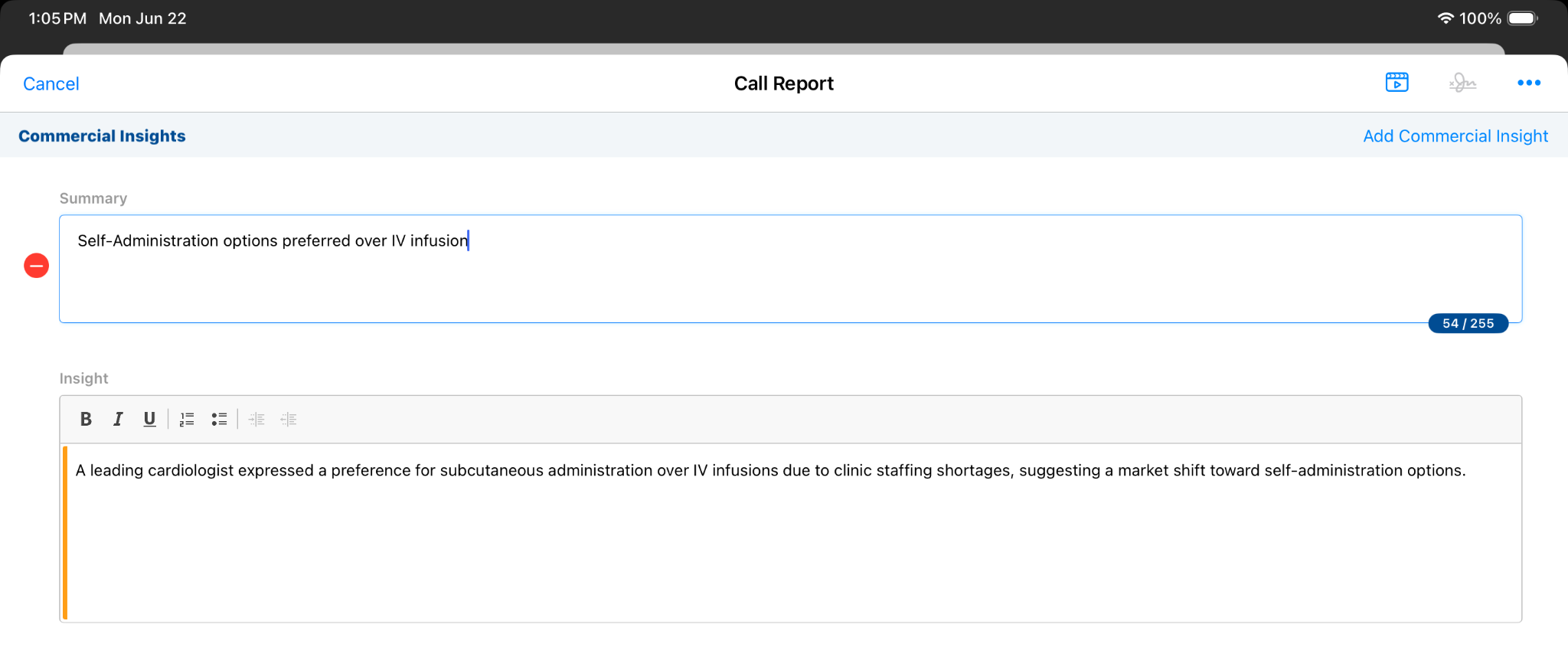
You open the call report and create a new insight by navigating to the Commercial Insights section on the Call Report.
You enter a short summary of the insight, then enter your observations in the Insight field.
While other details are optional, selecting a product helps categorize the information for your team. Products in the list are filtered according to those assigned to you in My Setup.
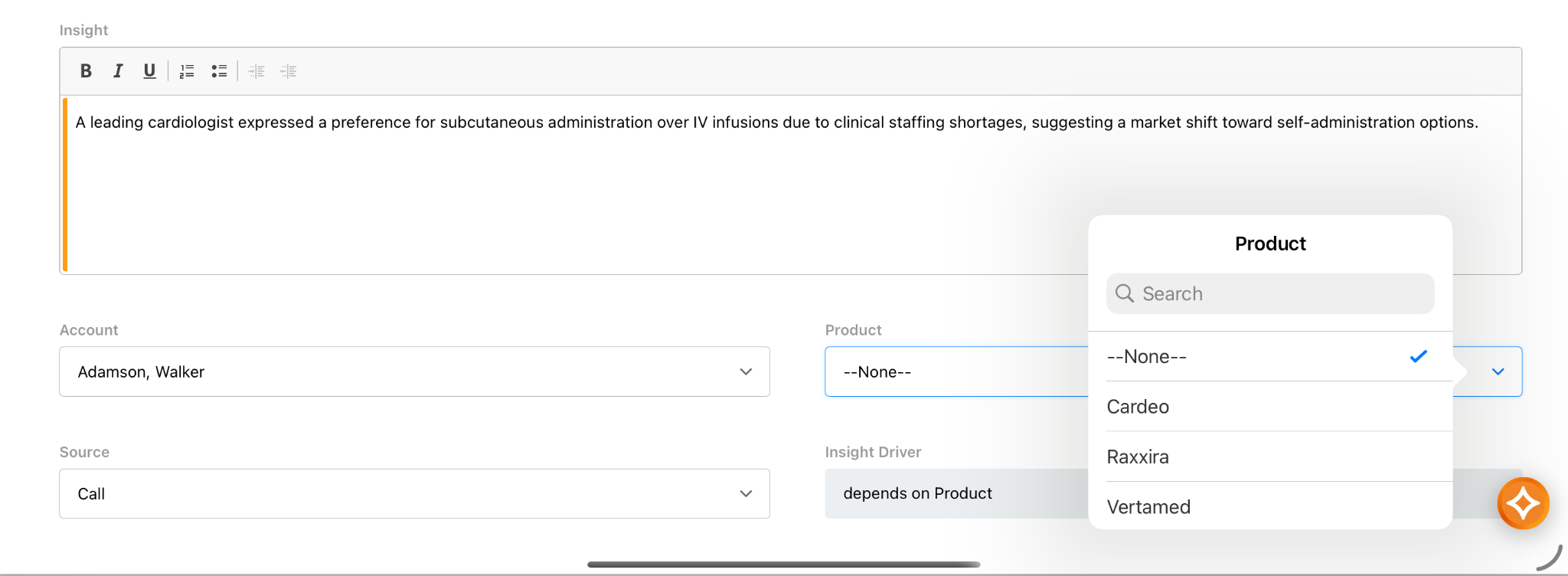
You select Raxxira.
In addition, your company wants you to select an Insight Driver. Several options are available based on the product you selected.
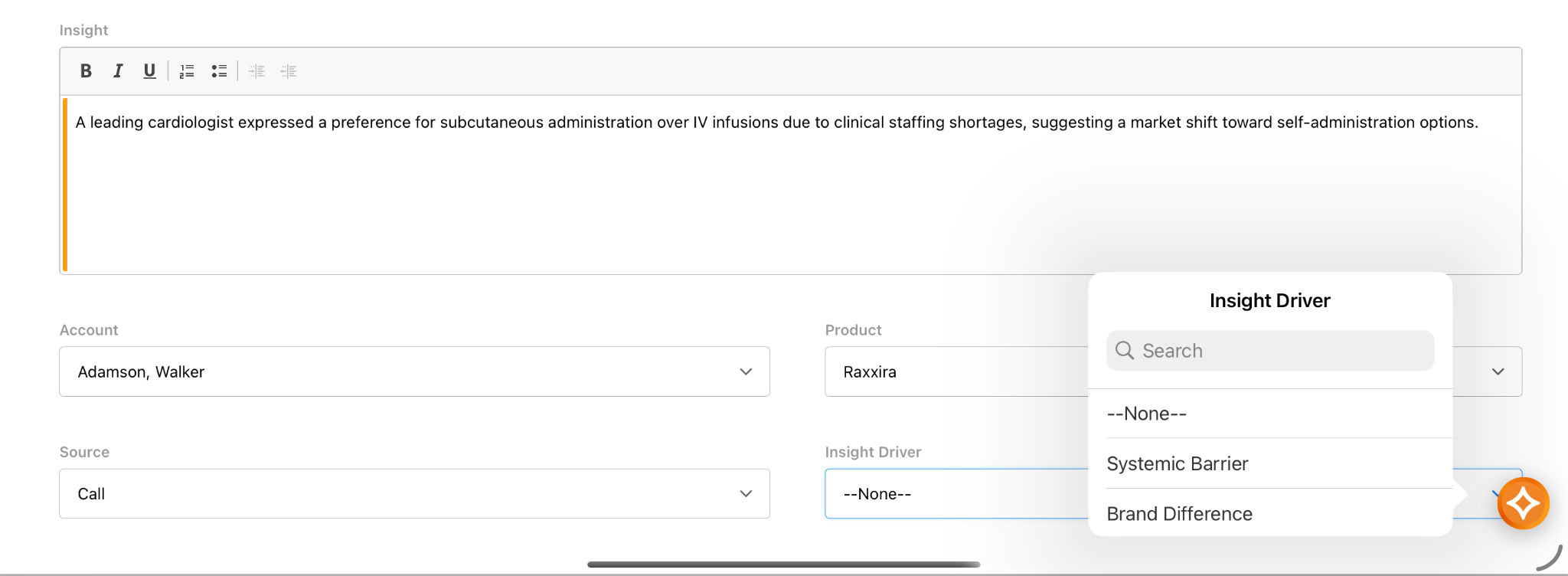
You select Systemic Barrier.
Now that you’ve entered all the necessary details, you select Submit from the All Actions menu to finalize the record.

|
Keep in mind that once an insight is submitted, it is locked for end users to ensure data integrity. If a correction is needed after submission, a Business Admin can unlock the record through the browser platform using the Unlock action. |