How do I capture opt-in consent for Approved Email?
Now it’s time for Sarah to capture opt-in consent from Dr. Ackerman. There are two ways she can do this in Vault CRM.
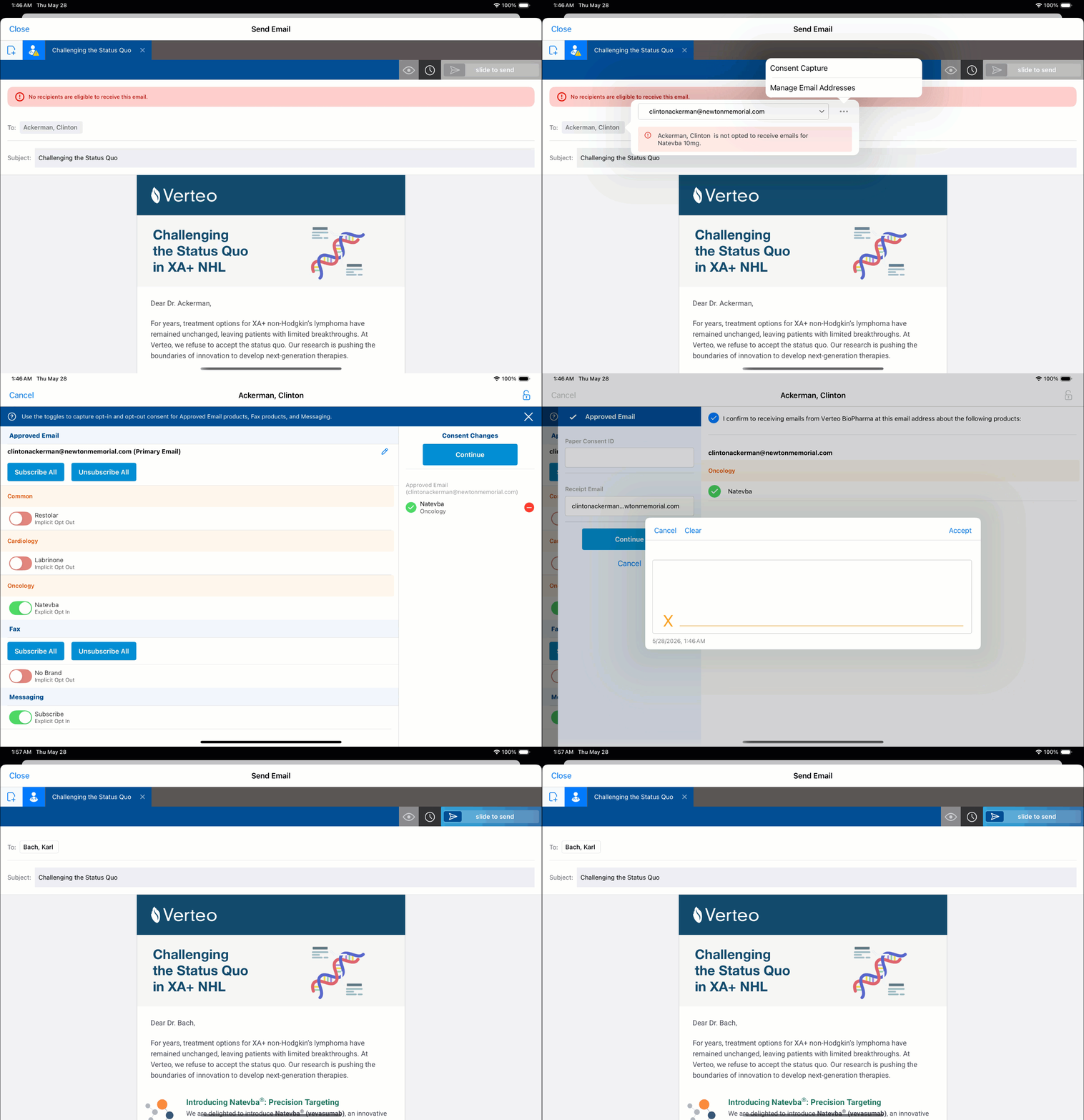
- Sarah captures consent before composing the email – From Dr. Ackerman’s account, she selects All Actions and then Consent Capture. She selects the toggle for Natevba under the Approved Email channel, then hands her device to Dr. Ackerman to review and confirm. Once he confirms, an opt-in Multichannel Consent record is created and stored in Vault CRM. She can now compose and send the email.
- Sarah captures consent while composing the email – From Dr. Ackerman’s account, she selects All Actions and then Send Email. She opens the appropriate Natevba email template and sees in the Recipients field that Dr. Ackerman is flagged as an ineligible recipient and she can’t send the email. She selects his name, then selects Consent Capture from the All Actions button to navigate directly to Consent Capture. She selects the toggle for Natevba under the Approved Email channel, then hands her device to Dr. Ackerman to review and confirm. Once he confirms, an opt-in Multichannel Consent record is created and stored in Vault CRM. Sarah is automatically navigated back to her email draft, which she can now send.

|
If an HCP has more than one email address on file, each address requires its own opt-in record. Similarly, if an HCP’s email address is updated, consent must be captured for the new email address. An opt-in tied to one address does not carry over to another. When Sarah selects a recipient, Vault CRM validates consent for the specific address she's sending to, so it's worth confirming that the correct, consented address is selected before sending. |
Whether Sarah captures consent before composing an email or discovers a consent issue while composing the email, the process is designed to keep her moving. The opt-in is recorded, the barrier is resolved, and she can get back to what matters — delivering value to her HCPs.