What are the main components involved in Consent Capture?
The following components form the infrastructure of Consent Capture. Think of them as nested layers — each one builds on the one above it.
- Consent Header — The outermost container that defines a country/language combination and controls the overall Consent Capture screen for that market
- Consent Type — Defines a specific communication channel for consent, for example, Approved Email, CLM, Fax, Messaging, or a custom channel. Each Consent Type can have its own rules around default opt-in/opt-out, consent duration, confirmation method, and more.
- Consent Line — An optional, more granular layer inside a Consent Type that defines a specific product, content type, or sub-channel within the channel. For example, you might have a Consent Type for Approved Email with separate Consent Lines for Natevba, Labrinone, and Restolar.
- Multichannel Consent — The record that tracks consent changes for an HCP. Every time a field rep captures or updates consent, a Multichannel Consent record is created.
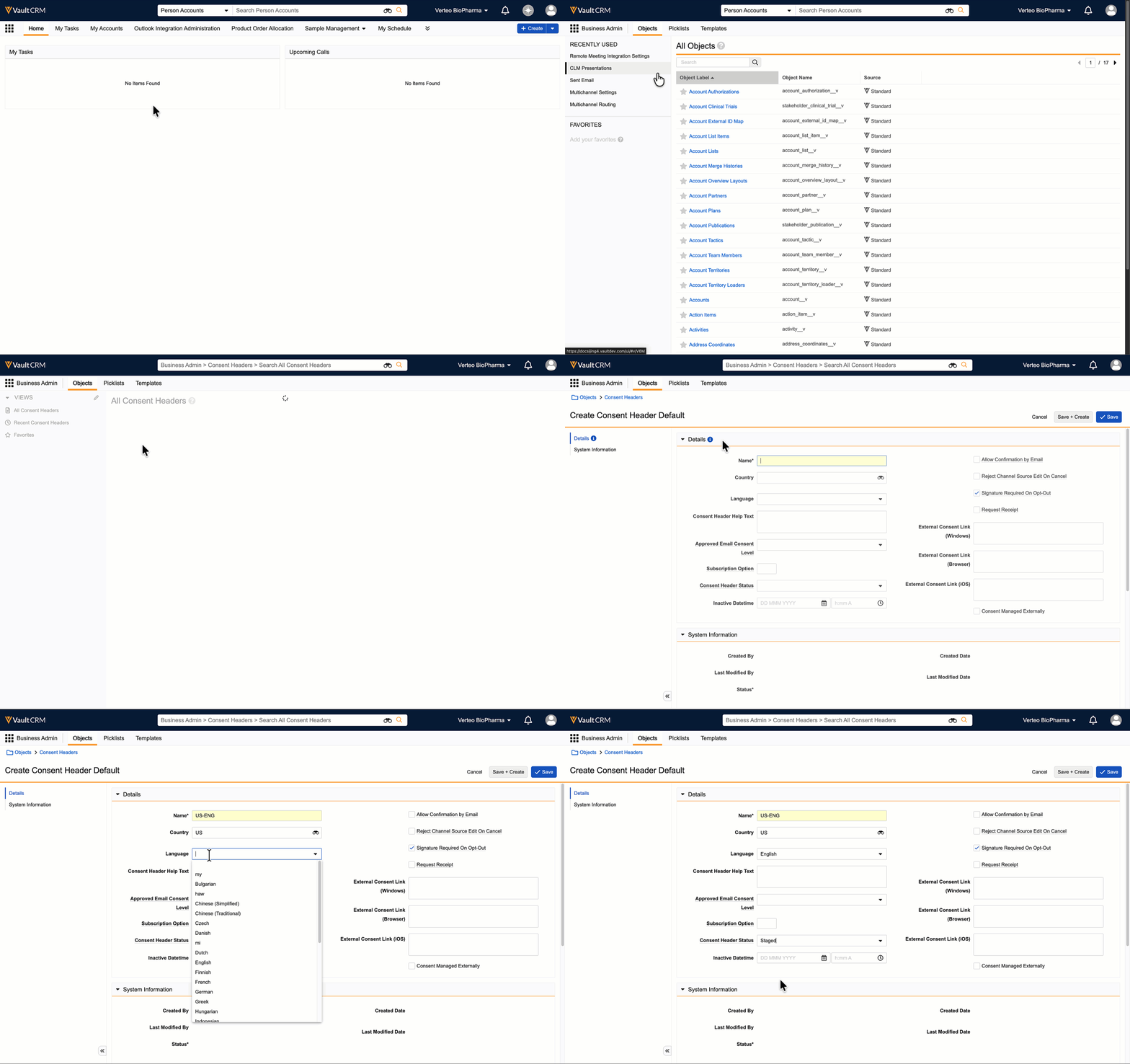
Let’s follow Amy as she configures the different Consent Capture components. Amy's company operates in the US and sends communications in English. Her first step is to create a Consent Header for the US/English combination. This header is the home for all the consent channels and lines her team uses. Amy sets the status of the Consent Header to Staged, allowing her to build and review the rest of the consent setup without making it visible to field users yet. When everything looks right, she'll set the status to Active to make it live.

|
Once a Consent Header is set to Active, it can no longer be edited. If Amy needs to make changes later, she'll need to set it back to Inactive or Staged first. |
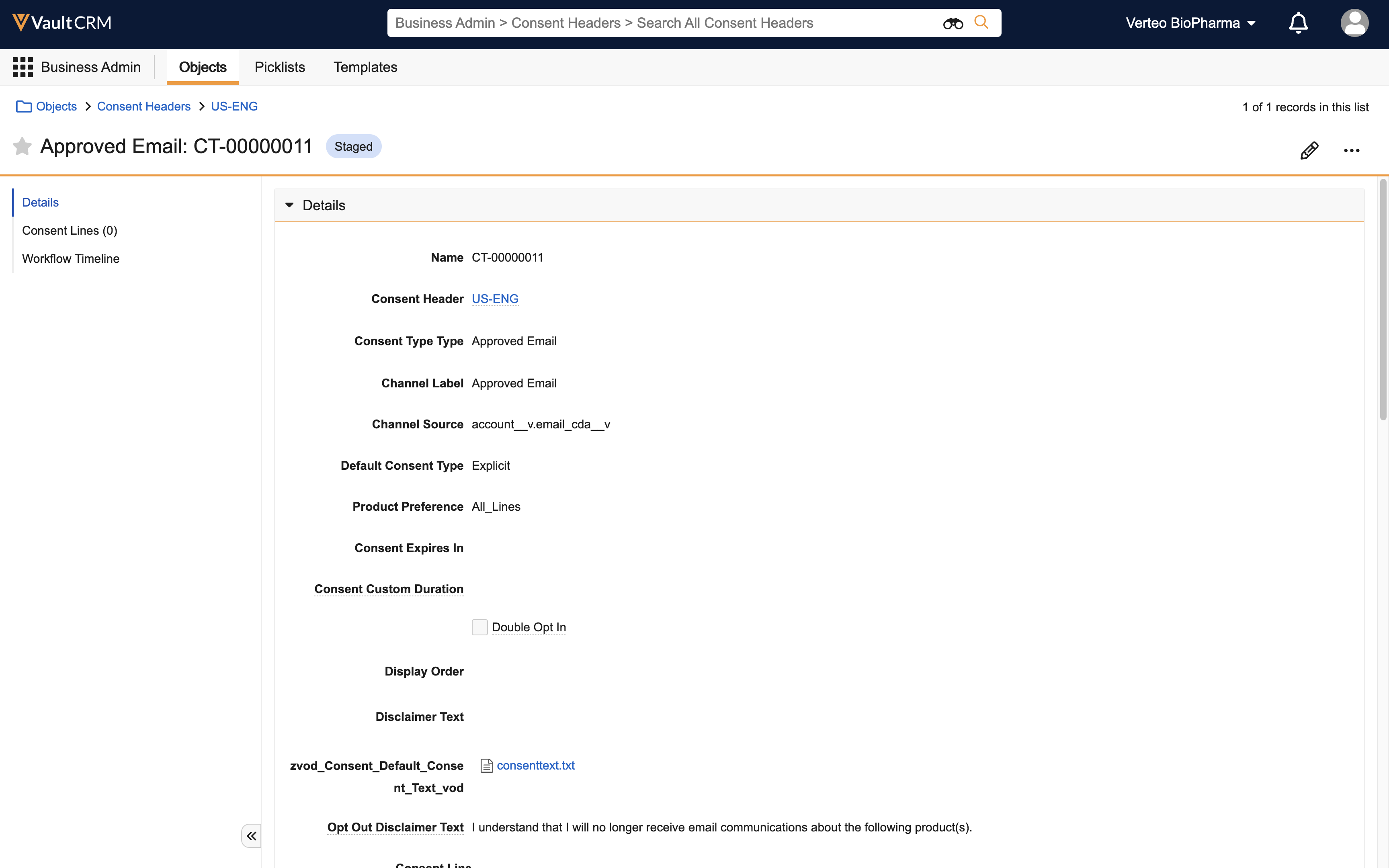
With her Consent Header in place, Amy creates a Consent Type for Approved Email, another for Fax, and a third for Messaging. For each channel, she can define whether HCPs are opted in or opted out by default, and configure which products, content types, or sub channels to display as Consent Lines.
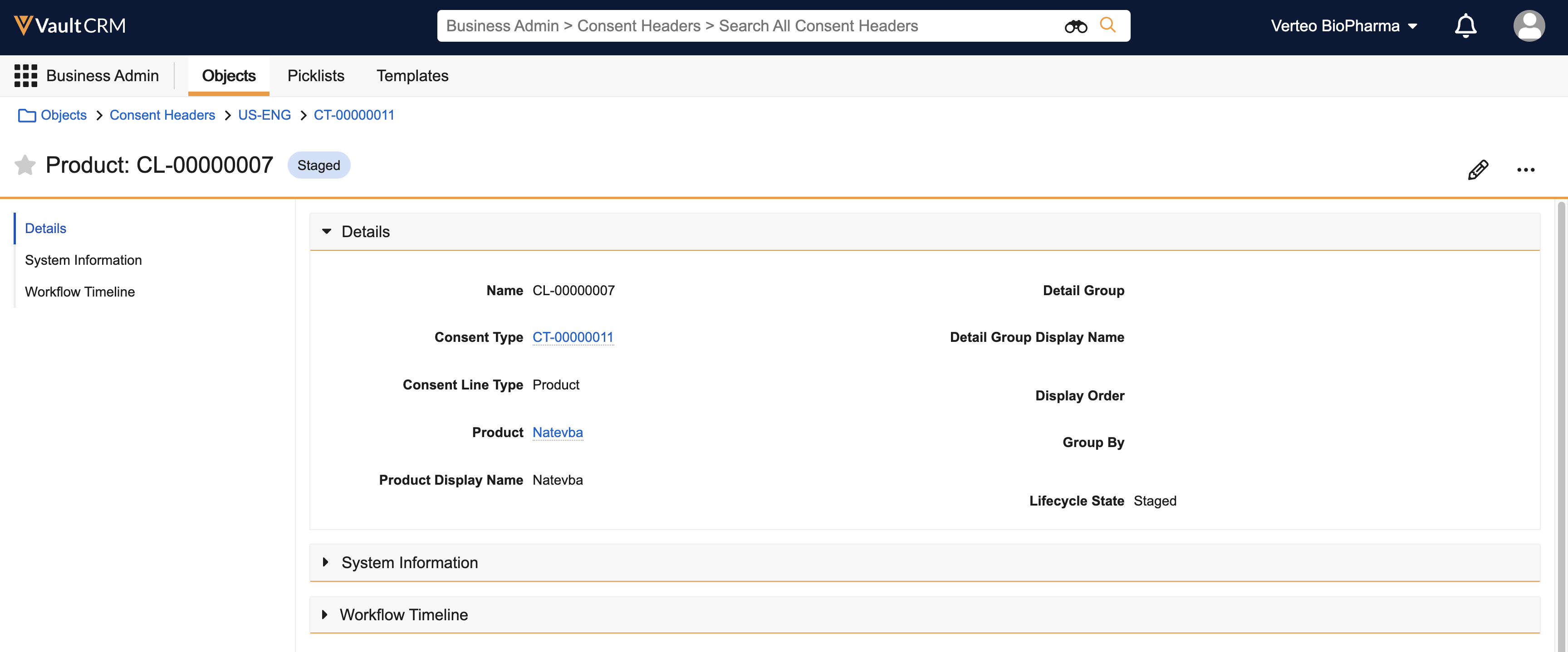
Finally, for her Approved Email channel, Amy creates Consent Lines for each of her three promoted products: Natevba, Labrinone, and Restolar. This means her reps will be able to capture product-specific email consent — for example, Dr. Christine Beacher might opt in to receive Approved Emails about Natevba but not Labrinone.
For the Fax and Messaging channels, her reps will only need to capture channel-level consent, so she doesn’t add any Consent Lines. See Flightpath: Consent Capture Introduction for more information about different levels of consent.