How do I connect Content Studio to my Vaults?
Connections are the bridges between Content Studio and your Vault instances. They enable testing and deploying content created in Content Studio.
Navigate to the Connections tab in the Admin section to view the following information about each connection:
- Vault Name
- App Type
- Vault Type
- Vault DNS
- Scope
- Team
- Test Users
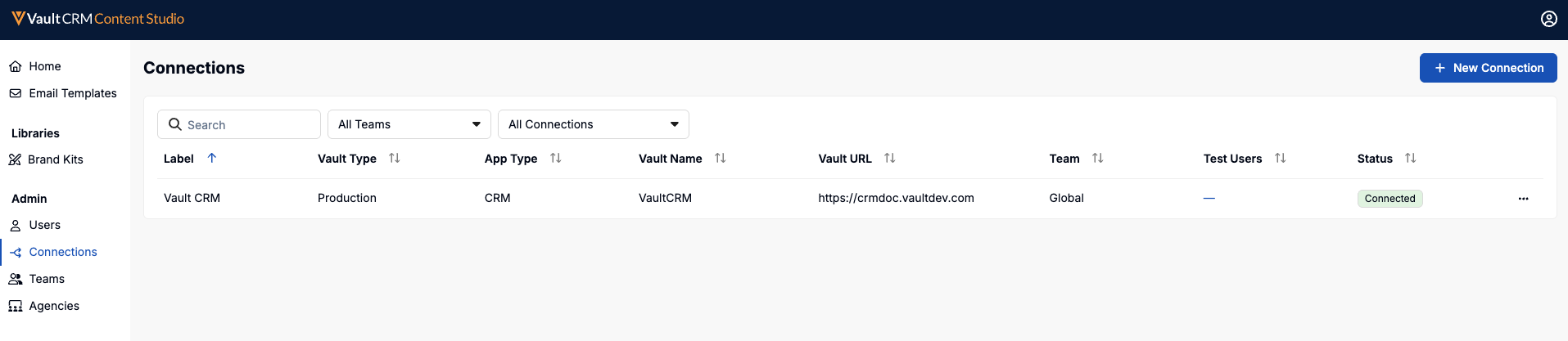
The indicator displayed in the Status column is the fastest way to confirm a connection is live.
To create a connection used for deployment:
- Select New Connection.
-
Populate the following fields:
- Label – Enter a descriptive label
- Vault Type – Specify either Sandbox or Production
- Vault URL – The URL of the appropriate Vault
- Username – The username of the integration user
- Password – The password of the integration user
- Select Save.
Managing test users for a Vault CRM connection
Emails only preview realistically when there's a user and account behind them. To preview content, admins create and manage a set of test users for each Vault CRM connection:
- Locate the connection in the list.
- Select All Actions > View Test Users.
- Select Add Test User.
- Specify a username and password.
- Select Save.