How do I give the right people the right access?
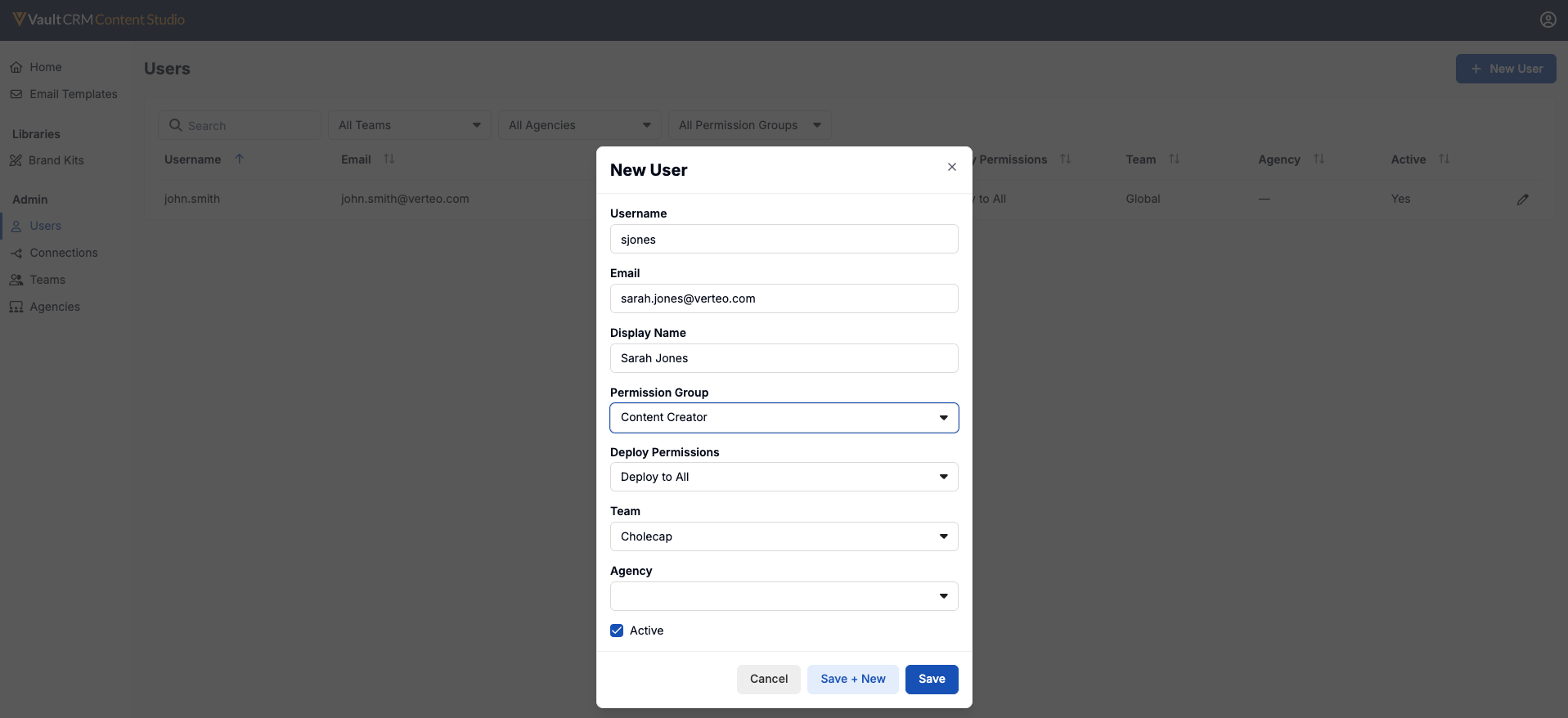
With a Team structure and Connections in place, admins add users and decide what each one can do. Users are managed from the Users tab in the Admin section.
The following settings define what the user can actually do:
- Permission Group – Defines the permission group
- Deployment Permissions – Determines what deployment permission the user has. The following options are available:
- No Deployment Permissions – Hides the Deploy tab entirely
- Deploy to Sandbox Connections – Displays the Deploy tab, but limits the Connection column to sandbox connections
- Deploy to All Connections – Displays every connection regardless of type
If you change a user's email address, a fresh temporary password goes to the new address so they can reset it. The username itself can never be changed once the account exists.
Finally, assign the user to the appropriate Team or Agency.
Using Agencies
Agencies add an optional second layer of control for external partners. An Agency is an external content agency a customer works with. Select New Agency from the Agencies tab to create one with a unique name and a Restrict Access to Own Agency Content checkbox that defaults to selected. Assigning a user to an Agency is optional, as their Team always determines a user's general reach. An Agency assignment narrows that reach to only the content the user's own agency created. For users with no Agency, access is determined by Team alone.