How do I keep content on-brand?
Before building any content, it’s worth creating a Brand Kit to keep everything consistent. A Brand Kit is a reusable bundle of typography, logos, supporting graphics, and a color palette that content creators apply so that every piece looks and sounds the same wherever it’s used. Setting one up once means creators spend their time on the message, not on hunting down the right hex code or the approved logo file.
To create a Brand Kit:
- Navigate to the Brand Kits tab.
- Select + New Brand Kit.
-
Populate the following fields:
- Name – Enter a name
- Brand Kit Type — Select either Company Brand or Product Brand, depending on if the subsequent branding guidelines are for a specific brand or for the company as a whole
- Select Create.
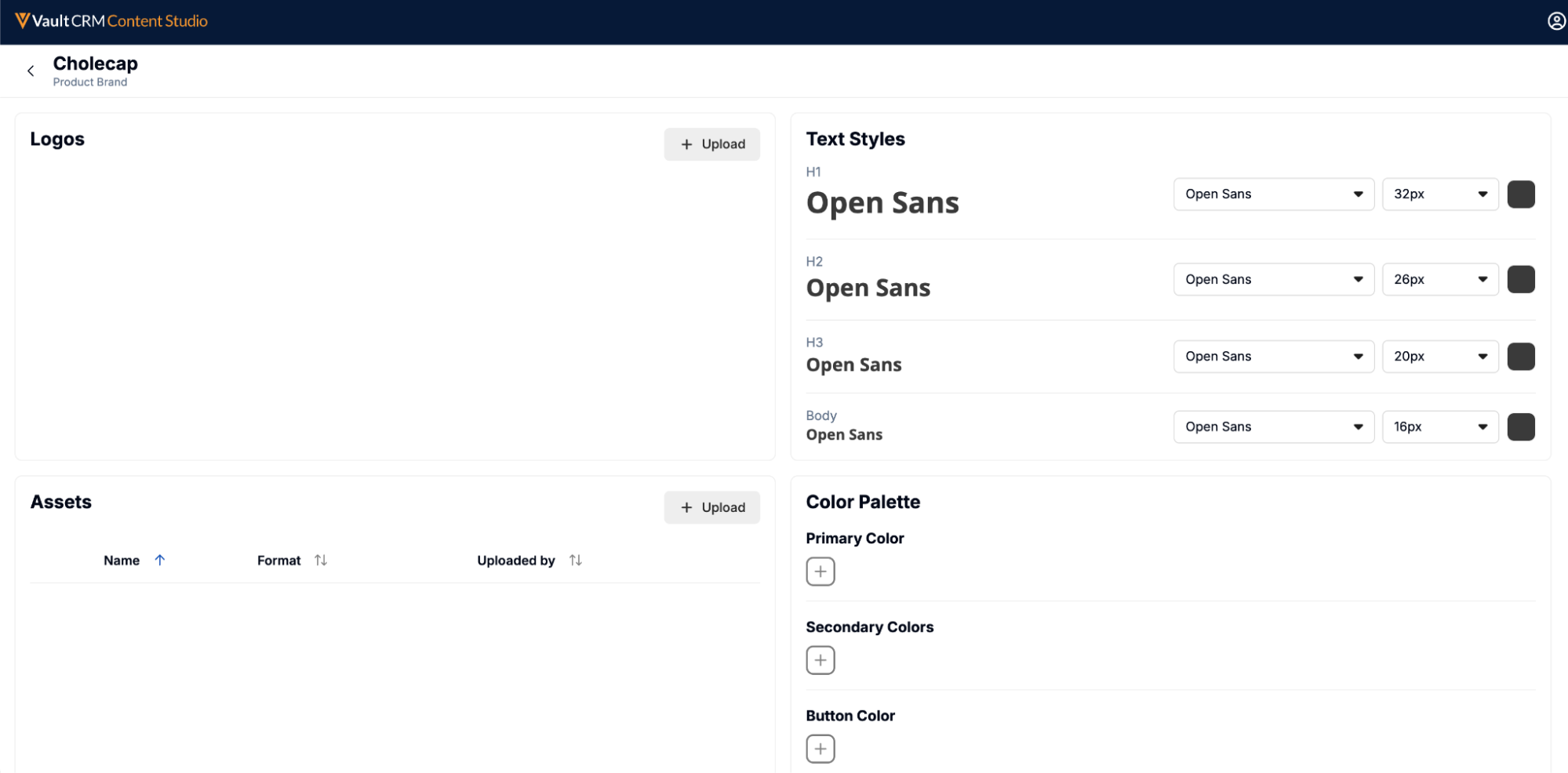
Once the kit exists, creators define four kinds of assets and styles within it:
- Logos – Holds the primary visual identifiers for the brand or company
- Assets – Defines supporting graphics like icons, hero images, or badges
- Text Styles – Defines the CSS styling for font family, size, and color for the h1, h2, h3, and body HTML tags
- Color Palette – Defines a primary color, secondary colors, and button color
A Brand Kit cannot be deleted while it’s in use by content.