How does Vault CRM handle conversations with shared phone numbers?
When multiple field users share a WhatsApp phone number, Vault CRM routes an HCP’s message to the correct field user based on their existing conversation history, if any.
Let’s return to our MSL team at Verteo Biopharma which is set up with a shared WhatsApp phone number. This is a common and efficient setup that aligns with Meta’s guidelines of granting 20 numbers across all WhatsApp Business Accounts under a Meta Business Account.
It’s important to understand how Vault CRM manages multiple conversations to ensure a seamless and compliant user experience. Let’s look at a few scenarios to see how this works.
Active conversations with different HCPs
Two MSLs, Larry and Ian, both need to message their respective HCPs at the same time.
-
Larry starts a WhatsApp chat with Dr. Ackerman
-
Ian starts a WhatsApp chat with Dr. Alves
Both Larry and Ian can each initiate and carry out their conversations with their respective HCPs without issue. They can’t see each other’s WhatsApp conversations.
Active conversations with the same HCP
Now let’s say Larry is actively chatting with Dr. Ackerman. However, Ian also needs to send Dr. Ackerman a follow-up message.
When Ian opens his chat thread with Dr. Ackerman, he sees a notification banner that Dr. Ackerman is in a conversation with Larry. Ian is blocked from sending messages until the 24-hour customer service window for Larry closes.
This prevents overlapping conversations and ensures the HCP has a clear, single point of contact at a given time.
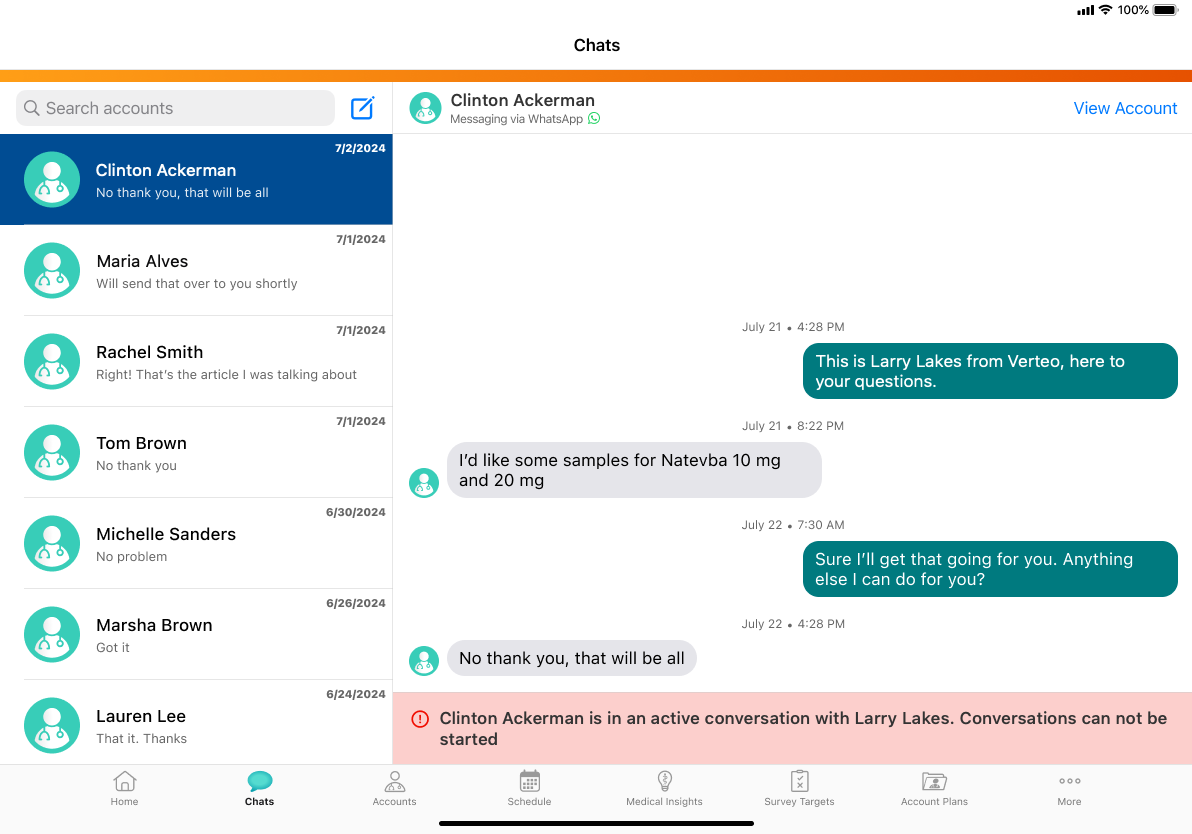
Initiating a conversation when another is pending
After Larry’s 24-hour window for Dr. Ackerman closes, he follows up with a message template to initiate a new conversation, but Dr. Ackerman doesn’t respond.
When Ian goes to start a chat with Dr. Ackerman, he sees a yellow banner indicating that a message template has already been sent by Larry. The HCP has not responded to Larry so Ian can chooses to send his own message template anyway.
Now that Dr. Alves has been sent two different message templates, who gets the response?
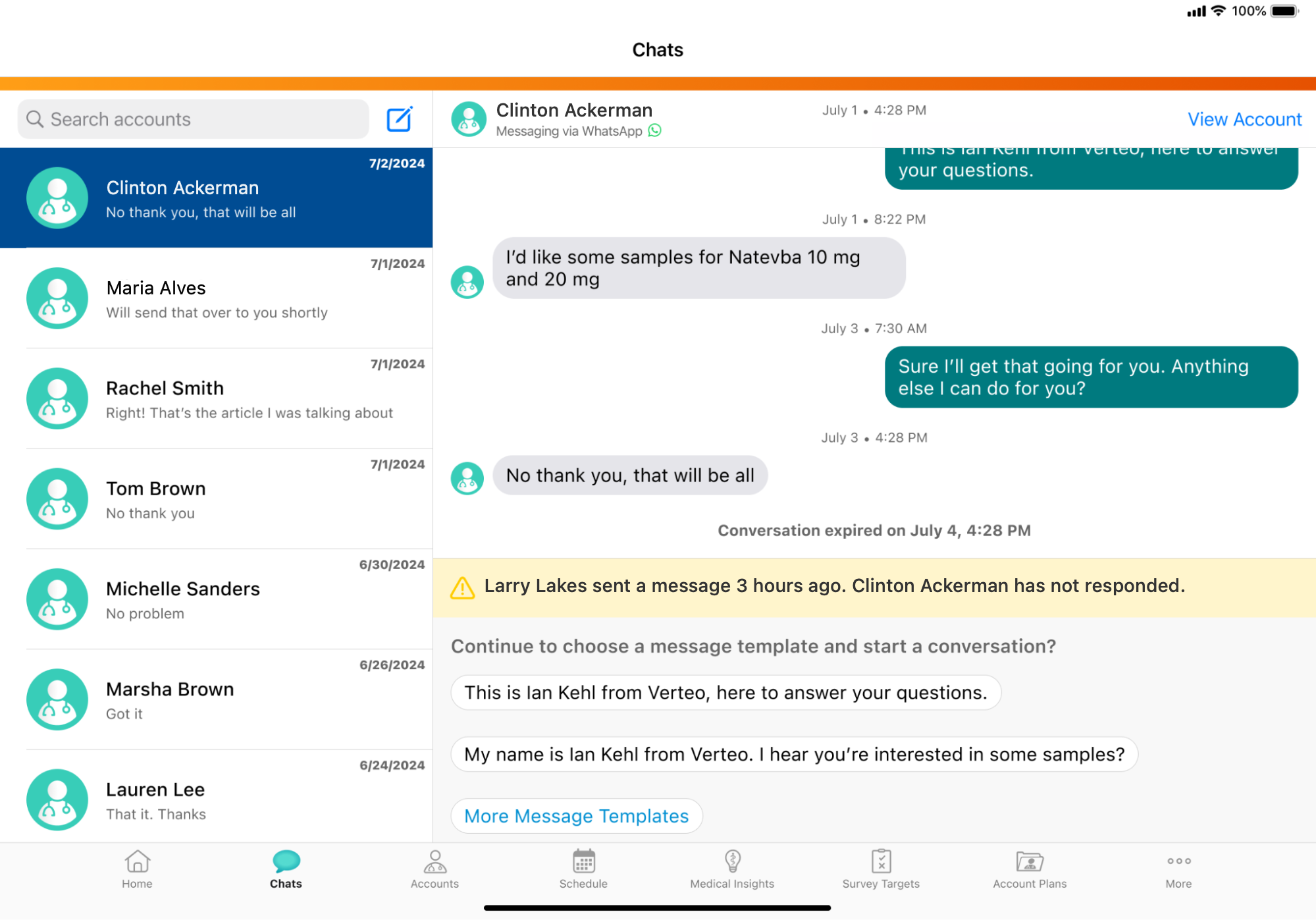
Because Ian sent the most recent template, Dr. Ackerman's reply is routed to him, opening the 24-hour service window. To contact Dr. Ackerman, Larry must wait for this window to expire and then send a new template.