How do I search for event attendees outside my territory?
To improve the attendee invitation process, you can search for attendees to add that are outside of your territory. This way you can invite potentially interested accounts to the event, even if you would normally be unable to access the account due to territory constraints.
To search for event attendees outside of your territory, use the "Include Outside Territory" option within the event's Select Attendee modal.
Here are the steps, depending on the platform you are using:
On a browser
- Open the Select Attendee modal for the appropriate event.
- Enable the Include Outside Territory checkbox.
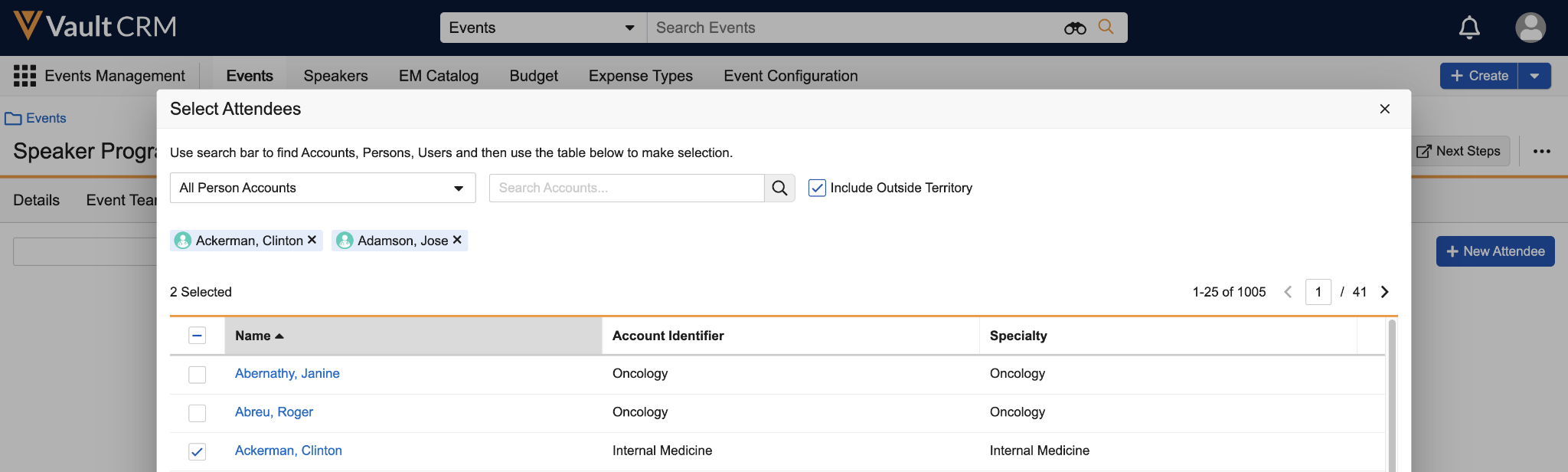
- Search for and select the appropriate attendee.
On an iPad
- Open the Select Attendee modal for the appropriate event.
- Select the Filter button.
- Enable the Include Outside Territory toggle
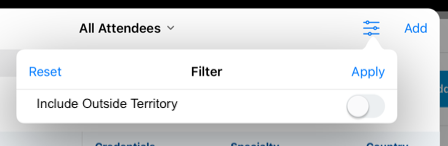 .
. - Search for and select the appropriate attendee.
|
|
Any attendees you select from outside your territory will display as gray pills. These pills are visible to all event team members viewing the Select Attendees modal, even if they do not currently have the "Include Outside Territory" setting enabled. |
