What are custom Speaker pages and how do they enhance profiles?
Event organizers can easily decide which speaker to choose for an event by using the Speaker tab, where a list of all speakers displays. The Speaker tab displays the availability and eligibility of speakers, as well as common profile attributes such as affiliation, credentials, and specialty.
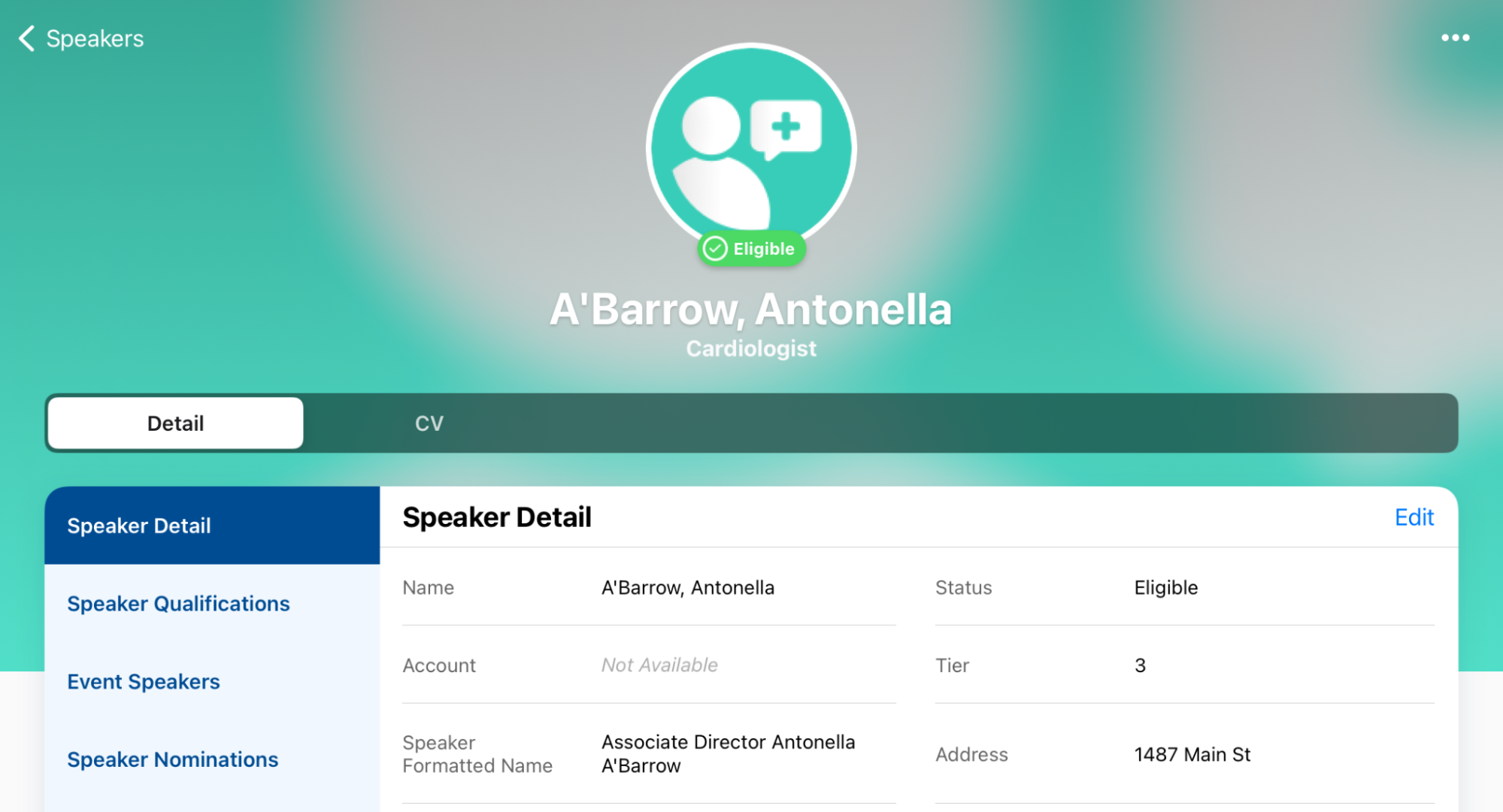
|
|
For more information on enabling the Speaker tab, see Using the Speaker Tab in the Vault CRM online help. |

Custom Speaker Pages
But what if you wanted users to see detailed speaker information drawn from other Vault CRM objects and fields that are otherwise unavailable on the standard Speaker Tab? This is particularly useful when organizers are researching the most qualified speakers for a specific product or program.
For even deeper research, content creators can build custom X-Pages. These pages aggregate detailed speaker data from other Vault CRM objects that aren't natively visible on the standard Speaker Tab. X-Pages can even integrate with Veeva Link to provide extensive external data points on a speaker. Users can access these rich profiles directly from the Speaker Tab, a secondary tab, or within a modal when they are actively adding speakers to an event.
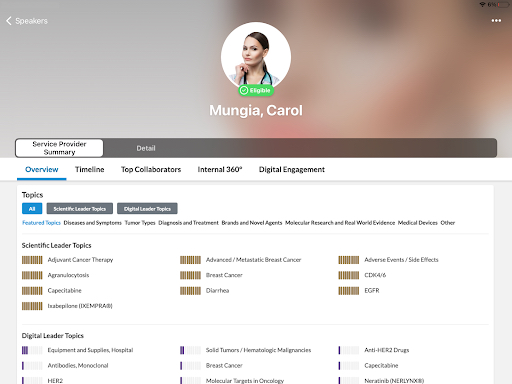
Mini Profile Page
The mini-profile page is a specific configuration of a custom HTML page that allows event organizers to view extended details about a speaker at the exact moment they are building an event.
While other X-Pages can be configured to display as the default tab or a secondary tab on a speaker's main record, the mini-profile is built specifically to appear inside the details modal when an end user is actively selecting and adding speakers to an upcoming event.
|
|
For more information on creating a mini-profile page, see Creating an X-Page for Speakers in the Vault CRM online help. |