What if the walk-in is someone we've never tracked before?
During reconciliation, if you search for matches for a walk-in attendee and no existing account is found, you have the option to create a new account record directly from within the event. You do not need to navigate away from the reconciliation workflow.
After running a search for a match, a New Account button becomes available for selection.
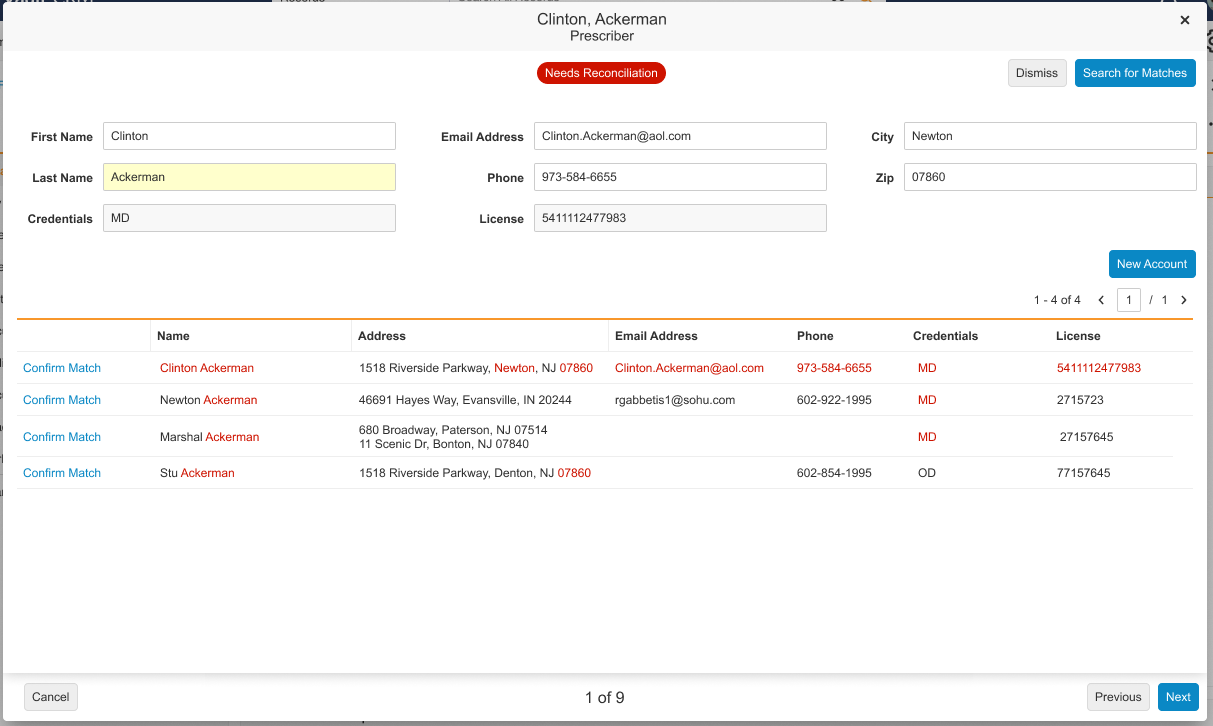
Selecting it launches the New Account Wizard within the Attendee Reconciliation page. Fields on the new account record—and any resulting address record—are automatically pre-populated using the information the walk-in attendee provided during sign-in, based on a set of field mappings (for example, the walk-in's first name and last name map to the account's first and last name fields; city and zip map to the address record). You review and complete any remaining required fields, then select Save.
Once saved, the walk-in attendee's status updates to Reconciled to New Account, and their record is linked to the newly created account. If your organization uses Data Change Requests (DCRs) for new account creation—for example, when integrated with Veeva Network—the walk-in status will instead update to Pending Verification until the DCR is reviewed.