What happens if a walk-in is already on my attendee list?
Occasionally, someone who was already invited to an event will also sign in as a walk-in. This can happen for a few reasons, for example, they didn't see their name when searching, or because a paper form was used alongside a digital sheet. This results in two attendee records for the same person in the same event.
Vault CRM can automatically detect this situation during reconciliation. When you select an account to reconcile a walk-in to, the system checks whether that account already has an attendee record for the event. If it does, and the existing attendee record does not yet have a digital signature, a merge confirmation alert displays.
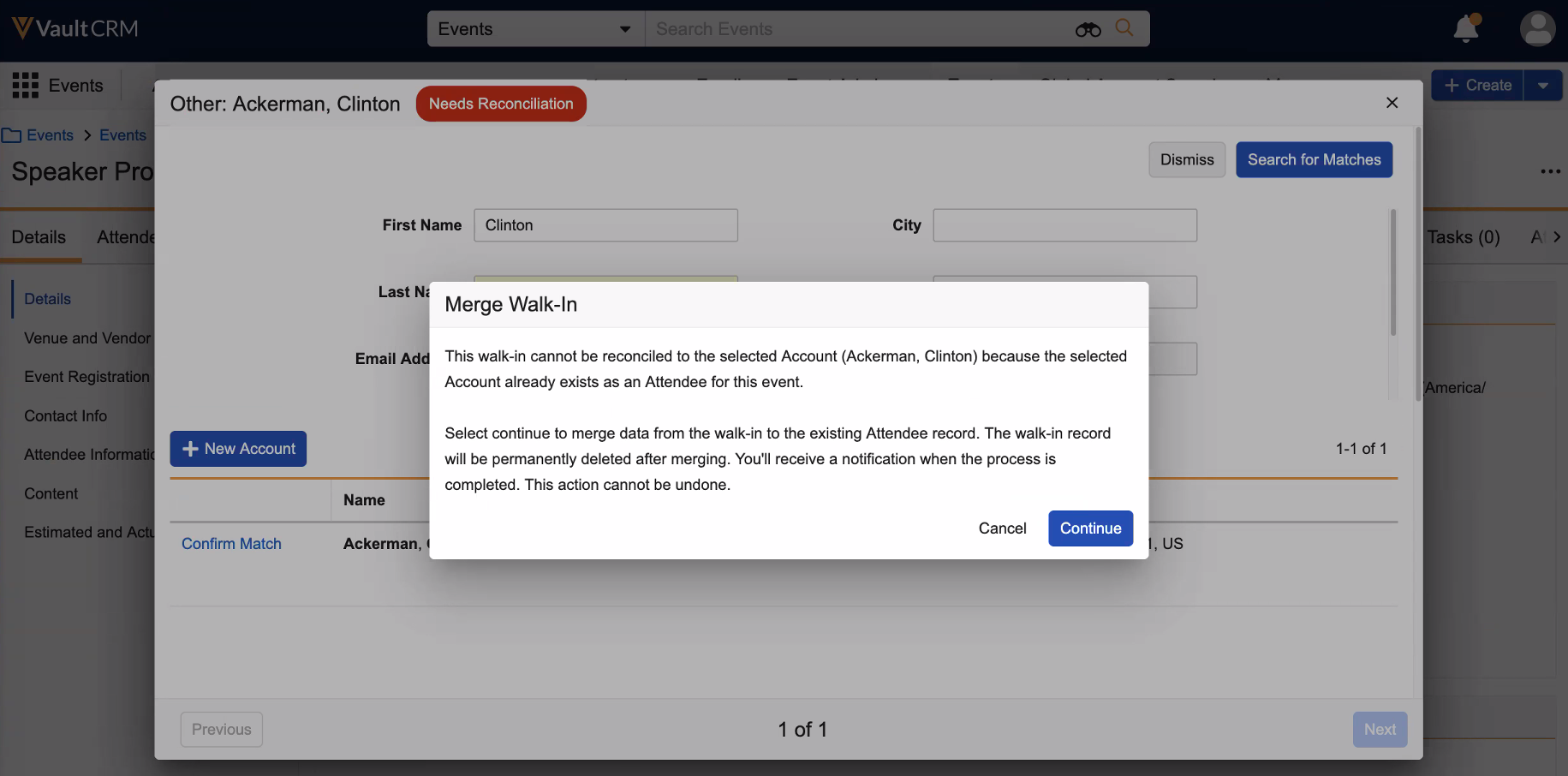
Selecting Continue initiates the merge. The following fields from the walk-in record are copied to the existing attendee record:
- Attendee status
- Signature
- Signature date and time
- Meal opt-in
- Event registration fields
- Walk-in fields
The existing record is also flagged to indicate it was updated via a walk-in merge, providing a clear audit trail. The duplicate walk-in record is then deleted.

|
Merging is only available when the existing attendee record does not already have a digital signature. If the existing record has a populated signature date and time, the merge cannot proceed–this protects the integrity of a verified signature. |