How do Medical Interactions fit in with other Vault CRM features?
Medical Interactions are designed to integrate seamlessly with other core Vault CRM features to create a unified and efficient experience for your medical users. Let’s take a look at a couple of these integrations.
My Schedule
My Schedule provides a complete view of an MSL’s planned activities, and Medical Interactions are a key part of that view.
-
Create from My Schedule - On the browser, users can create new Medical Interactions directly from an open time slot in their calendar
-
At-a-Glance View - Users can see upcoming Medical Interactions on their calendar. Each entry displays key information, for example, title, location, and the number of attendees, as well as their color-coded status.
-
Saved and in the Past - Red-Orange
-
Saved and in the Future - Dark Cyan
-
Submitted - Seafoam Green
-
Canceled - Silver
-
Easy Rescheduling - On the browser, users can drag-and-drop a calendar entry to a new date or time to reschedule the interaction
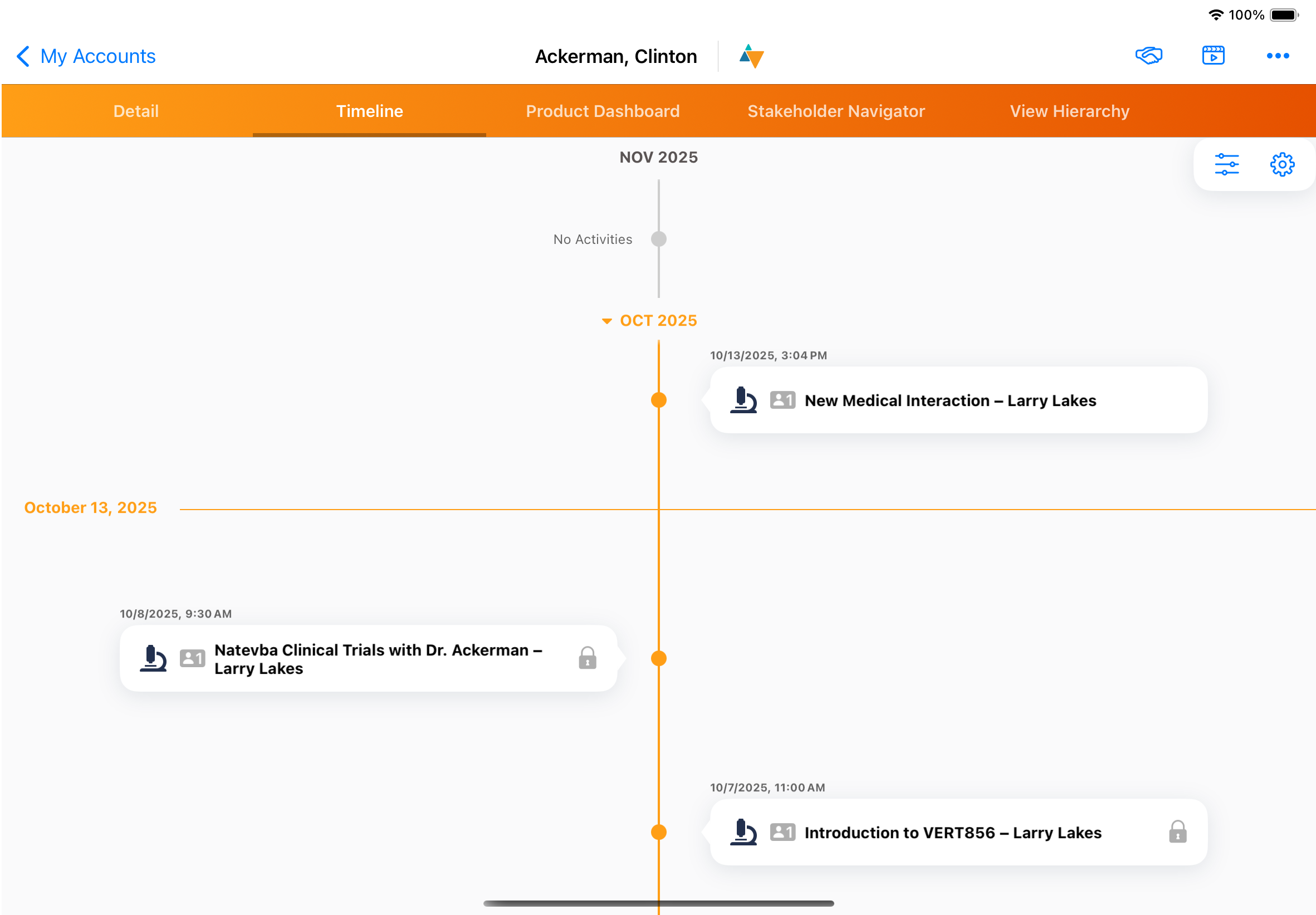
Account Timeline
View the Account Timeline directly from an account to display a chronological history of all activities involving the account, including Medical Interactions.
CLM
Easily share and capture CLM content shown during interactions.
-
Plan Presentations - Users can add CLM presentations as Meeting Materials when planning for an interaction from Browser and iPad.
-
iPad users can launch CLM presentations directly from the Medical Interaction
-
Automatic Tracking - CLM key messages displayed to HCP and KOLs are automatically tracked and linked to the Medical Interaction record