What are Upselling Suggestions?
Upselling Suggestions are proactive prompts that inform field users when a customer is close to reaching a new discount threshold. By alerting the user that a small increase in quantity or value will trigger a better price, the system helps drive larger order volumes and ensures customers receive the best possible commercial terms.
Suggestions are tied to specific Pricing Rules. When an order line's quantity, list amount, or net amount falls within a defined "threshold" range (the gap between the current quantity and the next discount level), the system displays a custom message to the user.
For example, a pricing rule gives a 10% discount for orders of 200+ units. You can set a Suggestion Threshold of 180 units. If a user enters 185 units, a message appears: "Add 200 units to receive a 10% discount!" Once the user increases the quantity enough to meet the rule's criteria (e.g., they change the quantity to 200), the suggestion disappears because the discount is now active.

|
When you are capturing an order and a product qualifies for a suggestion, the system provides visual cues. |
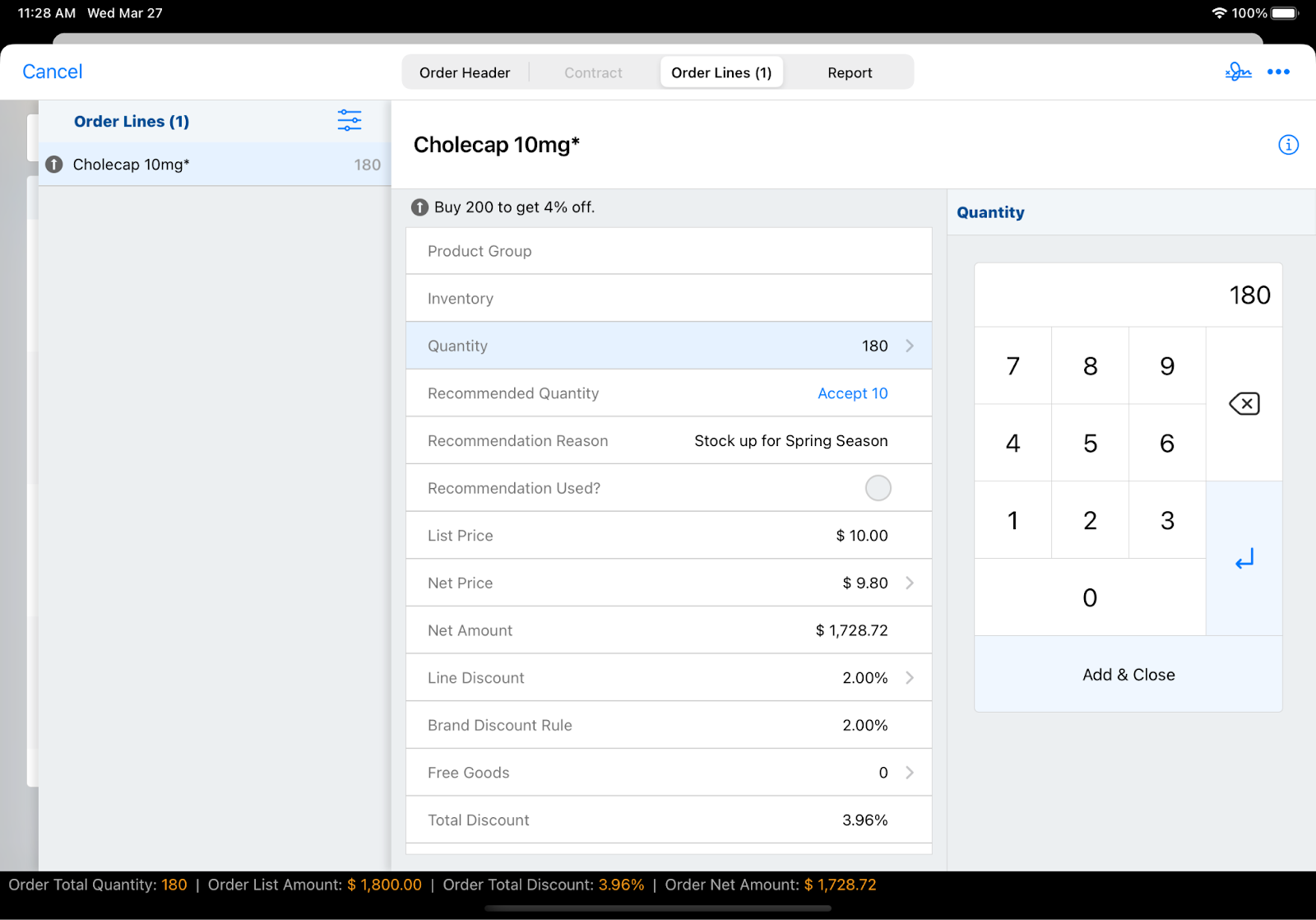
On the iPad:
- An upselling icon (arrow up) appears on the order line in the product list
- When you select the individual order line, the icon and the specific suggestion text are displayed prominently at the top of the page
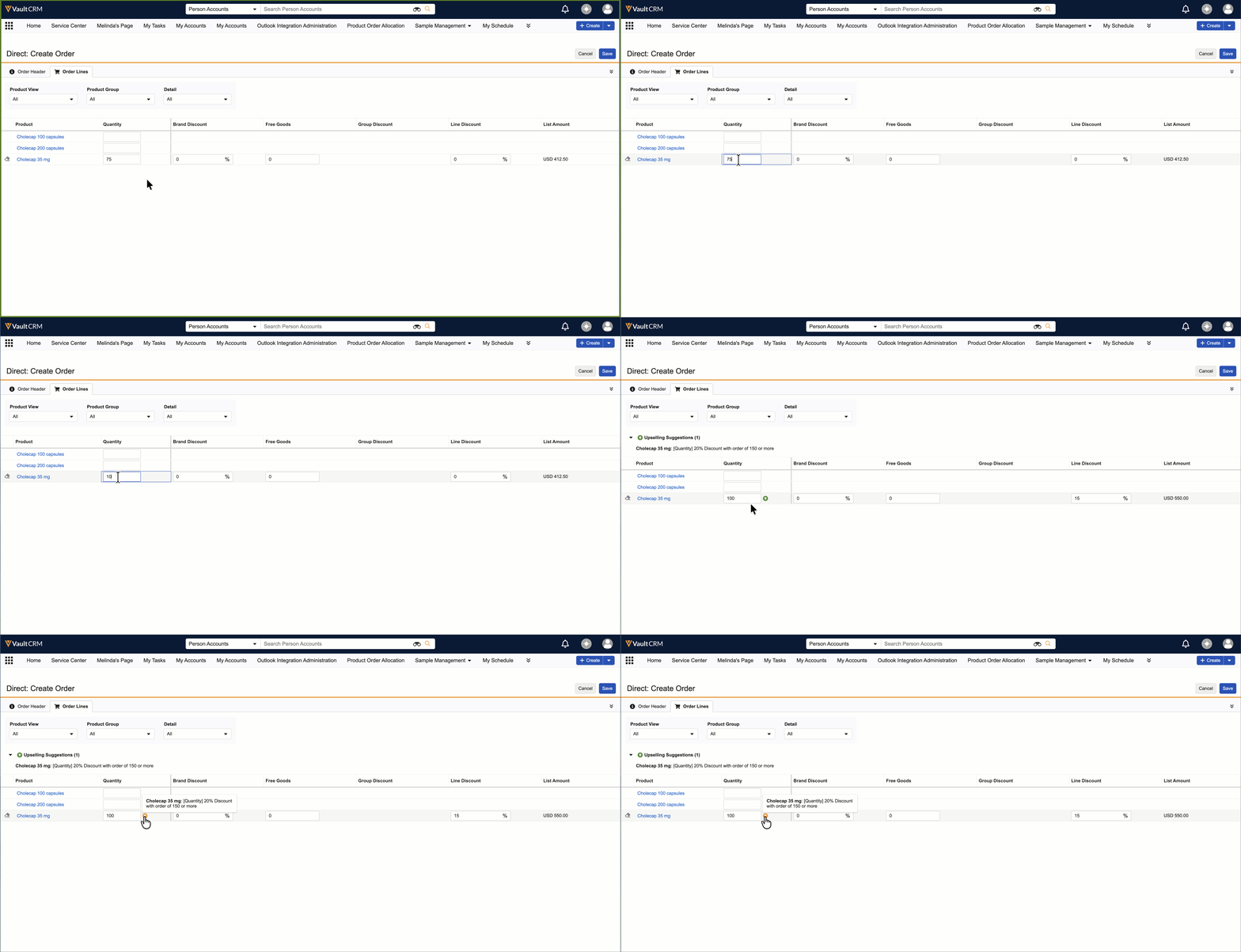
On Browser or Windows:
- A dedicated "Upselling Suggestion" section appears on the order interface
- You can hover over the upselling icon on any order line to view the specific requirement to reach the next discount tier
By following these suggestions, you can provide better value to your customers by ensuring they don't miss out on volume-based savings.