What are the components of Product Metrics?
Before you can start using Product Metrics effectively, you need to understand its parts.
My Setup page
In this scenario, you, a user at your company only sees metrics for your accounts for the products that are selected on the My Setup page. You, or your manager, can select the company products you should be focusing on when you meet with your accounts, and the competitor products that are important to your accounts.
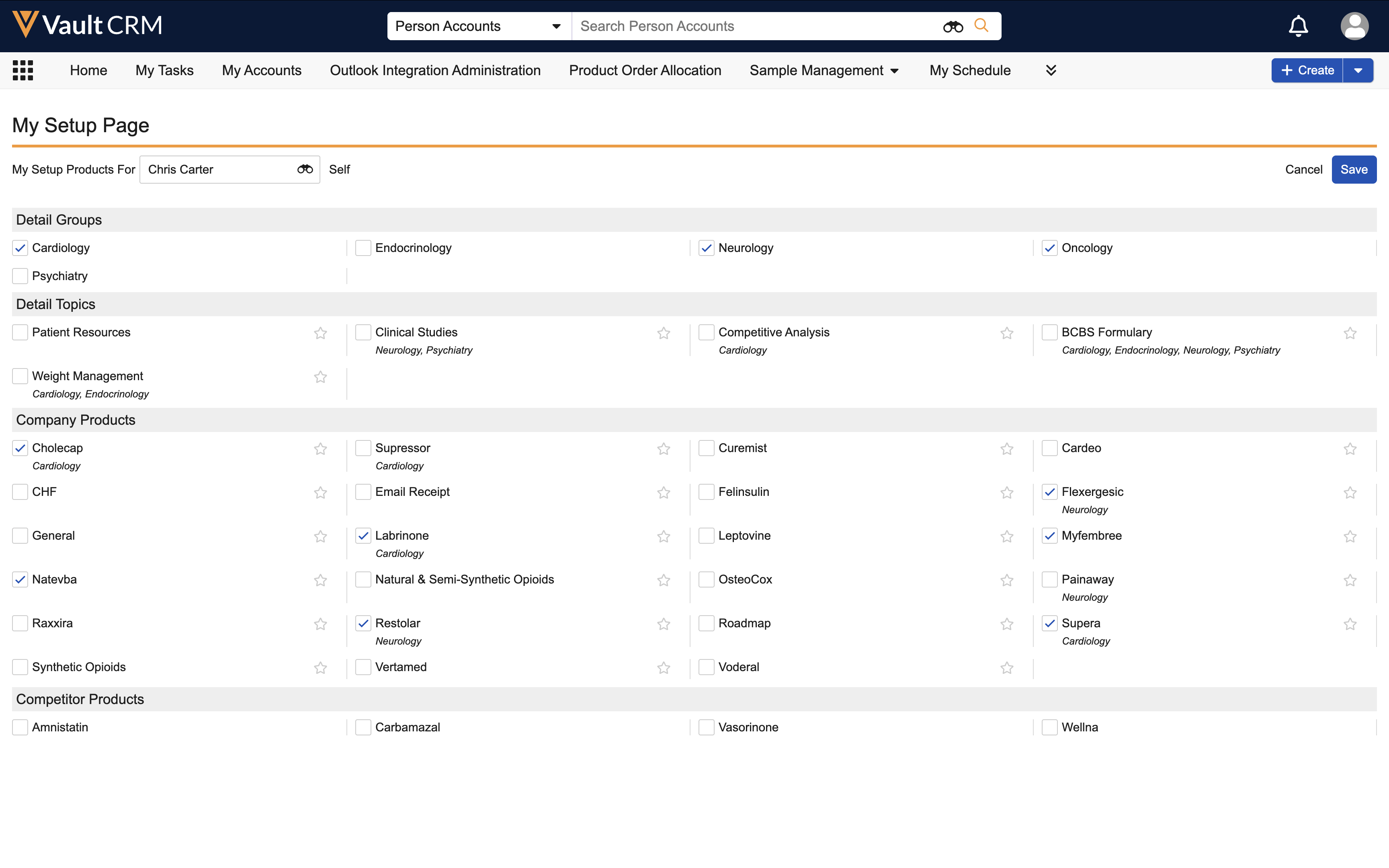
You can view and update the product metrics on your accounts for every product selected in My Setup. With both company and competitor products displayed in Product Metrics, you can get a complete picture of product activity in your sales territory.
Key performance indicators
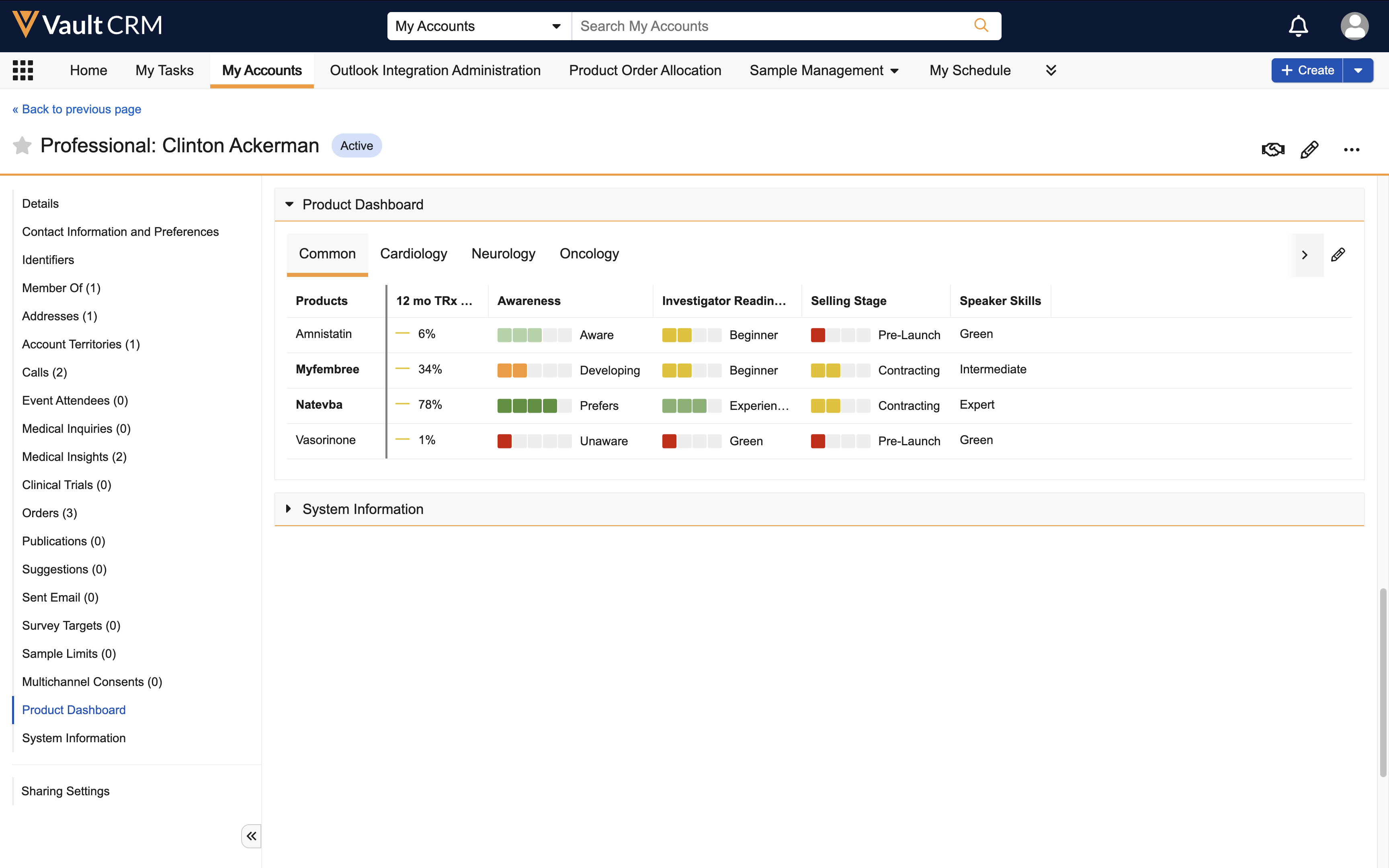
Product Metrics can display KPIs for company and competitor products for each account. These include categories such as Awareness, Segment, Movement, Speaker Skills, Investigator Readiness, and Engagements, as shown online. These are the categories of metrics you record information for when you update an account.
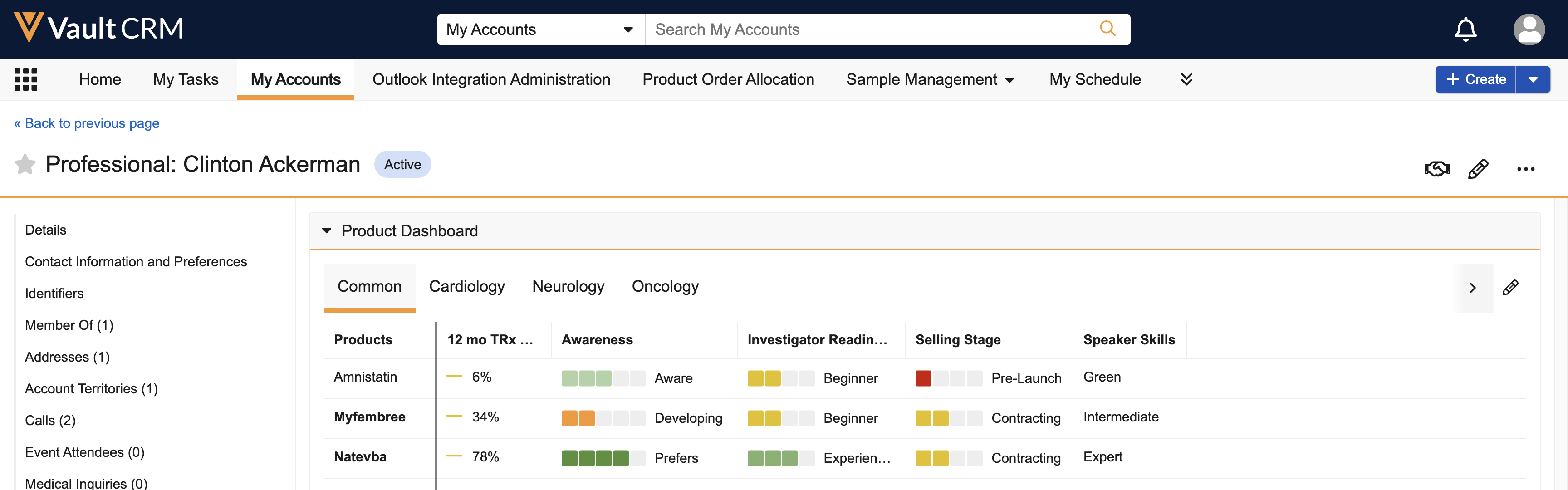
Brand managers can customize Product Metrics to display the key indicators that are most important to them and their company. For example, adding the KPI for Speak Skills can help identify HCPs who are knowledgeable enough about a product to speak at conferences.
Ratings and Evaluations
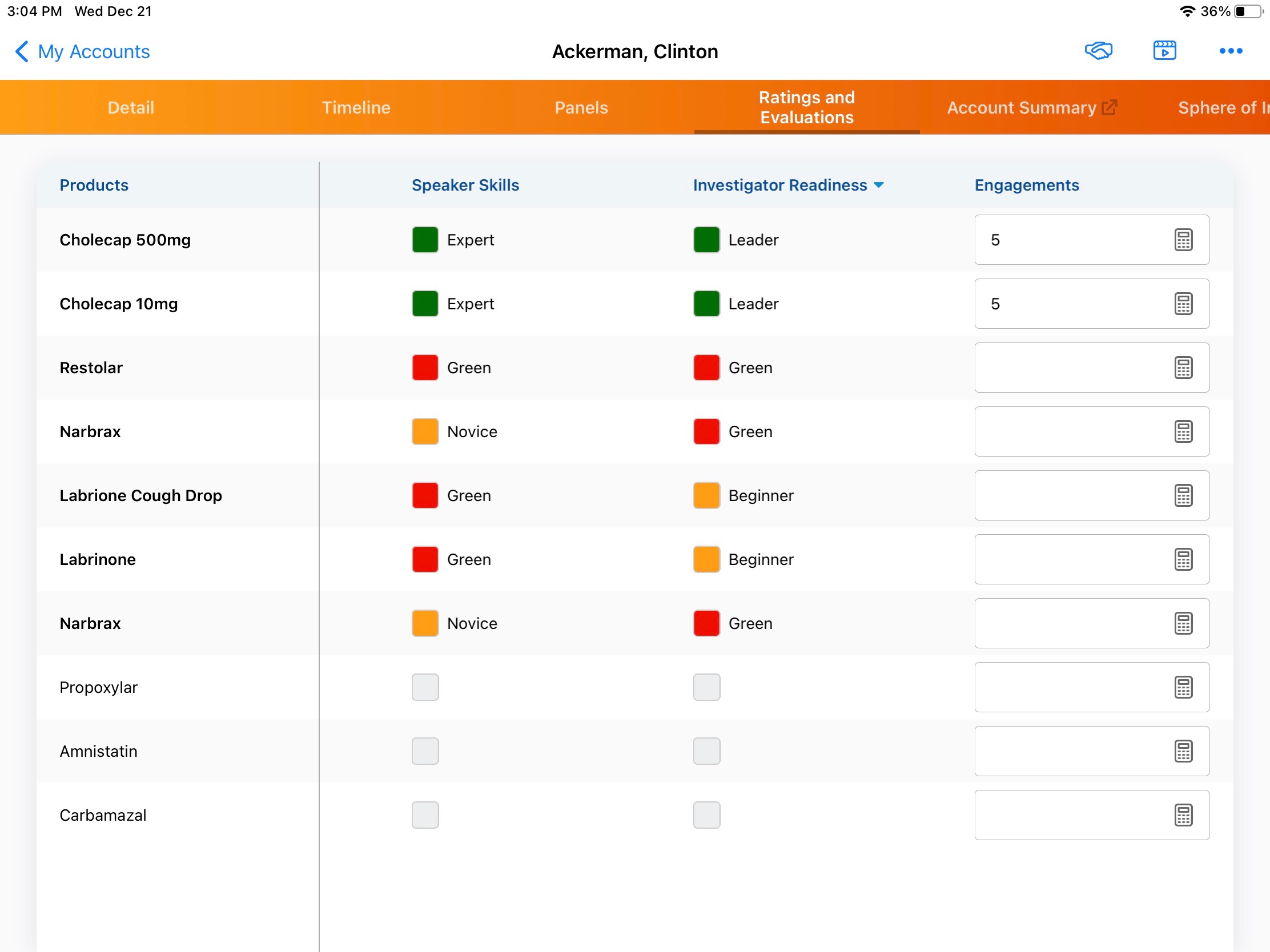
Each time you meet with an HCP, you have the opportunity to update his ratings for the key performance indicators (KPIs) identified.
This is what the Ratings and Evaluations section for the HCP's account record looks like online and on the iPad, with ratings in several key performance indicators added. Data is recorded for company and competitor products for six different categories, as determined by your Brand Manager.