How do users help build product metrics?
When a users call on one of their accounts, such as an HCP, there is a wealth of information gained during the meeting. In addition to providing the HCP with product information and answering their questions, sales reps are continually evaluating what the HCP does and does not know. After the call, the rep can quickly and easily record feedback concerning the HCP and the interaction on the Ratings and Evaluations page.
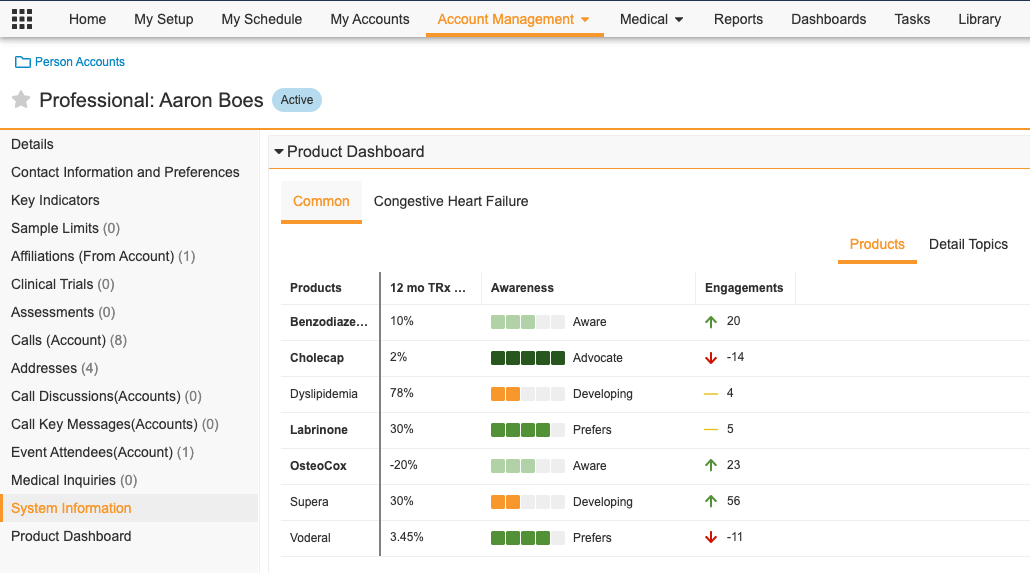
Product Metrics are easy to view from the Account page. A table view of key metrics is used to help reps prepare for their calls in a few clicks by putting metrics and data at their fingertips to boost their sales in all territories.
The Product Metrics section on the Account Profile displays product-specific attributes, such as deciles, target, and segment, for an account.
For example, let's say you met with an HCP this week. In addition to providing samples you asked him if he had any questions or concerns regarding Product A. You noted before the call that the HCP is rated as Maintain for Product A and that he has Intermediate speaker skills. You asked if you could provide him with some additional reading material and a video that contains new information and he accepted. You also provided him with a sample of Product A cough drops.
After your meeting, you updated the HCP's Awareness rating for Product A Cough Drop from Unaware to Developing, and his Segment rating from Inactive to Grow. You did not update either of his ratings for Product B products because in your opinion he is not ready for the Advocate Awareness rating.