How do I create cases from phone calls?
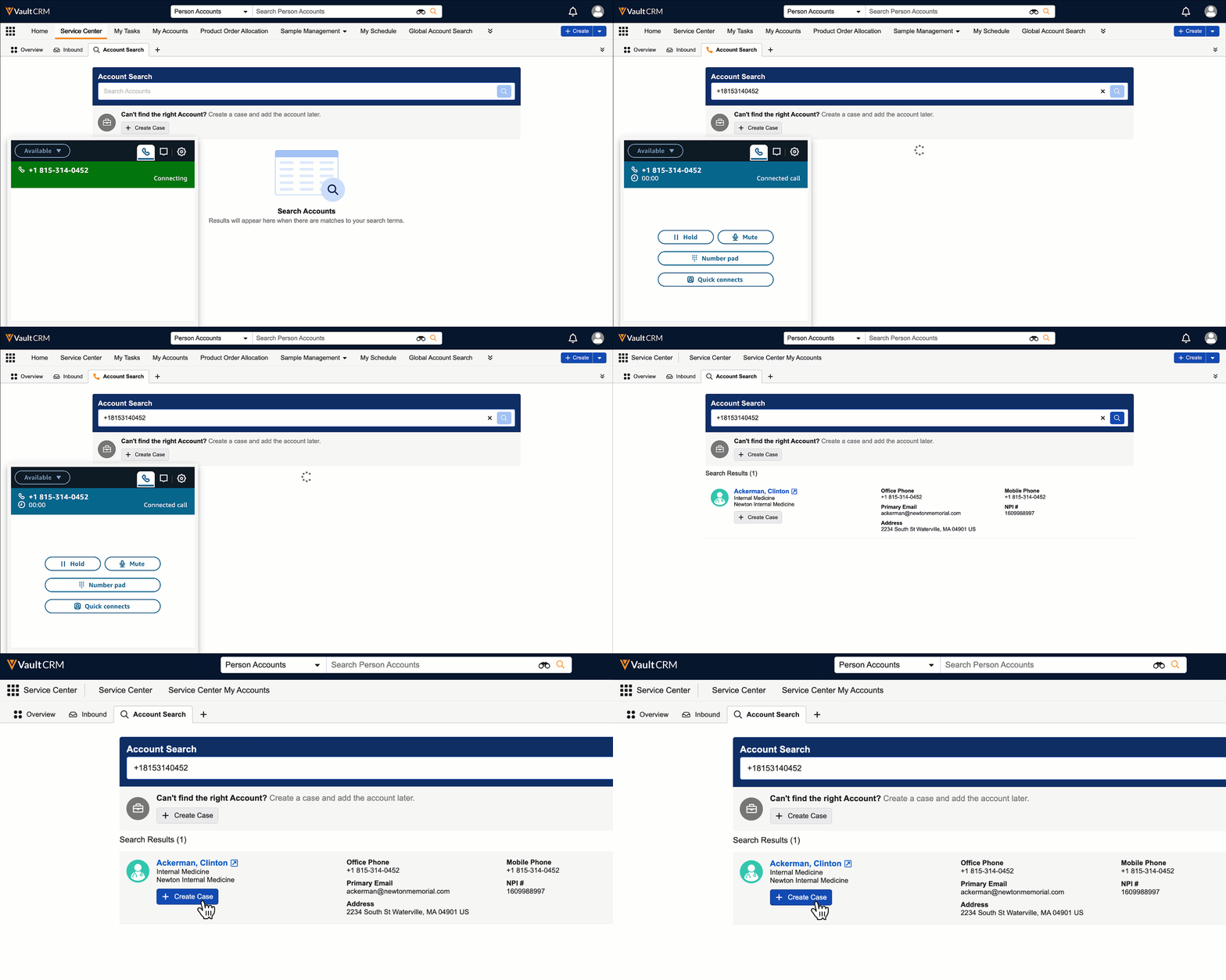
The phone rings. It’s Dr. Clinton Ackerman, a frequent caller. Because Sarah is answering a call within Service Center, her screen automatically switches to the Account Search tab. The search bar is pre-populated with Dr. Ackerman’s phone number, so Sarah instantly sees his account record in the search results. To create a case, simply select the + Create Case button next to the caller’s name.
A new Case tab opens immediately. Because this case originated from a live phone call, the status defaults to Open, so Sarah can start working right away. As Dr. Ackerman describes his question, she completes the Case record with all the relevant information.
Now, let’s imagine Dr. Ackerman is calling from a new phone number, not yet associated with a record in Vault CRM. Sarah can instead select the + Create Case button under the Can’t find the right Account section.
 of SCUnidentifiedAcct.gif)
This creates a case with the subject, “Phone call from +1 815-314-0452”, using the caller’s phone number. If a phone number is not available, the subject is captured as, "Phone call from Unknown Number," so Sarah can still go ahead and capture the relevant information while she’s talking with the caller. After the call is over, she can update the Case subject and Dr. Ackerman’s phone number.