How do I create cases from inbound emails?
Next, Sarah turns her attention to the team's shared email inbox. She navigates to the Inboxes section in the left pane of her console, where she sees a message from Dr. Beacher saying that her latest shipment of samples arrived damaged.
Sarah selects the email, and then selects Create and Open. This generates the case record and opens the tab immediately so she can get to work.
In this instance, the email address didn't perfectly match an existing account record, so the case is created in New status. To associate the email address with Dr. Beacher’s account, Sarah selects Select Account from the case console, searches for Dr. Beacher, and saves the association.
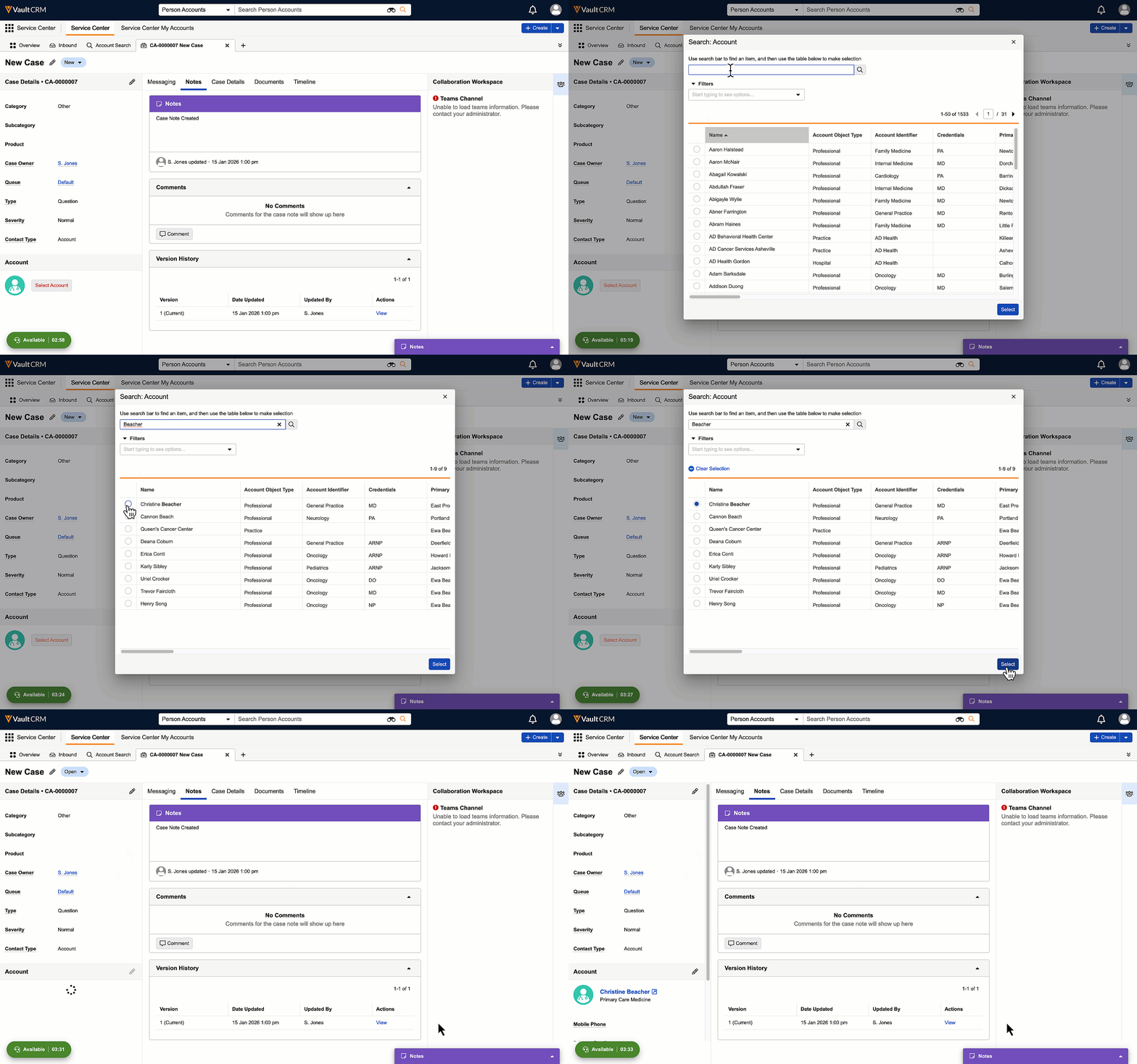
Now that an account and owner are assigned, the status updates to Open and Sarah can start capturing Case Details.