How do I drive a case from intake to resolution?
Service Center cases move through a structured lifecycle, to ensure all cases receive attention and follow-through. Reps like Sarah use the state drop-down button in the upper left corner to manage the case from its initial intake to its final resolution. At each state change, you must enter a comment to give context on the update. As an example, let's continue with a walk through the lifecycle of the damaged samples incident.
New: The Starting Line
When Sarah creates a case manually or from an unassigned email, the case begins in the New state. Think of this as the Intake phase. At this stage, the record exists, but it hasn't been fully routed.
Sarah cannot start working on the case (move it to Open) until she assigns three critical pieces of information:
- Account - Dr. Beacher
- Case Owner - Herself
- Queue - Support Team
Once those variables are set, she can proceed with the case. These important details are always visible in the left panel of the case console, along with any preferred fields defined by her admin.
Open: The Investigation
Once the basics are defined, the case moves to Open. This is the active state where the actual resolution work happens.

|
When Sarah creates a case during a live phone call via Account Search, the case skips the New state and is launched directly in Open, allowing her to dive straight into the conversation. |
Now, Sarah uses the center panel tabs to investigate:
- Messaging - Sarah easily reviews and responds to emails associated with the case from the comprehensive, threaded view on the Messaging tab.
- Notes - Sarah’s initial comment is captured as the first note for the case. She can use this section to document the customer's intent, concerns, and questions, and to capture information that adds context. She can also add comments to the Notes section to communicate with other internal users as she works on resolving the case.
- Case Details - Sarah reviews the full case details to confirm she understands all relevant information about the request
- Documents - Dr. Beacher included a photo of the damaged sample shipment in her email. To add the photo evidence to the case, Sarah drags and drops the photo onto the Documents tab and uses the drop-down menu to classify it.
- Timeline - All changes made throughout the case lifecycle are automatically logged here, as well as Talk Time metrics for calls received or placed in Service Center. When Sarah has a question about what happened when, she simply references the Timeline.
Pending/On Hold/Escalated: Work in Progress
Sarah created the case and uploaded the photo evidence, but she hits a snag: she needs to confirm the lot number with the Shipping Department before she can authorize a replacement. She cannot solve this right now.
She needs to log this delay without losing sight of the case details. Sarah opens the State menu and selects On Hold. When prompted, she types: “Waiting on shipping confirmation for lot #na-001.”
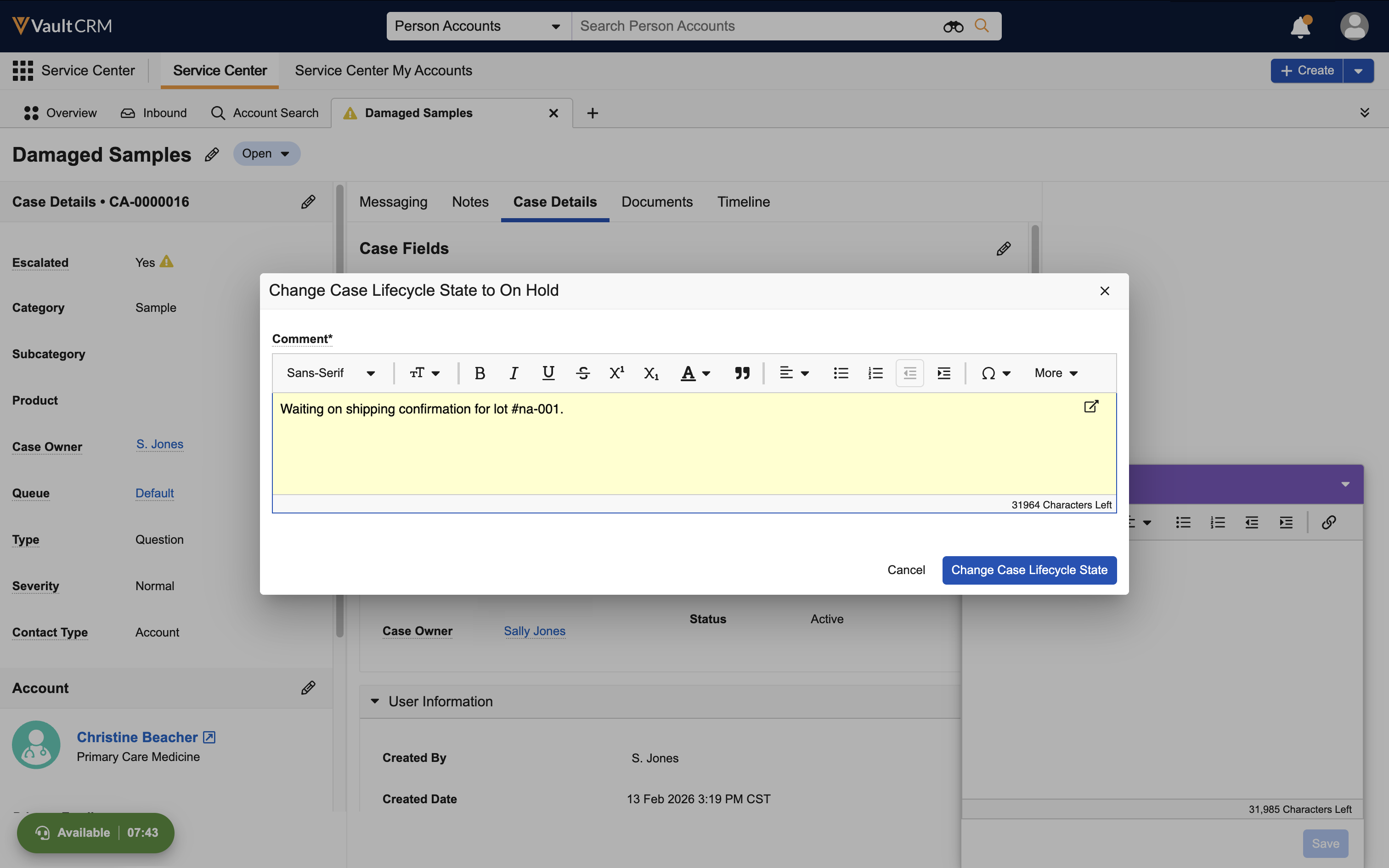
This signals to her manager that the delay is due to waiting for external input, not negligence. The case is updated to On Hold status.
Solved: The Resolution
An hour later, Shipping confirms the lot number is valid. Sarah is ready to wrap up. She returns to the Messaging tab in the center panel and drafts a Thank You email to Dr. Beacher, confirming that replacement samples are on the way.
Sarah sends the email draft, closing the loop with the customer. With communication complete, she successfully changes the state to Solved.
Closed: Case Complete
Sarah’s job is done. She does not need to manually close the record; after an admin-defined duration (by default, four days), the Solved case automatically transitions to Closed. The period between Solved and Closed allows a buffer period if questions come up shortly after the case is resolved. Closed cases are read-only and cannot be reopened.
Months later, if Sarah needs to review this interaction, she can open the case and check the Timeline for the entire case history—every state change, document upload, and talk time metric—providing an immutable record of the case and resolution.