How do I complete an Outbound Target Activity?
Now that her day is planned, Sarah is ready to reach out to Dr. Ackerman. Service Center guides her through each step of her outreach process.
The First Attempt (Retry State)
Sarah selects Dr. Ackerman’s card in Today’s Focus and clicks on his office phone number to automatically place a call. The call goes to a busy signal. In the Target Activity Guide that overlays her screen during an attempt, she selects No (Target not reached), with Not Available as the reason.
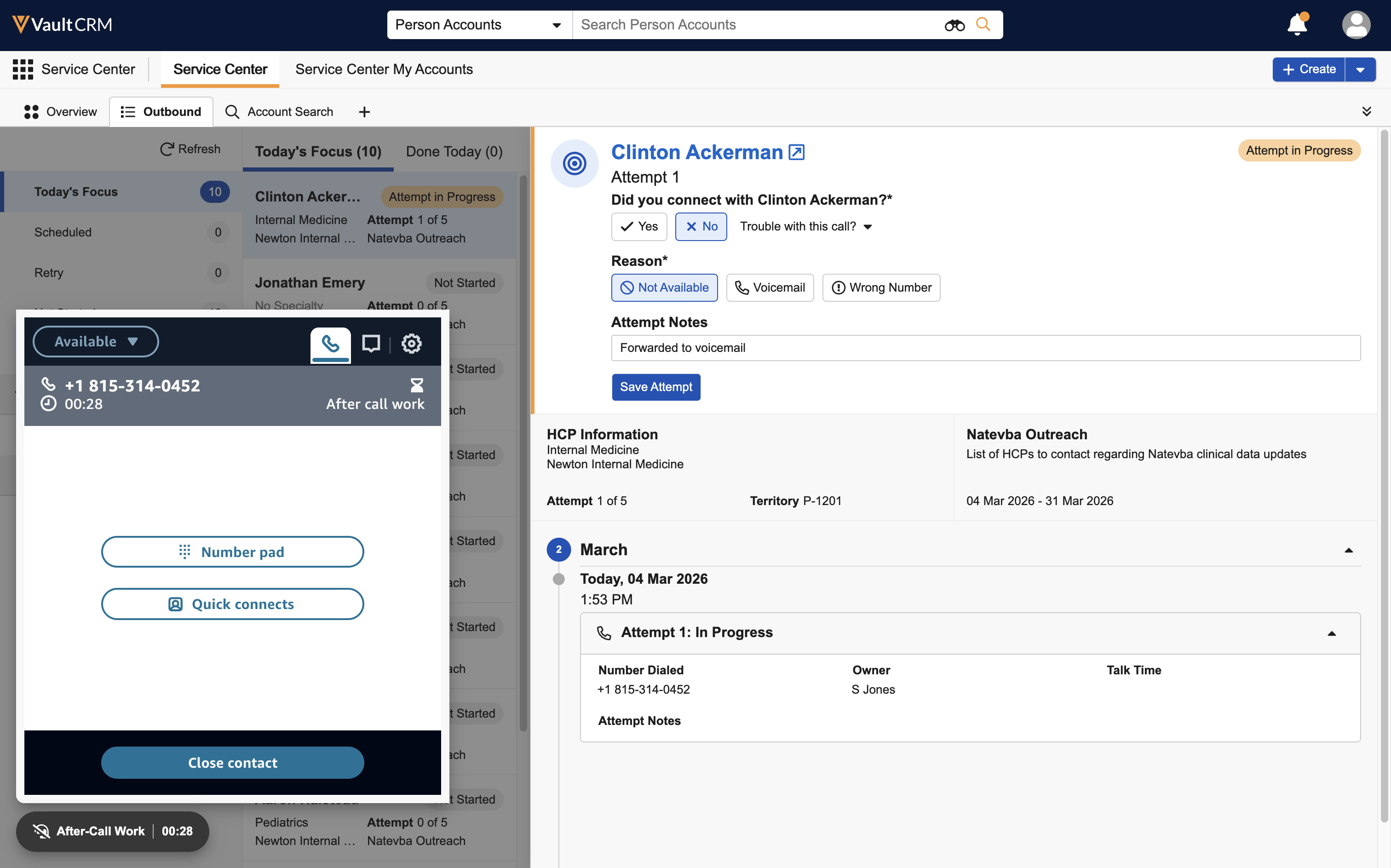
When Sarah saves the attempt, Dr. Ackerman’s target status is automatically updated to Retry and his target card is moved to Done Today. Sarah does not need to manually schedule a callback; Service Center keeps him in Retry status for up to five attempts.
The Connection (Scheduled State)
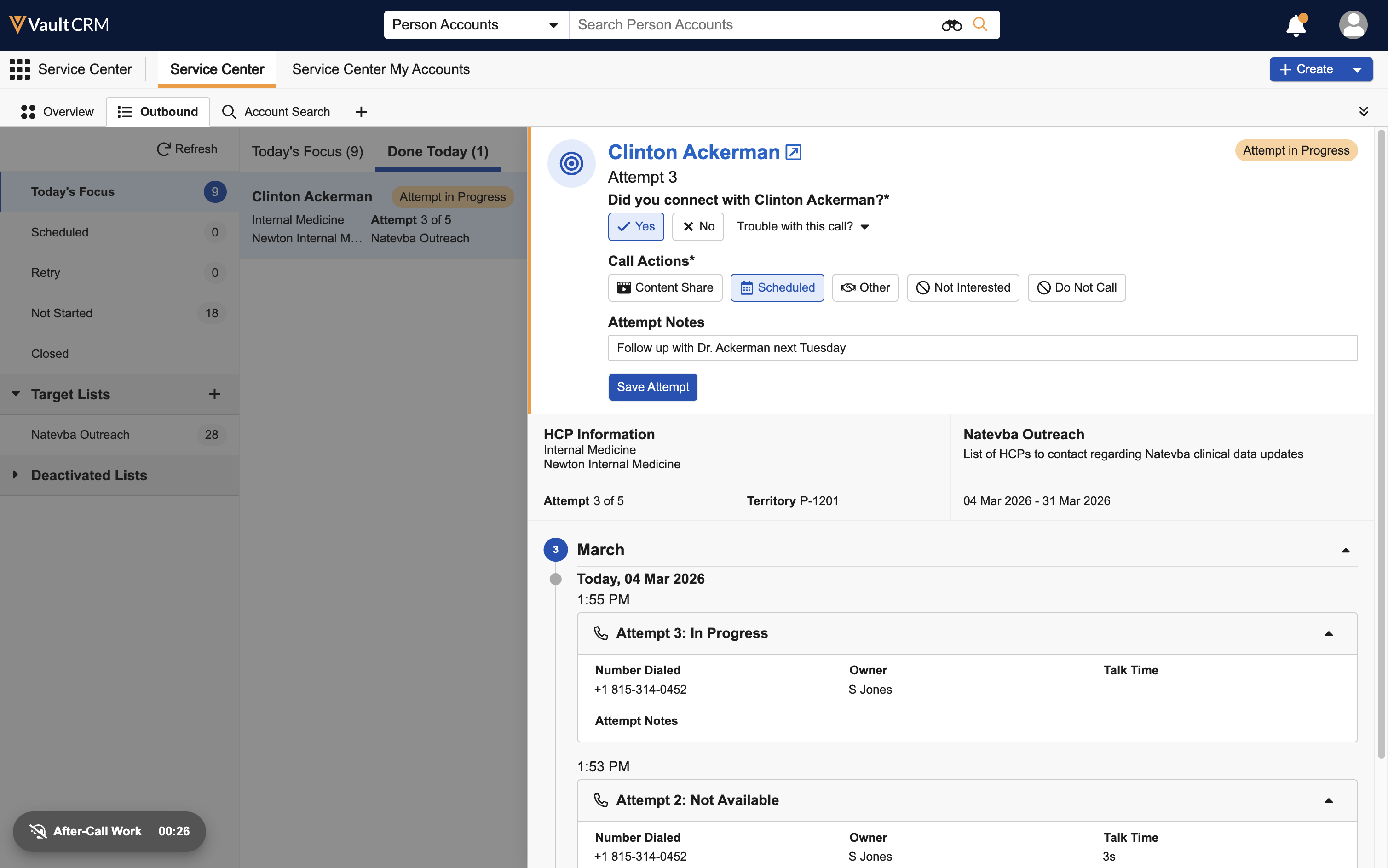
On Sarah's third attempt, Dr. Ackerman answers. He asks Sarah to call back next Tuesday when he has more time to review the data. Sarah selects Yes (Reached) and Scheduled as the outcome. When she selects Save Attempt, Dr. Ackerman is moved to the Scheduled state.
The Completion (Closed State)
On Tuesday, Sarah connects with the doctor. He requests a digital brochure for Natevba, which she shares with him. In the Target Activity Guide, Sarah selects Yes (Reached), then Content Share. She clicks the Call Report button directly from the guide—a new window opens with the doctor’s details pre-filled.
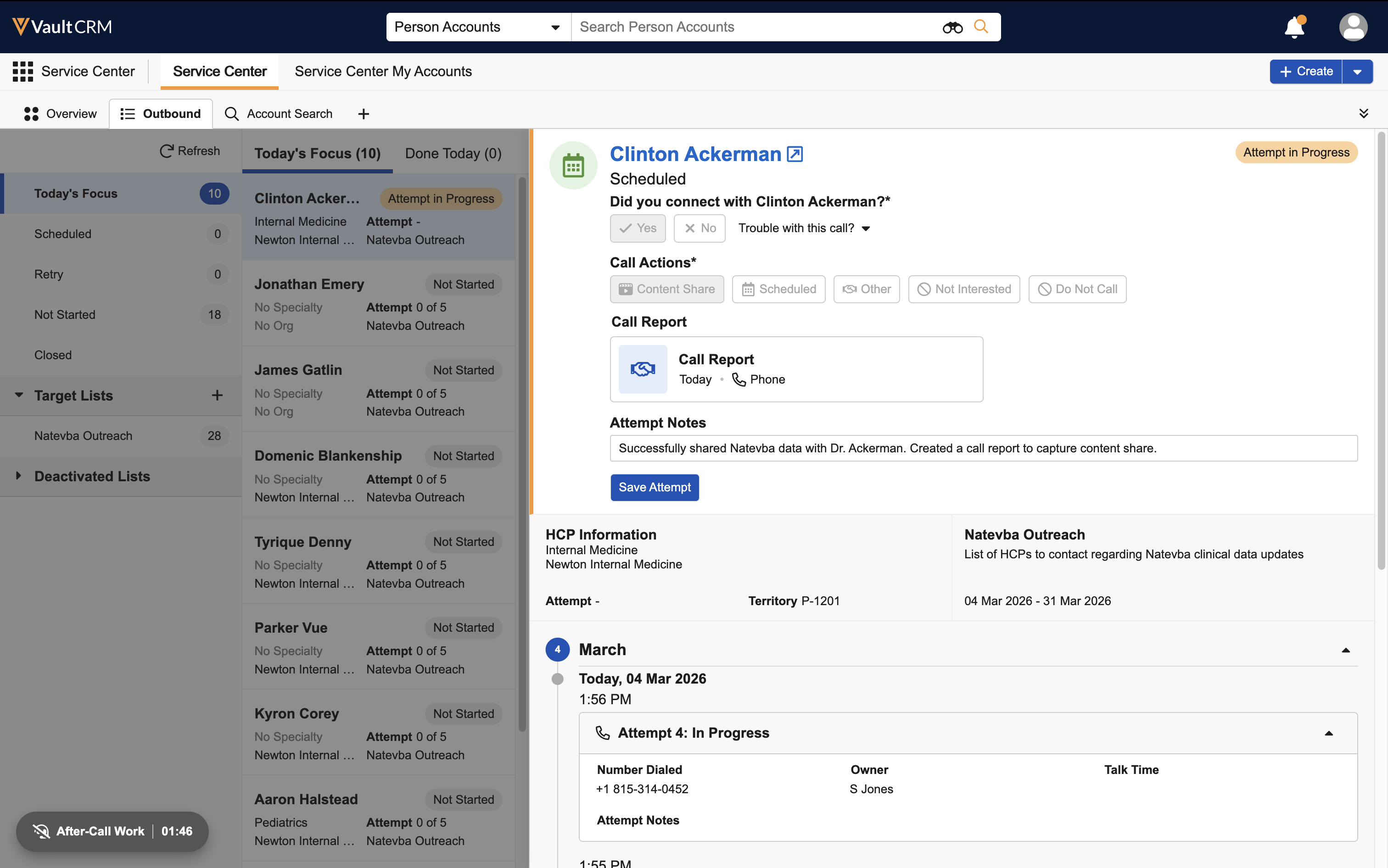
Once she selects Save Attempt, Dr. Ackerman’s target status is updated to Closed and his target card is moved to the Done Today tab. This target activity is officially complete!