How does Agentic Text Monitoring safeguard compliance on the call report?
The final phase of the workflow ensures that free-text notes adhere to all corporate and regulatory guidelines. The full content of the dictated recording is automatically captured in the Call Text field, where Agentic Text Monitoring scans it for compliance risks.
The automated check runs automatically whenever you exit the Call Text field, save the record, or select Submit. While the check is active, the AI icon marks the monitored field and a Verifying tag displays. You can continue working on the current page, but navigation is blocked until the check completes. The tag then updates to Verified, Not Verified (the agent could not verify the text; it rechecks on the next edit, save, or submit), or Problem Detected.
To resolve flags, select the field to open the Text Monitoring popover, which lists each flagged string with an Error or Safety label. You can choose to select Remove All to instantly delete all highlighted text from the field, or edit the text manually to address the compliance feedback.
Once you complete your revisions, exiting the field or saving triggers another automated check. By default, all detected issues must be resolved before the record can be saved.
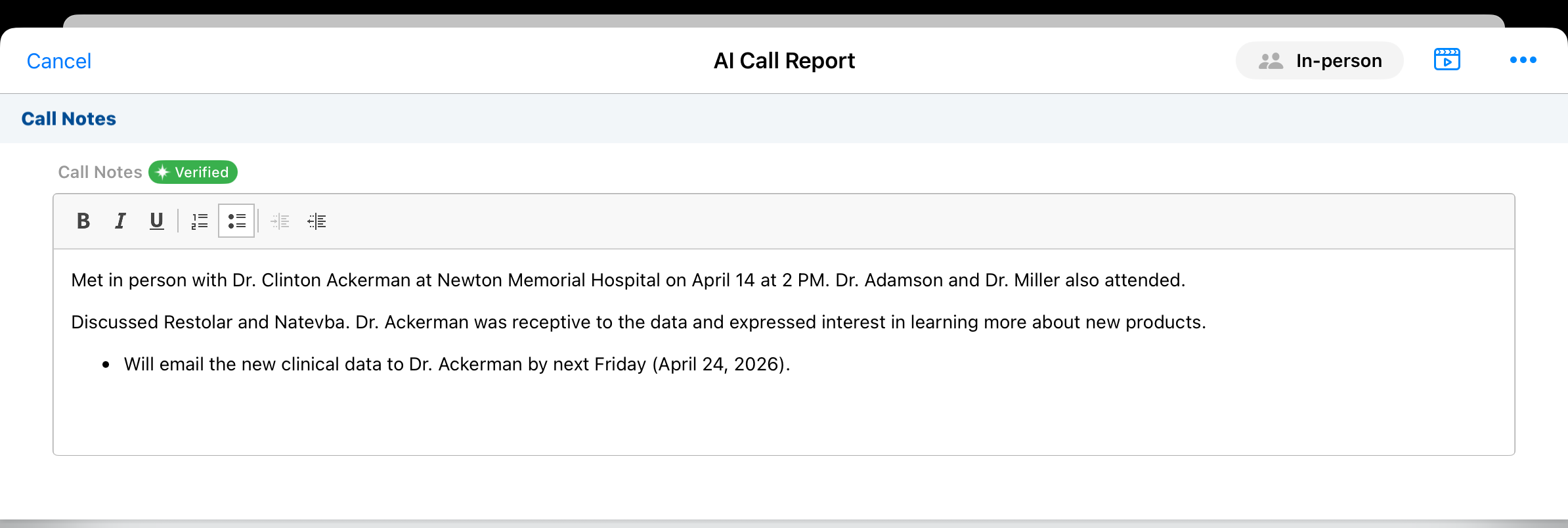
After Agentic Text Monitoring verifies the notes are compliant, you're ready to submit the call report. When you submit the call, the underlying Call Voice Note audio and text are permanently deleted from the device to maintain compliance and data privacy.