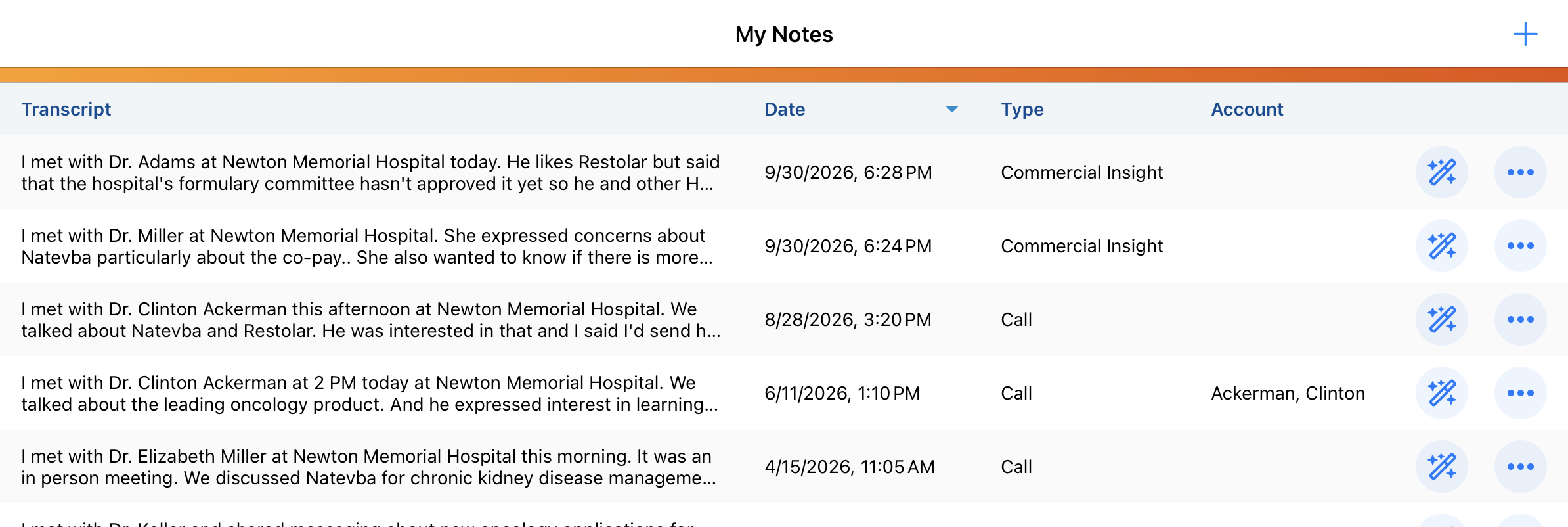
How do I dictate a Commercial Insight?
Picture this: you just finished a conversation with an HCP. He mentioned barriers to access for one of your organization’s products, as well as a need for more data. You want to capture that information right now, before it slips your mind on the drive to your next appointment.
Agentic Insight Capture gives you three ways to start dictating:
- Trigger it hands-free through Siri by saying a command like "Create a Commercial Insight”
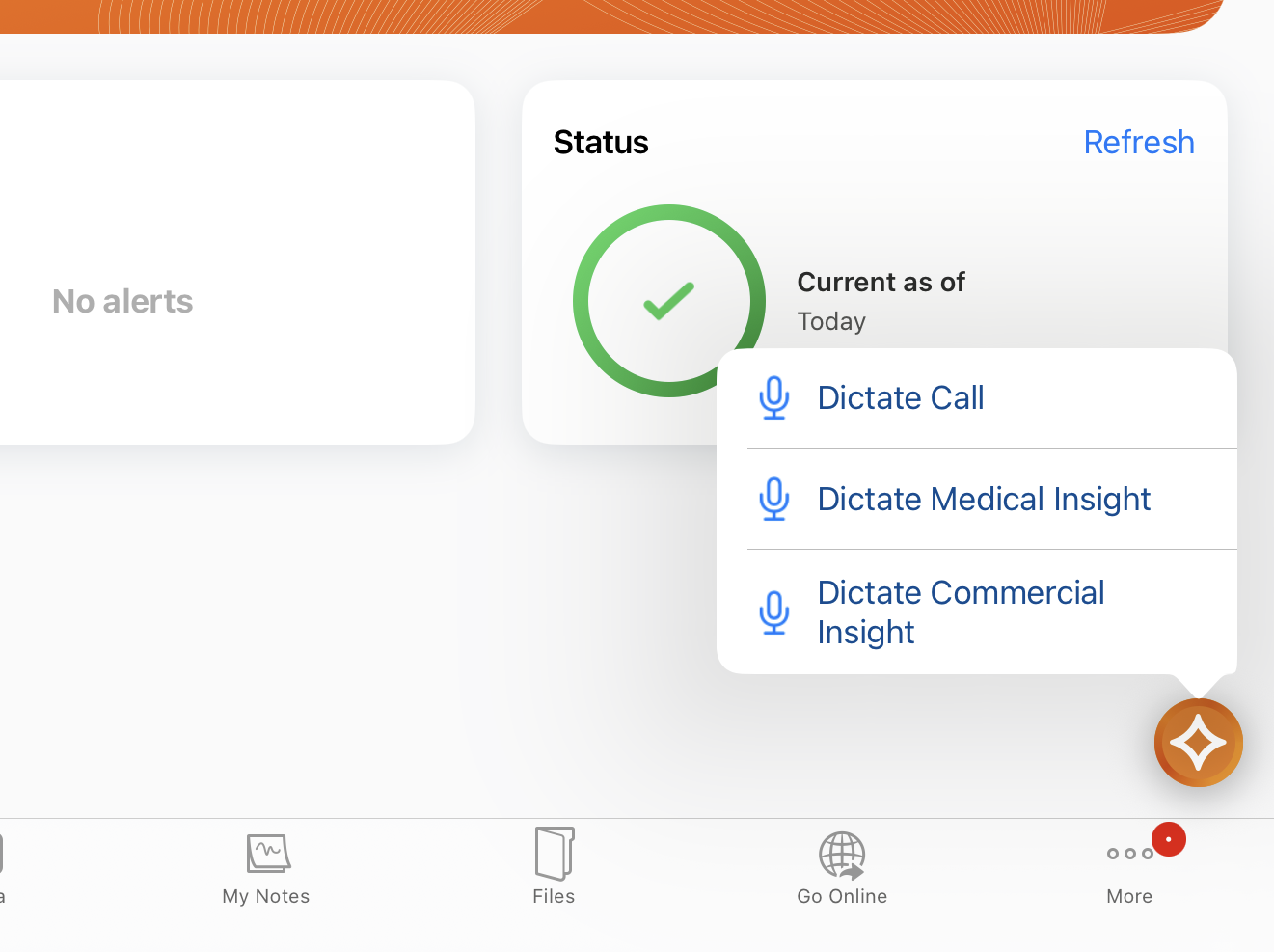
- Long-press the AI icon from a number of supported pages, for example the Account Detail page, a submitted Call Report, or the Commercial Insights tab, then select Dictate Commercial Insight
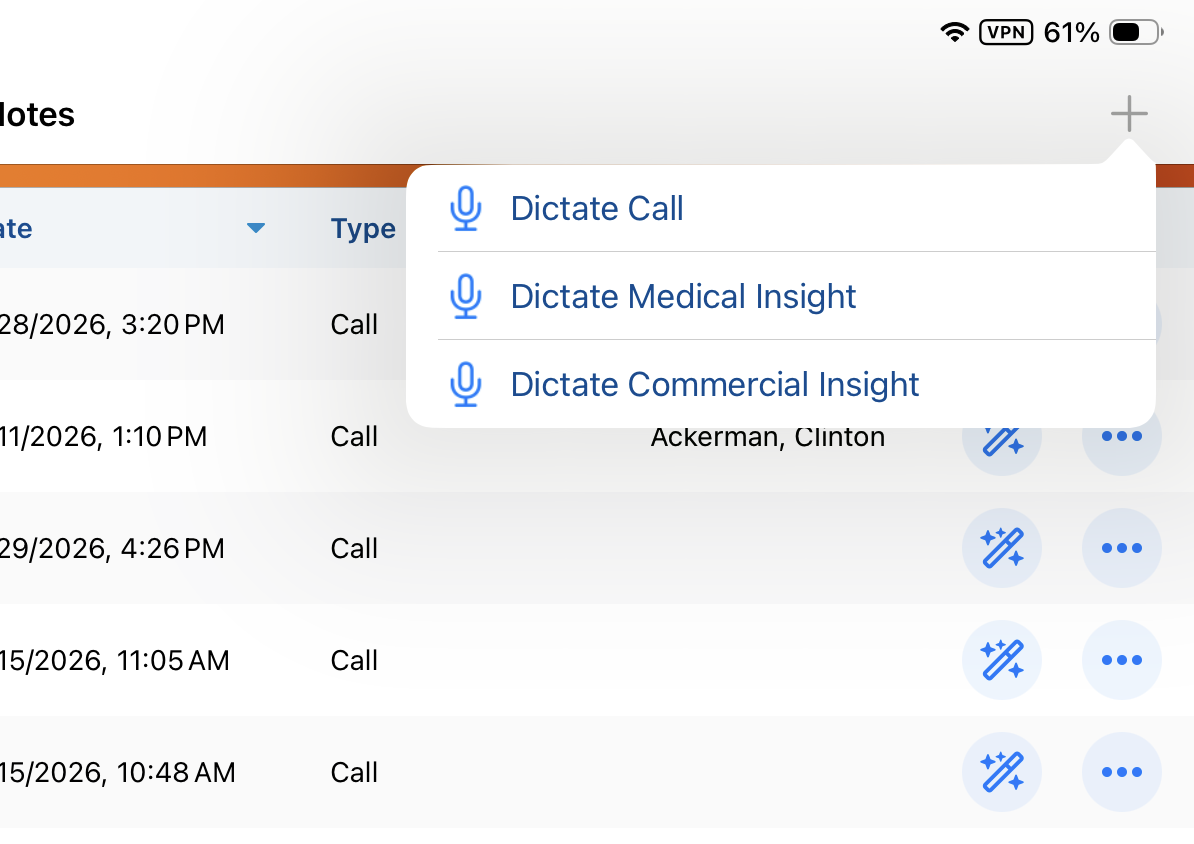
- Open the My Notes tab, select the Plus icon, and choose Dictate Commercial Insight from there
Once dictation starts, a Voice Note opens and recording begins automatically. You describe what you observed, mentioning the account, any relevant products, and the details of the insight itself. You can select Pause at any point and Resume when you are ready to continue.
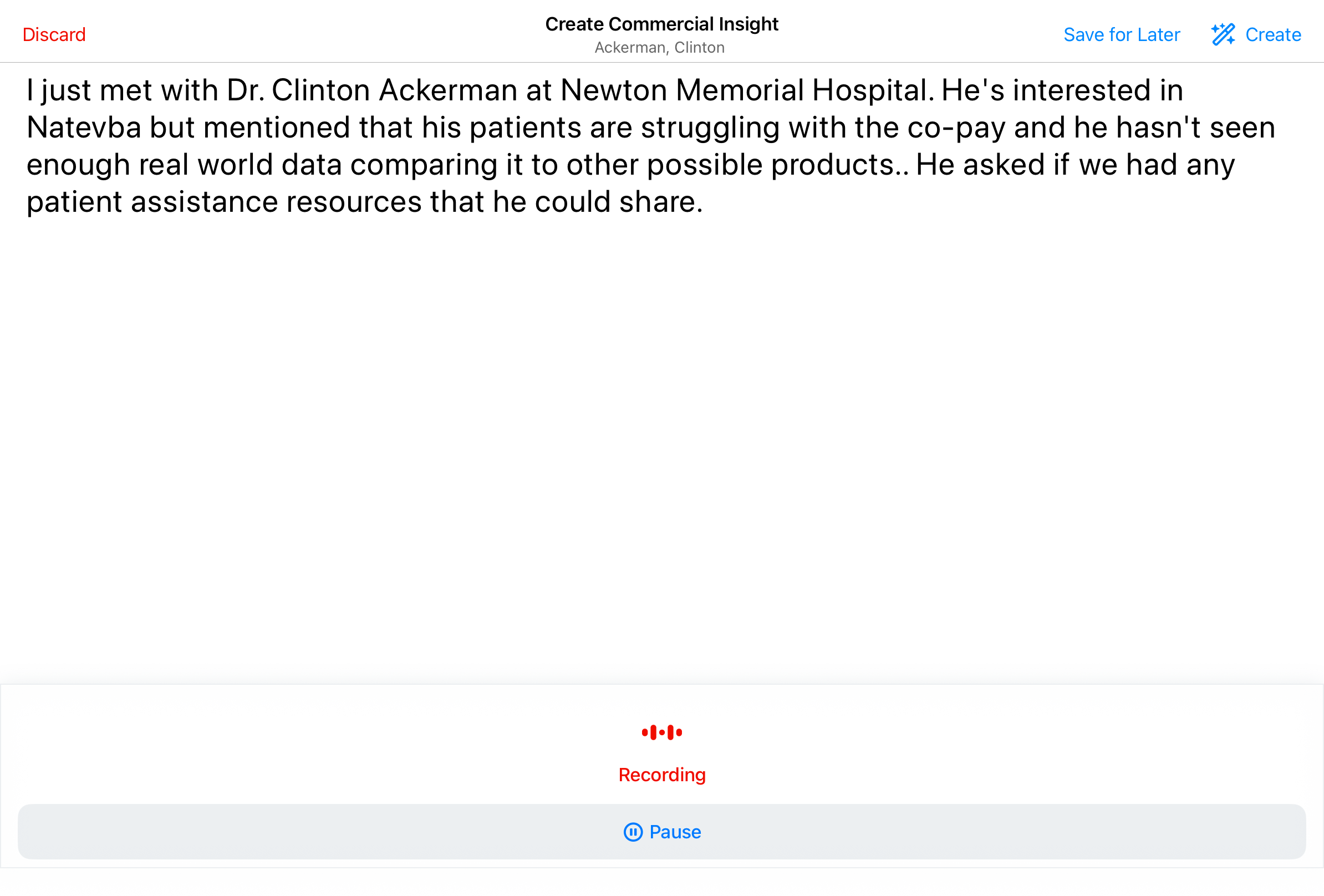
When you are finished speaking, you have three options, found in the Voice Note header:
- Create Commercial Insight, which immediately sends your Voice Note for processing
- Save for Later, which keeps the Voice Note on your device so you can convert it to a Commercial Insight when you have a moment
- Discard, which permanently deletes the recording
Because Voice Notes are device-bound, a note you save for later stays only on the device where you recorded it. Your saved Voice Notes can be found in the My Notes tab, where you can review the content and create records from the Voice Notes at your leisure.