How do I capture a Commercial Insight from a Call Voice Note?
Most of the time, you are not setting out to dictate a Commercial Insight on its own. You are dictating an entire call: who you met with, what products you discussed, and what happened next. Agentic Insight Capture is built to work inside that same call reporting flow, without asking you to repeat yourself.
When you dictate a Call Voice Note and convert it into an Agentic Call Report™, Agentic Insight Capture listens to that same recording for commercially relevant information, using a set of Insight Definition Rules your organization has defined. These rules describe the kinds of things worth flagging as a Commercial Insight, for example a stakeholder describing a barrier to adoption, an unmet clinical need, a sign that someone influences other providers' decisions, or a notable move by a competitor.
Whenever something in your dictation matches one of the active Insight Definition Rules, Agentic Insight Capture automatically populates a new Commercial Insight record and adds it to the Commercial Insights section of your call report, alongside the rest of your call details.
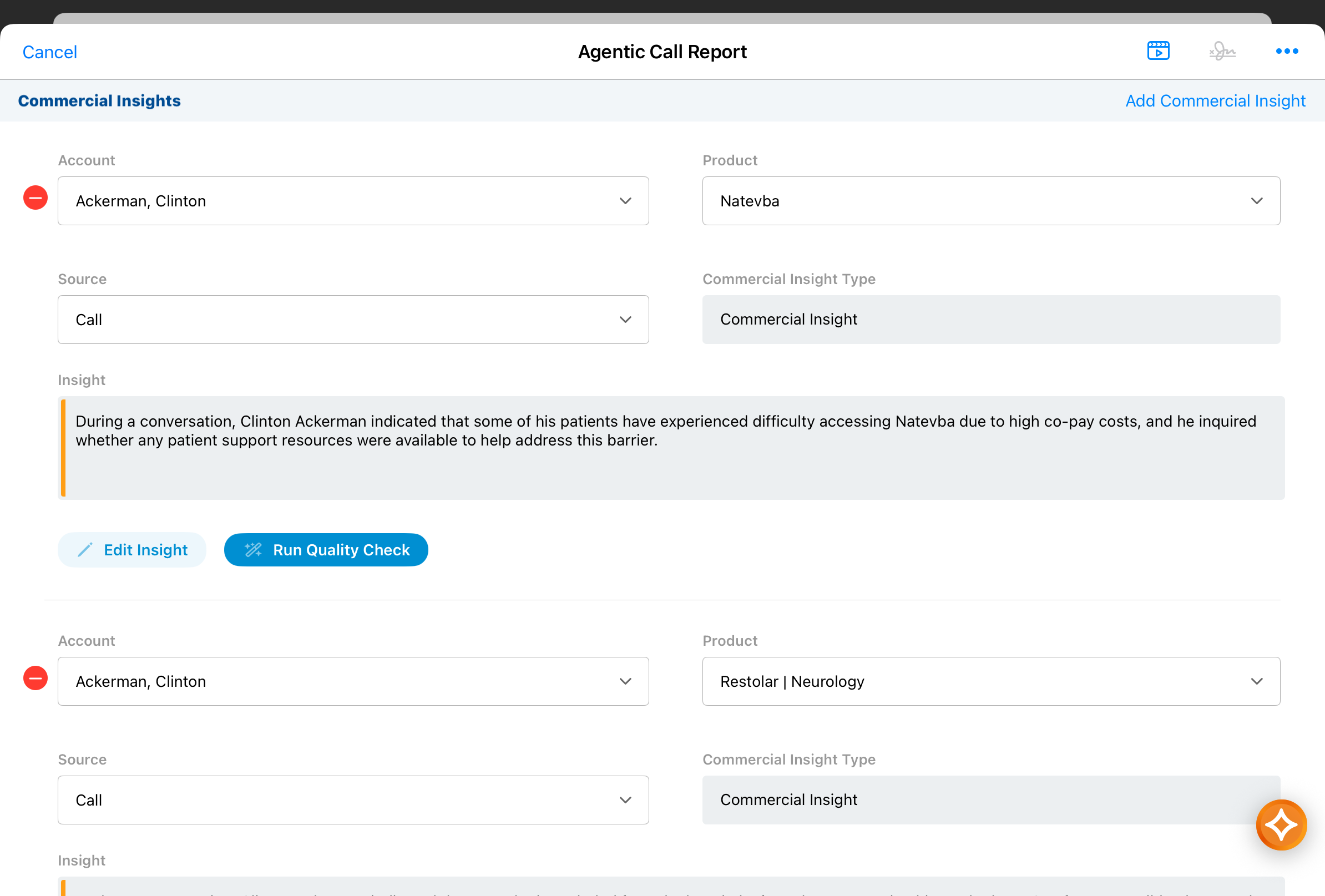
You do not need to call out an insight separately or use any special phrasing. Just describe the interaction naturally, the same way you always would for a call report, and let the agent identify what is commercially relevant. If your dictation touches on several distinct insights, each one is captured as its own separate Commercial Insight record, all added to the same call report.
This also works when you add to an existing call report using voice. If your additional dictation contains new commercially relevant information, new Commercial Insights are created and added; any insights already on the call report are left untouched.