How do I refine insights based on feedback?
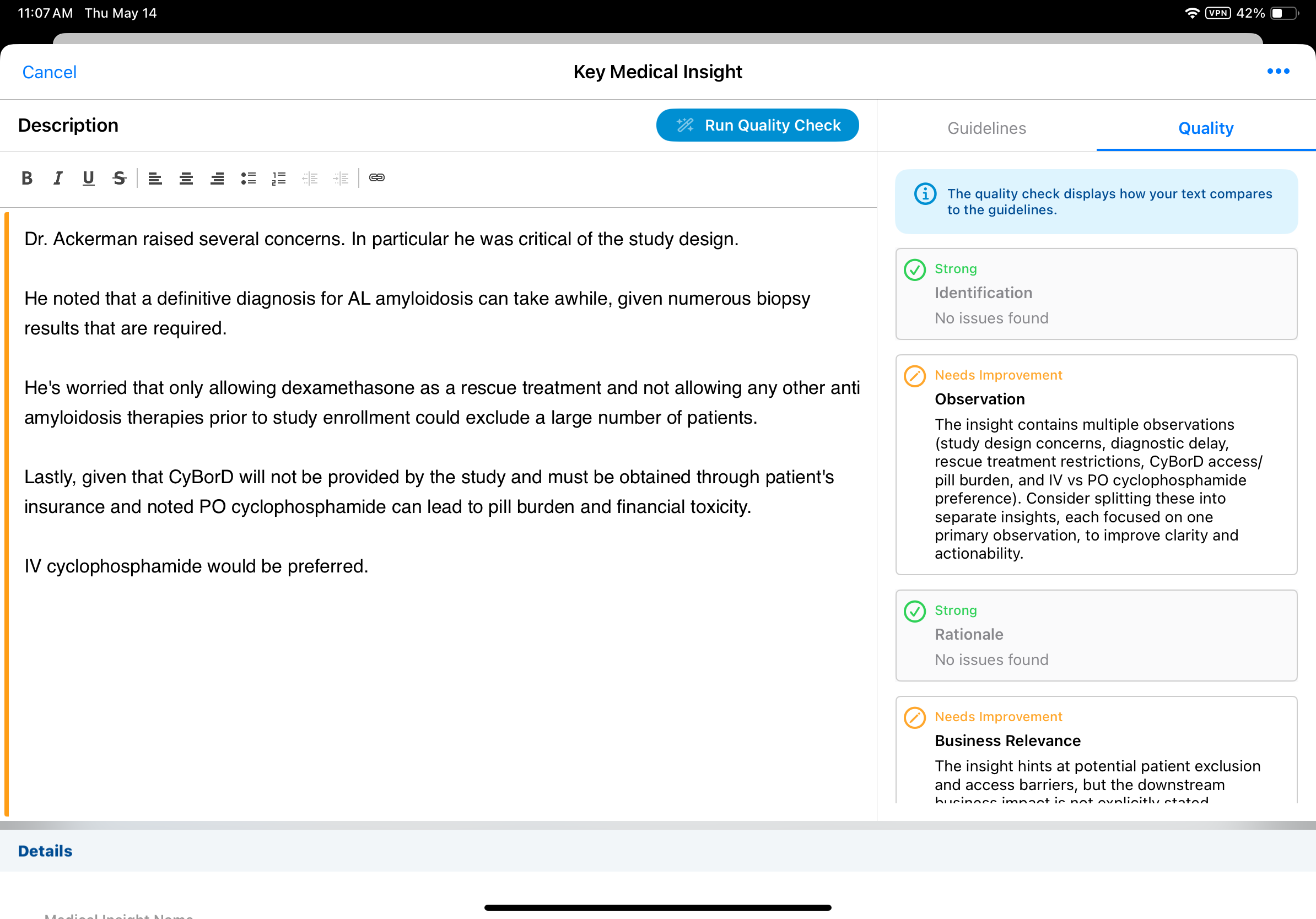
The true power of the agent lies in the Quality Tab. This is where the AI provides feedback for the drafted insight. Several key affordances help users refine their Descriptions for maximum impact:
- Status Indicators — Each guideline is marked as Strong, Needs Improvement, or Missing
- Actionable Advice — Instead of vague errors, the agent provides specific recommendations (for example, Add more context regarding the physician's rationale)
- Iterative Process — Users can edit their text and re-run the check as many times as needed
- Quality Confirmation — Once all guidelines are met, a green checkmark confirms the insight is of high quality and ready for submission
After refining their Medical Insight descriptions, users can save or submit the insight as usual. This results in clear, actionable business data for the organization.