How does Agentic Voice build my call report?
Within seconds of selecting Create Call, a call report displays on Sarah's screen. She's pleased with how much was handled automatically—fields she would have typed one by one are already filled in, mapped directly from her dictation.
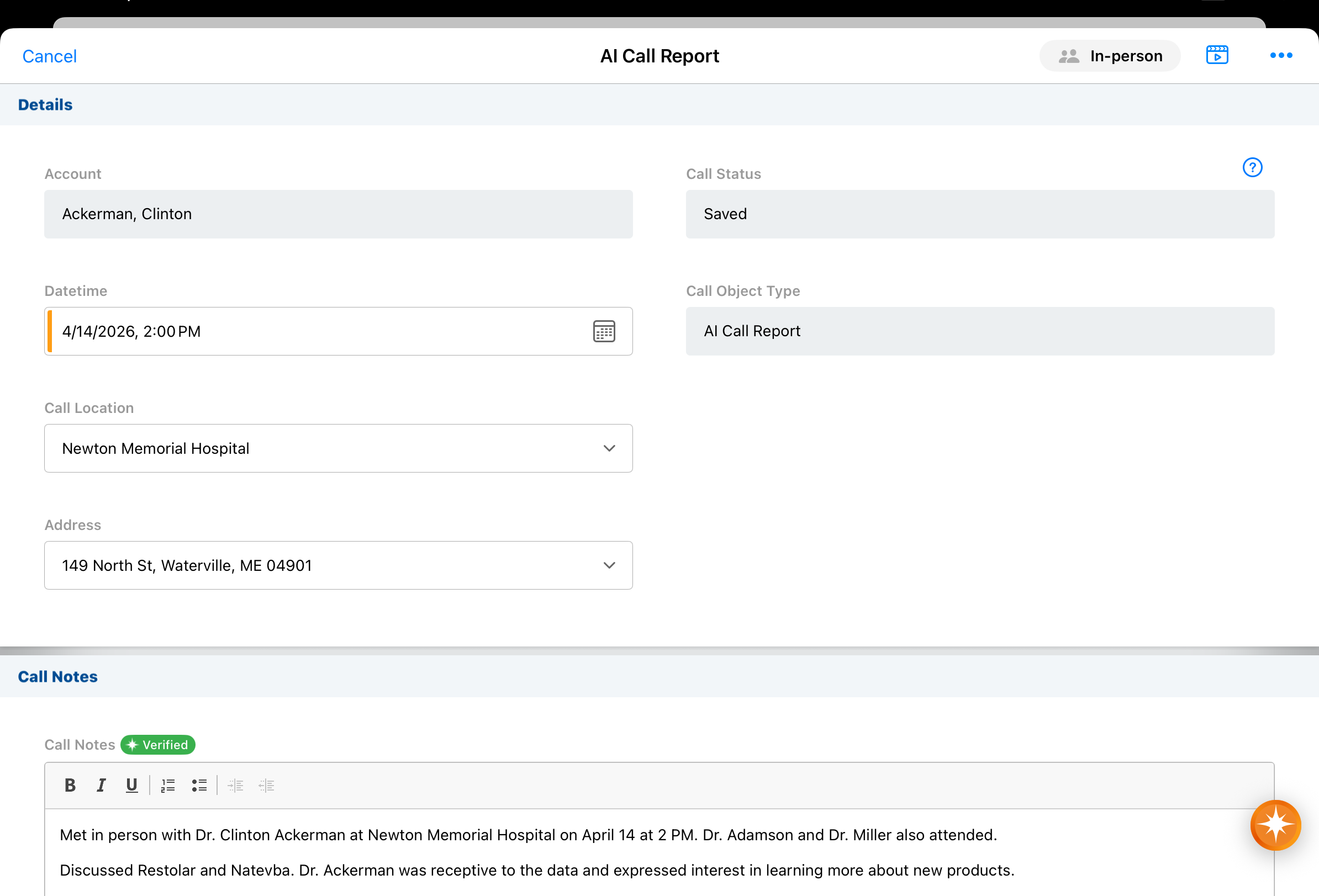
The following fields are populated based on her dictation:
-
Account — Agentic Voice searched Sarah's territory for "Dr. Clinton Ackerman" and found one Person Account match, populating the account automatically. If it had found multiple matches, it would have presented a Suggested Accounts list for her to choose from. If no match was found at all, an account search modal would display so she could locate the right record manually.

To make sure the agent gets the attendee selection right, automatically adding an attendee without any user intervention is only possible when you start recording from an account-specific entry point, like the Account Detail page, and there is a strong, single match for the account name you mentioned.
-
Call Location — Because Sarah said "in-person meeting at Newton Memorial Hospital," and the Parent Call Account Type Preference in her Vault is set to Prefer Person Accounts, Agentic Voice uses Newton Memorial Hospital as the call location after setting Dr. Ackerman as the primary account on the call. If she hadn't mentioned a specific location, it would have defaulted to the matched account's primary address.
-
Call Channel — "In-person meeting" maps to the In-Person channel. Agentic Voice recognizes all standard channels—In-Person, Video, Phone, Email, Text/Message, and Other—in any supported language, and respects any admin-configured restrictions on call channels.
-
Call Date and Time — Because Sarah explicitly stated a date and time, Agentic Voice uses that rather than the recording timestamp. When no date or time is mentioned, the timestamp of the recording is used as the default. Any call backdate limits defined by her organization are respected.
If she decides to select Cancel on an unsaved report, the call report is discarded, but the original Call Voice Note is automatically saved for later. Sarah can access the saved Call Voice Note at her leisure, from either the My Notes tab or My Schedule.
Call Attendees
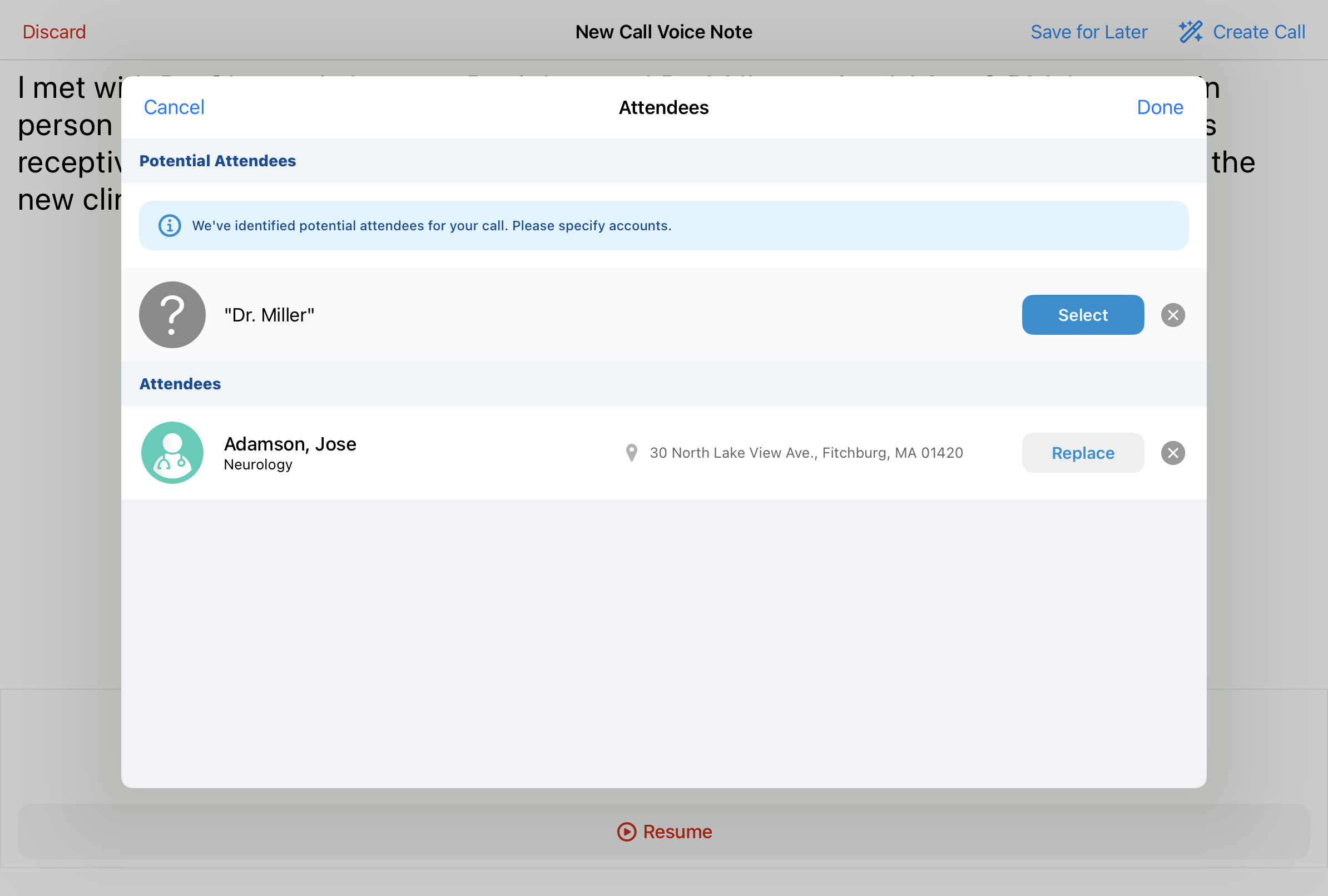
Sarah mentioned that Dr. Adamson and Dr. Miller were present during the visit. Agentic Voice searched her territory for matching accounts. "Dr. Adamson" returned a strong match—Jose Adamson—and was added automatically. "Dr. Miller" returned multiple possible matches, so Agentic Voice presents Sarah with a Potential Attendees list to confirm the right person before the record is finalized.
Product Details
Sarah mentioned two products: Restolar and Natevba. Agentic Voice populated both entries in the Detail Products section automatically.
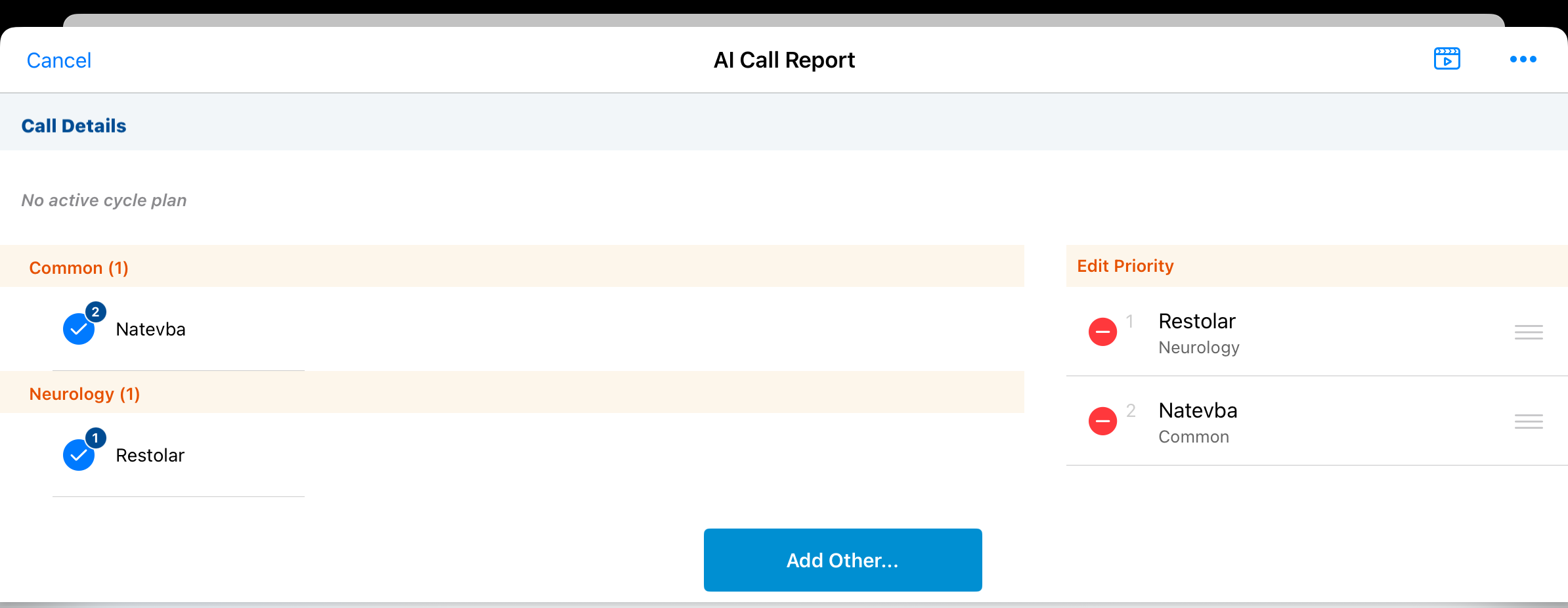
If a product belongs to multiple Detail Groups and Sarah didn't specify one, Agentic Voice leaves it off rather than guess. Semantic matching applies: for example, the phrases"Cholecap for heart health," "Cholecap for cardiology," and "Cholecap for cardiovascular patients" all map to the same Detail Group.
Key Messages
When Sarah said Dr. Ackerman "was receptive to the data and wants to learn more about new products," Agentic Voice did two things. It matched "receptive" to a Reaction value on the call report and populated that field accordingly. It also matched the discussion of Restolar and Natevba against the Name, AI Description, and AI Synonym fields on Sarah's active Key Message records, identifying the relevant messages for each product and confirming they were appropriate for Dr. Ackerman's segment before populating them.
Follow-Up Activities
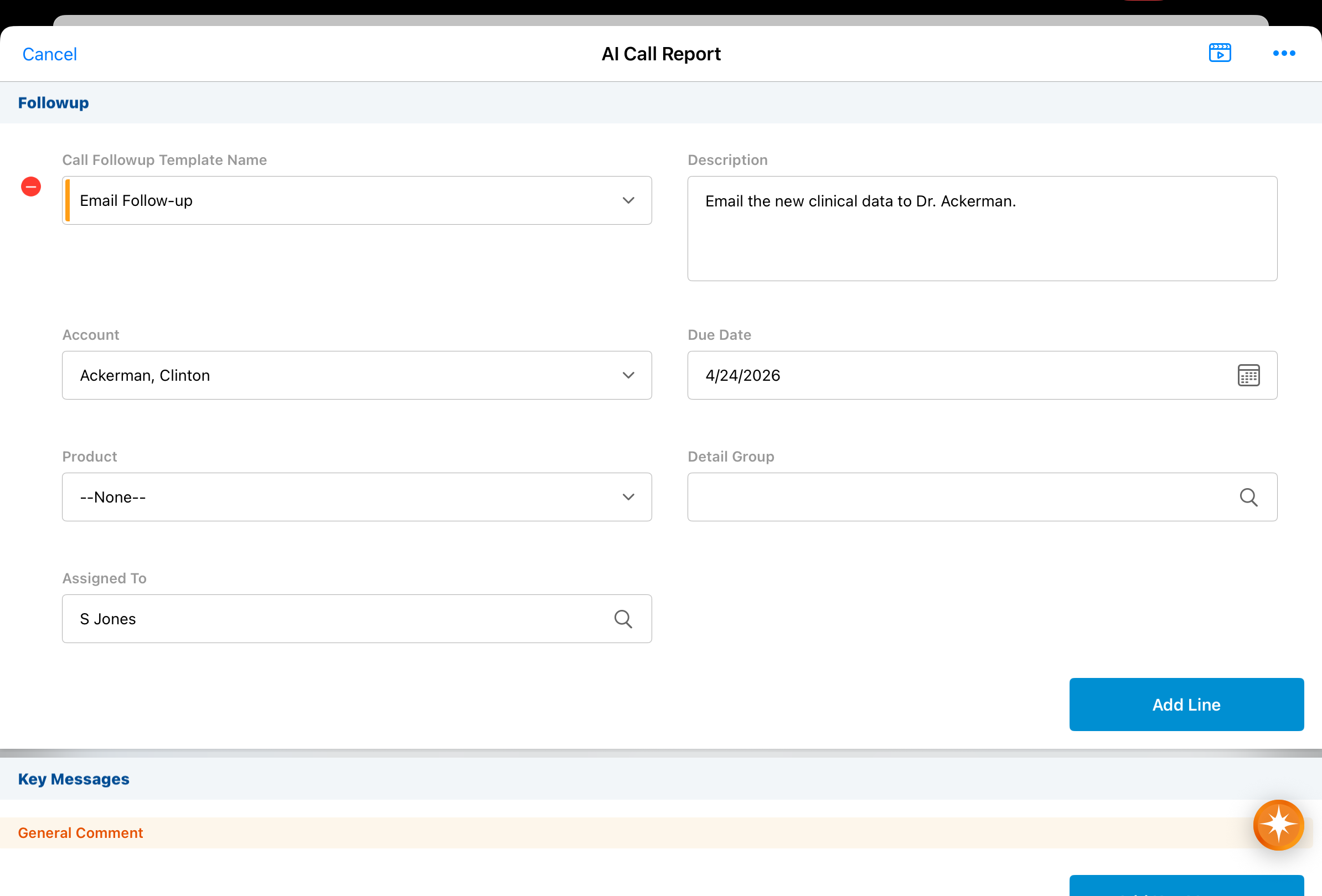
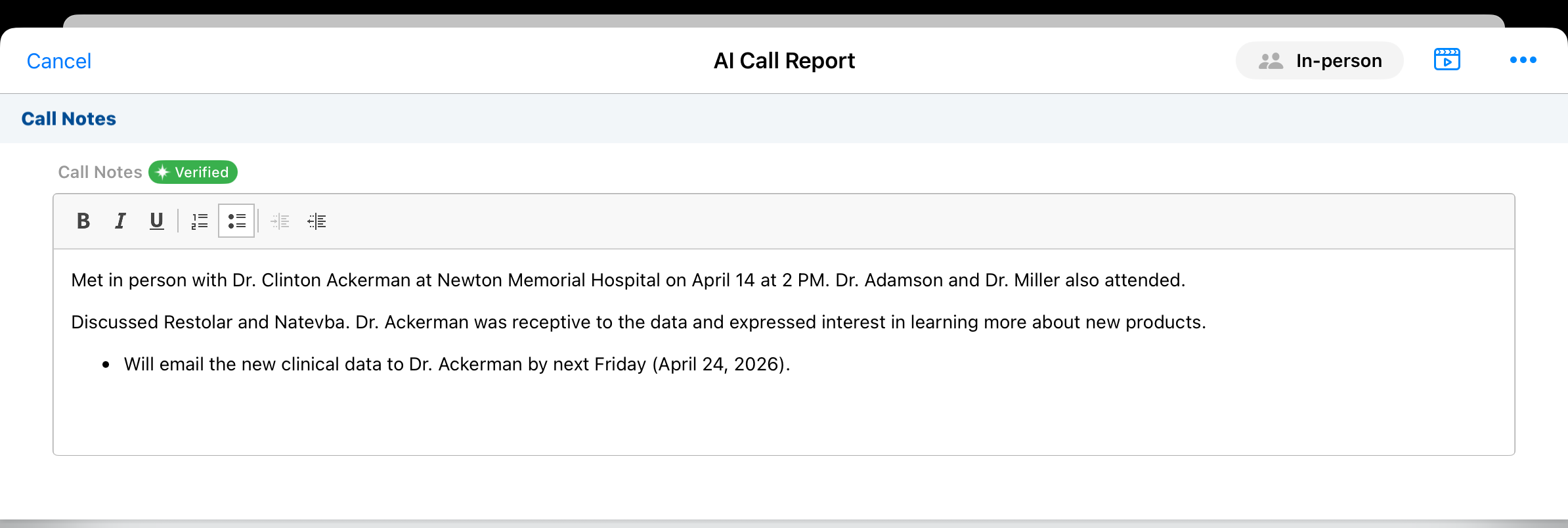
Agentic Voice picks up on Sarah’s mention of a needed follow-up: “I said I would email the new clinical data to Dr. Ackerman by next Friday.” This becomes a follow-up activity on the call report with account, assignee, due date, and description all populated automatically.
Call Text
The full content of Sarah's Voice Note is pre-populated in the Call Text field. When Agentic Text Monitoring is enabled, that content is automatically checked for potential compliance issues.
Once submitted, the Voice Note is permanently deleted for compliance and data privacy. If she deletes the call report without submitting, the Voice Note is also deleted.