Are there any X-Pages Studio page templates I can use?
The KAM Business Portal Page specifically focuses on presenting Account and Account Plan data. It is designed to create a page for users, such as Executives, who only need access to account plan information for key accounts. The goal is to present a clean and focused experience for these Business Portal Users.
Here is an example of the KAM Business Portal Page:
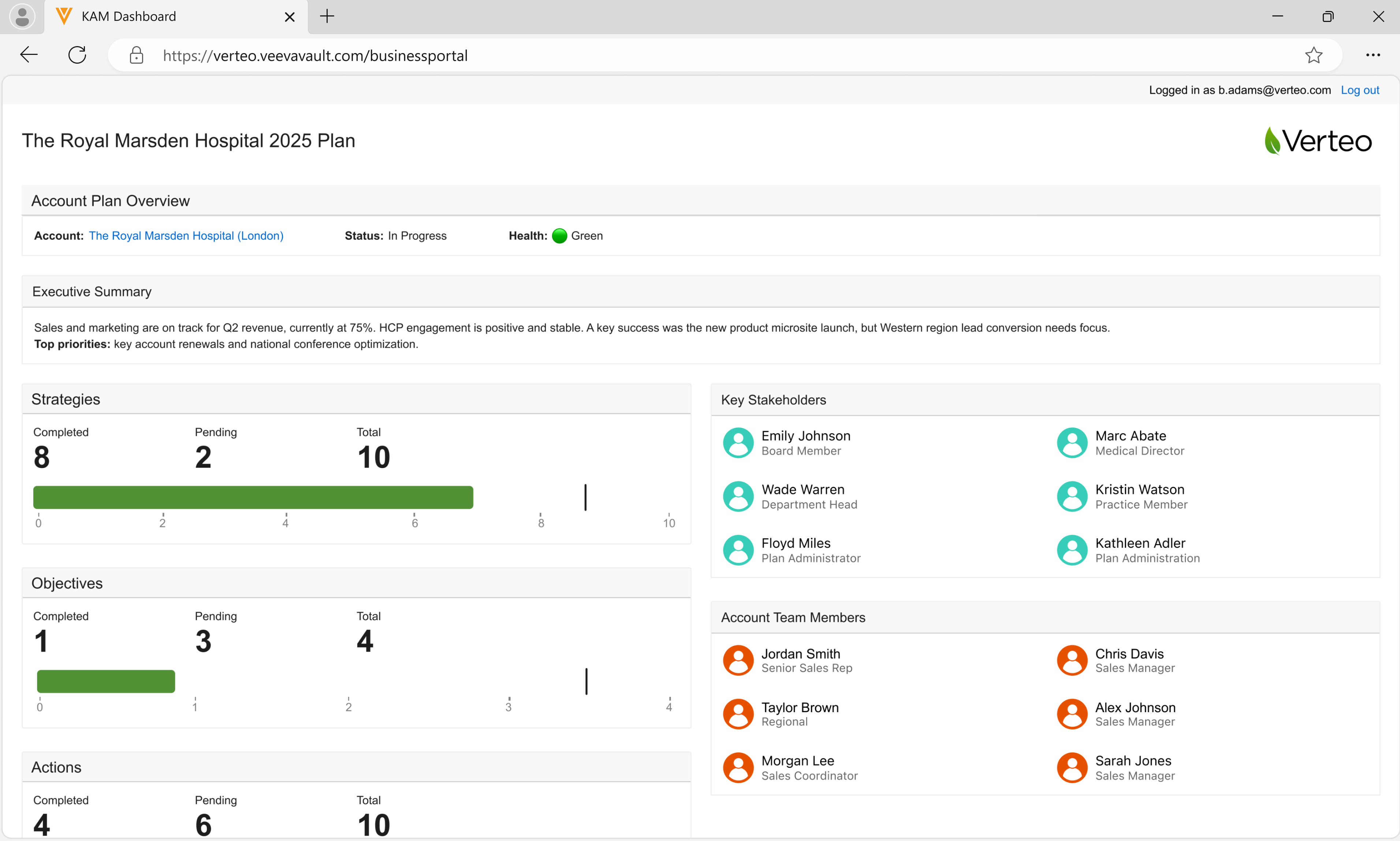
The page is configured by default to display crucial Account Plan details, including:
- Account Name
- Account Plan Status (In Progress, Approved, Rejected, or Pending) - Users see a focused view of the most important details of the Account Plan, including the overall status of the plan
- Account Plan Health (Green, yellow, or red circle)
- Executive Summary
- Status counts for Strategies, Actions, and Objectives
- Key Stakeholders (names and roles) and Account Team Members - Users can view more information on a stakeholder by selecting a Key Stakeholder from the portal. This action displays the account record, which includes account details (primary address and phone number), pending action items, and aligned users
Business Portal users can view the page using an internet browser, iPad, or iPhone.

|
See Using the KAM Business Portal Page for more information. |